EnterprisePricing

.svg)
Noloco
vs

Glide
Noloco vs. Glide:
Which App Builder is Right for You?
Find out how Noloco and Glide stack up when it comes to customization, integrations, scalability, and ease of use.
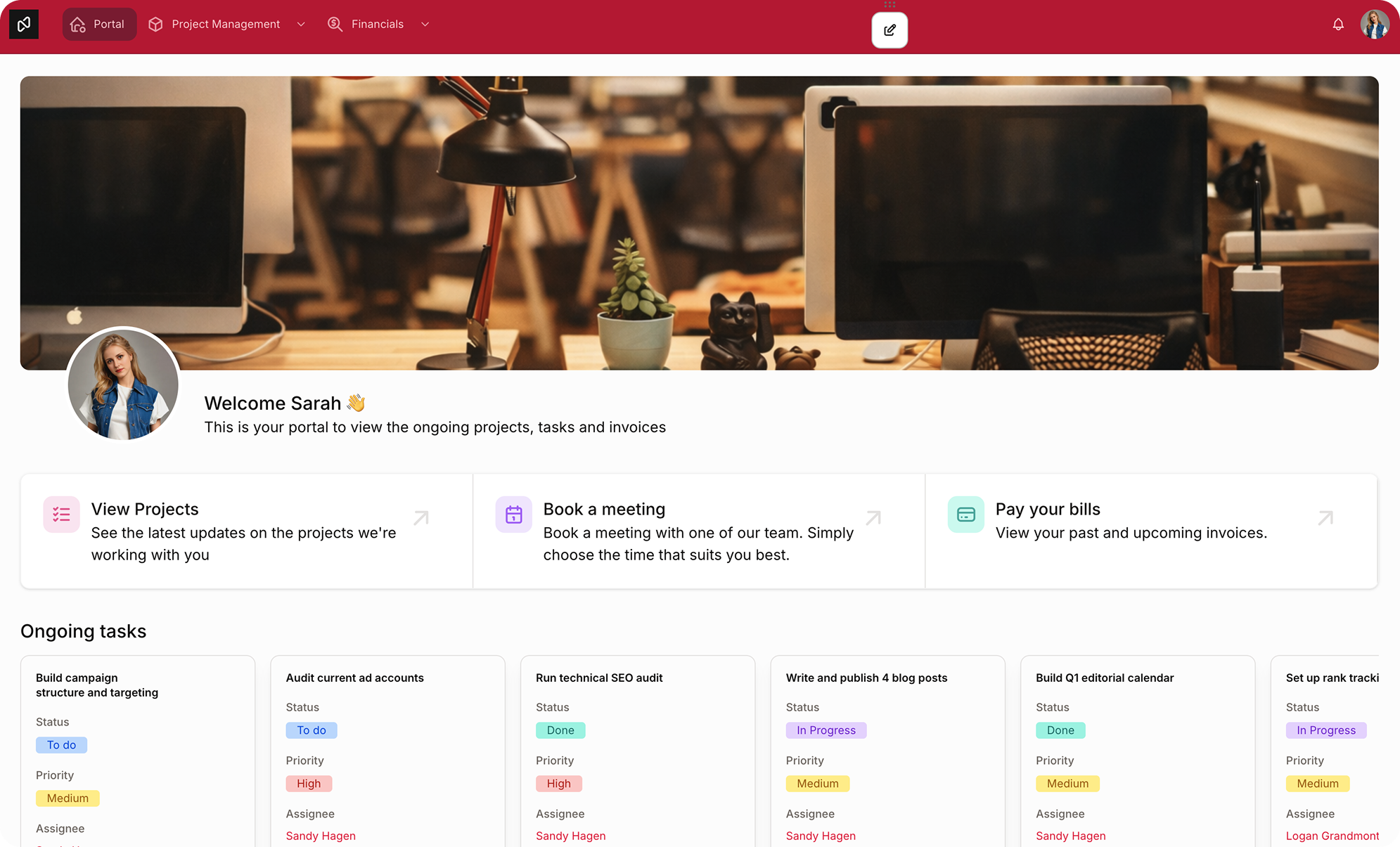
Noloco vs. Glide at a glance
.svg)
Noloco
Glide
Noloco

Built for operational apps
Advanced workflows & permissions
Flexible SQL + API integrations
Scales for teams and external users

Glide

Works mainly for lightweight mobile apps
Workflows limited to simple, linear logic
Simpler spreadsheet-driven workflows
Best for smaller-scale projects


Which app builder will help
you reach your business goals?
Choosing whether Noloco or Glide is right for you will
depend on what you want your platform to achieve.
depend on what you want your platform to achieve.
Noloco
Glide
Use cases

Ideal for CRMs, client portals, approval systems, and operational workflows with advanced permissions and automation.

Great for simple mobile apps, field tools, and lightweight internal apps that need to launch quickly.
Glide
Customization
Connect multiple databases, automate workflows, and customize how teams and clients interact with your data.
Spreadsheet-first and easy to use, with a strong focus on speed and mobile-friendly design.
Feature comparison
Noloco and Glide each bring their own benefits to the table.
Compare their features side by side to see which one meets your needs:
Compare their features side by side to see which one meets your needs:
FEATURE
Noloco
Glide
Custom Integrations

Advanced integrations (Zapier, APIs, etc.)

Limited integration (Google Sheets, Airtable, Excel)
Ease of Use
Easily customizable with advanced UI builder
Very Easy (drag-and-drop)
Scalability
Highly scalable for teams
Suitable for small to medium projects
Chart & data visualization
Advanced charts
(funnel, radar, pivot tables)
(funnel, radar, pivot tables)
Basic charts
(bar, line, radial)
(bar, line, radial)
Pricing Model
Scalable, flexible
Tiered limitations
Don't take our word for it
Trusted by over 1,000 teams and counting...


How Noloco and Glide
solve your problems
When it comes to helping your business, here's how Noloco and Glide differ:
.svg)
Data management
Noloco handles complex data and multiple databases, making it great for large projects. Glide works well with Google Sheets and Airtable, but it's better for smaller datasets.
.svg)
Workflows
Noloco has a powerful workflow builder with advanced roles, while Glide is simpler and better for basic workflows and apps.
.svg)
Scalability
Teams often start with Glide for MVPs and simpler apps, then move to Noloco when workflows, permissions, and operational complexity grow.
.svg)
Security
Noloco has strong user authentication and security options, perfect for handling sensitive data. Glide has simpler security features for less complex needs.
.svg)
Collaboration
Team tools in Noloco let you share and control access easily, great for bigger projects and larger teams. Glide's sharing is simpler, using shared data.
.svg)
Customization
Noloco gives you more control over your app's look and features. Glide sticks mainly to templates and set layouts for less personalization.
How to get started in four simple steps
.png)
Start your free trial
Sign up in seconds, no credit card required. Tell Noloco what you're building, or let the AI generate a starting point for you.
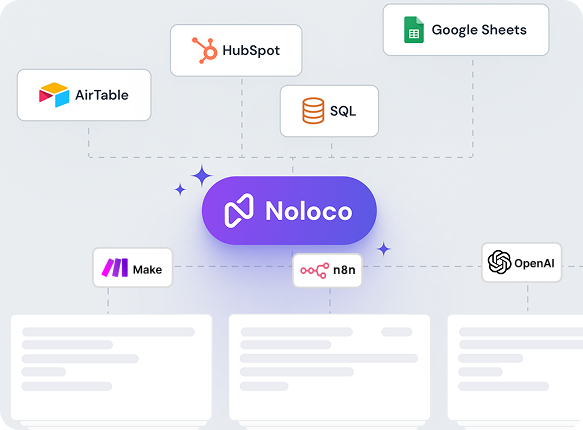
Connect your data source
Connect your data from Airtable, Google Sheets, or any supported source. Noloco syncs it in real time and builds your pages automatically.
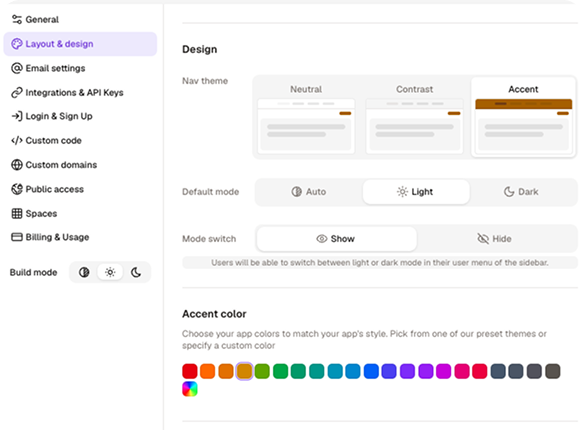
Customize your app
Add your logo, set your colours, configure what each user can see and do, all without writing a single line of code.
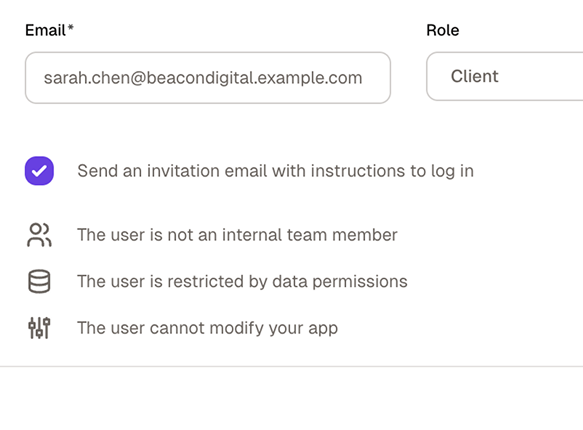
Invite your team and clients
Assign roles, publish your app, and share it with your team or clients.
They log in to their own tailored view — you stay in control.
They log in to their own tailored view — you stay in control.
No credit card required
Still have questions?
Here are the ones we hear most.
What's the main difference between Noloco and Glide?
+
-
Glide is a mobile-first app builder optimised for speed and simplicity, making it ideal for field teams who need clean, phone-based tools built on Google Sheets or Glide Tables.
Noloco is a full business app platform built for web and mobile, with complex permissions, multi-source data, external user access, and rich customisation.
If mobile simplicity is the priority, Glide is faster. If you need a branded app with permissions and workflow automation, Noloco is the better fit.
Which tool handles permissions better?
+
-
Noloco. Glide's role system can show or hide components based on role, which works for straightforward internal tools. Noloco goes deeper with row-level filters (each user sees only their own records) and field-level visibility rules, which is essential for client portals or any app where users need to be genuinely isolated from each other's data.
How does Glide's pricing compare to Noloco?
+
-
Glide charges per editor and per monthly updates — every form submission, action trigger, or data sync counts toward your cap. For high-usage operational apps, those update limits can produce unpredictable bills.
Noloco's subscription pricing doesn't charge per action, making costs more predictable as usage grows.
Can I try Noloco for free?
+
-
Yes, of course! Noloco offers a 14-day free trial, no credit card required, with full access to every feature including workflows, automations, and all data connectors. Glide has a free tier, but you can't publish apps with user authentication and privacy controls on it — it's primarily a sandbox.
What data sources does Noloco support compared to Glide?
+
-
Glide works primarily with Glide Tables, Google Sheets, Excel, and Airtable, with richer integrations on higher-tier plans. Noloco connects to Airtable, PostgreSQL, MySQL, Supabase, Google Sheets, HubSpot, SmartSuite, Xano, and more, and supports multiple data sources in the same app.
Can Noloco replace Glide for internal tools?
+
-
For most internal tool use cases, yes: Noloco handles CRMs, project trackers, and ops dashboards well across desktop and mobile. The exception is truly mobile-first apps where Glide's simplicity and phone-optimised templates are the primary value. If your team primarily works on desktop or needs external user access, Noloco is the stronger platform.
Do I need to know how to code to use Noloco?
+
-
No — both Noloco and Glide are no-code platforms. The difference is complexity ceiling: Glide is faster to learn but more limited in what you can build. Noloco has more configuration options, but most non-technical users are comfortable building their first app within a day.
Why do teams choose Noloco over Glide?
+
-
The most common reasons:
- They need external user access with isolated, permissioned data views
- Glide's monthly update limits are making costs unpredictable
- They need to connect to a PostgreSQL or MySQL database, not just Google Sheets
- They need a desktop-first or desktop-and-mobile experience
- They need white-label branding with a custom domain for a client-facing portal
Unleash the power of your data
Ready to build a powerful app from your data, one that goes beyond basic blocks and interactions?