
Xano integration
Transform your Xano data into powerful business apps
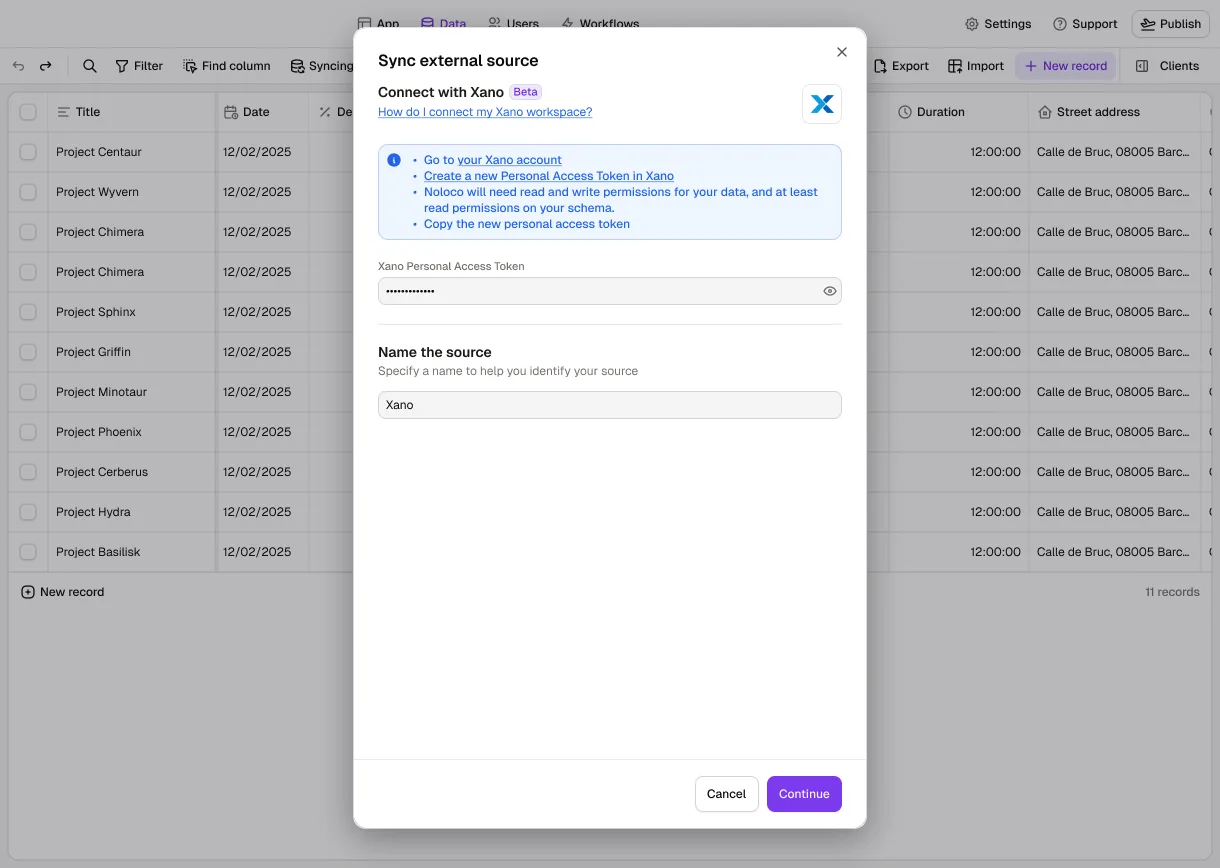
Connect your Xano database to Noloco and start building a custom app that works for your team.


Why integrate Xano with Noloco?
It's never been easier to connect your Xano database and enable your team to view and edit business data without writing any code.
Real-time syncing
Any updates made from your Noloco app are reflected instantly in your Xano database, and changes made in Xano sync back to Noloco.
Smart permissions
Control who can create, access, or edit data based on user roles and field-level permissions.
Smart workflows
Automate emails, trigger webhooks, and sync your tools when data updates in your Xano database.
Customizable layouts
Give your data the interface it deserves. Choose which fields to show in your app with a point-and-click interface.
What teams say
“Noloco is the best tool for an intranet I've used. The speed at which you can roll stuff out is nuts. And you have the customization without the usual trade offs. Phenomenal platform, really.”
 Oliver BryantCo-founder & CEO, SAFARI.COM
“I think Noloco is the absolute best product I've seen - continues to blow me away every day. I am using Noloco to build an app that will allow me and two team members to do the work that most firms would require 10 people to do”
 Marshal HodaAttorney & Founder, Hoda Law Firm
“We have been using them for about a year now, and the improvement since a year ago has been significant, so the product is excellent (very flexible, easy to set up, and full of very powerful features)”
 Xing ZhangFounder & CEO, AirReading
“With Noloco, we're able to onboard people very quickly and easily. The second they get that link, they're dropping all their documents, and filling in their information. Now I have everything and it's all tagged, rather than sending me an email with 20 attachments and having to sort through and organize them myself.”
 Melanie BaldridgeCEO & Founder, RE Cost Seg
“Its by far the best advanced builder on the market. You can make crazy interfaces that are super advanced. I needed advanced features that wasn't available in other simple platforms.”
 Rob WeidnerCo-Founder & NoCode Expert, ShowCal

5 minsvs. 3 hours to create report
How Pressworks runs projects, freelancers and finances in one no-code app

600development hours saved
How Singular Design cut developer overhead and improved quality via no-code tools

6-8months saved in engineering
How Creobase saved up to 8 months by choosing a no-code app
Frequently asked questions
Can Noloco integrate with our existing systems?
Noloco integrates with platforms like Airtable, Postgres, HubSpot, Google Sheets, Make, n8n, and other operational tools to fit into your existing workflows.
Is it secure to give clients access?
It’s absolutely safe. Noloco has granular permissions at the table, page, record, and field level, plus optional 2FA and SSO. You control exactly what each client can see and edit.
How quickly can teams get started with Noloco?
Getting started with Noloco only takes minutes. Teams can quickly connect their data, customize workflows, and begin building internal tools without engineering support.
How does the trial work?
Your 14-day free trial is on the Build plan, so your team can evaluate almost every feature: workflows, permissions, automations, and so much more. No credit card is required to get started.
After the trial period, you can choose to upgrade to a paid plan or continue using Noloco with limited features for free.
Integrate in minutes, enjoy amazing results long-term
What are you waiting for? Start creating your tailored apps.
No credit card required