
Client portal
Build a custom client portal
Allow your team to efficiently manage client data while customers enjoy self-service access. Fully branded and secure!
- Centralized client hub with real-time updates
- Branded portal tailored to your workflow
- Scalable automation for every onboarding step
Where traditional client portals fall short
Solve common client portal limitations with Noloco.
Limited customer autonomy
Security gaps
Lack of real-time communication
One portal, every client
Each client sees only their own work
Switch between an account lead, a designer and a client. It's one set of campaigns with no copies: each client sees only theirs, and only account leads see the retainer.
Account leads like Bianca see every campaign, Retainer included. Designers like Kenji see every campaign, but never Retainer. Noor at Fernbrook Cider sees only Fernbrook Cider's 3 campaigns, and never Retainer.
Solve common client portal limitations with Noloco
Self-serve client portal to empower your customers
Let your customers access vital information, manage their data, and perform actions through a modern and easy to use self-serve client portal—which they can access whenever they choose.
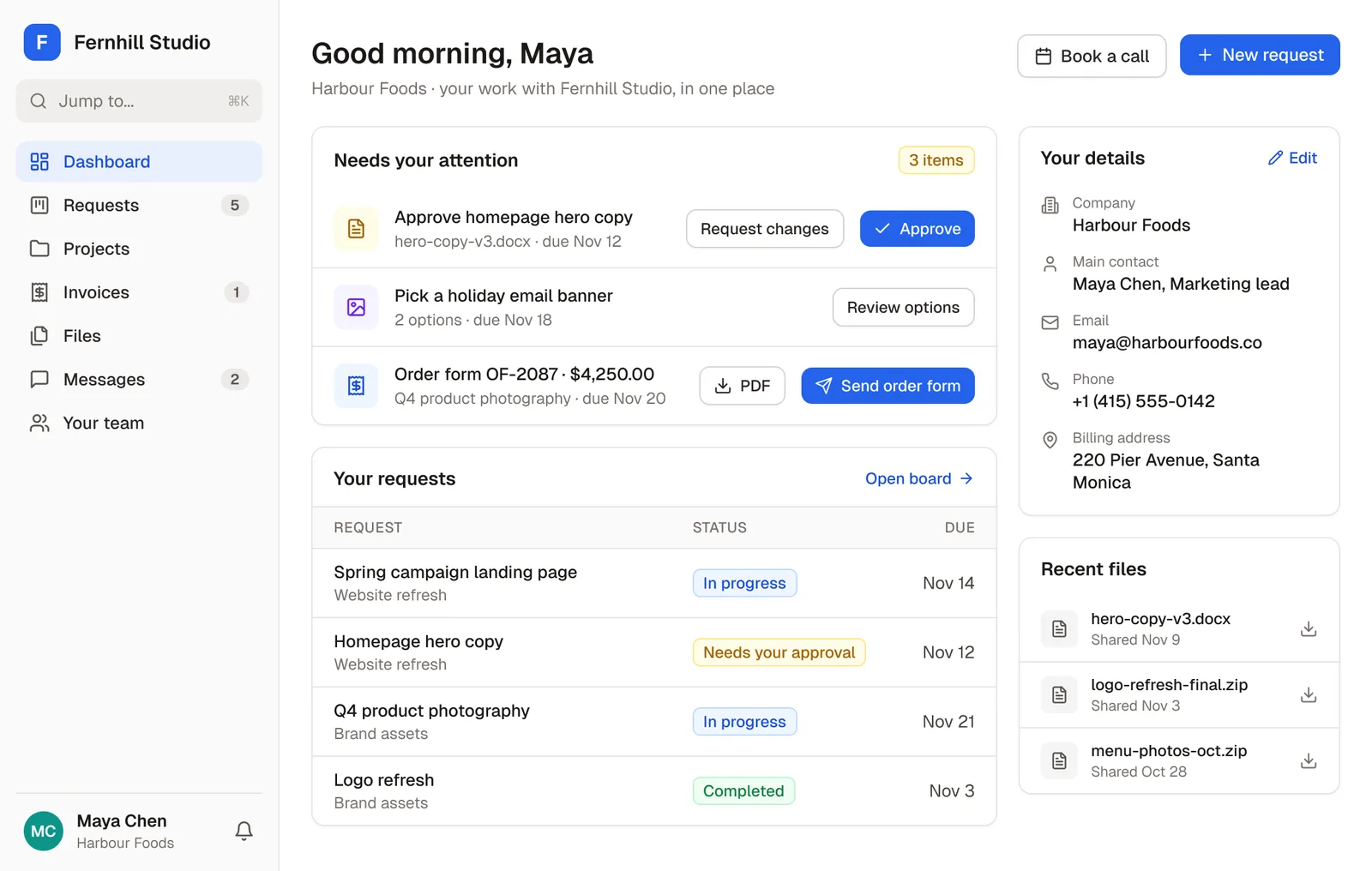
All your data in one place for improved customer communication
Centralize data from Airtable, PostgreSQL, MySQL, and Google Sheets in one location to easily collaborate and share important information with your customers.
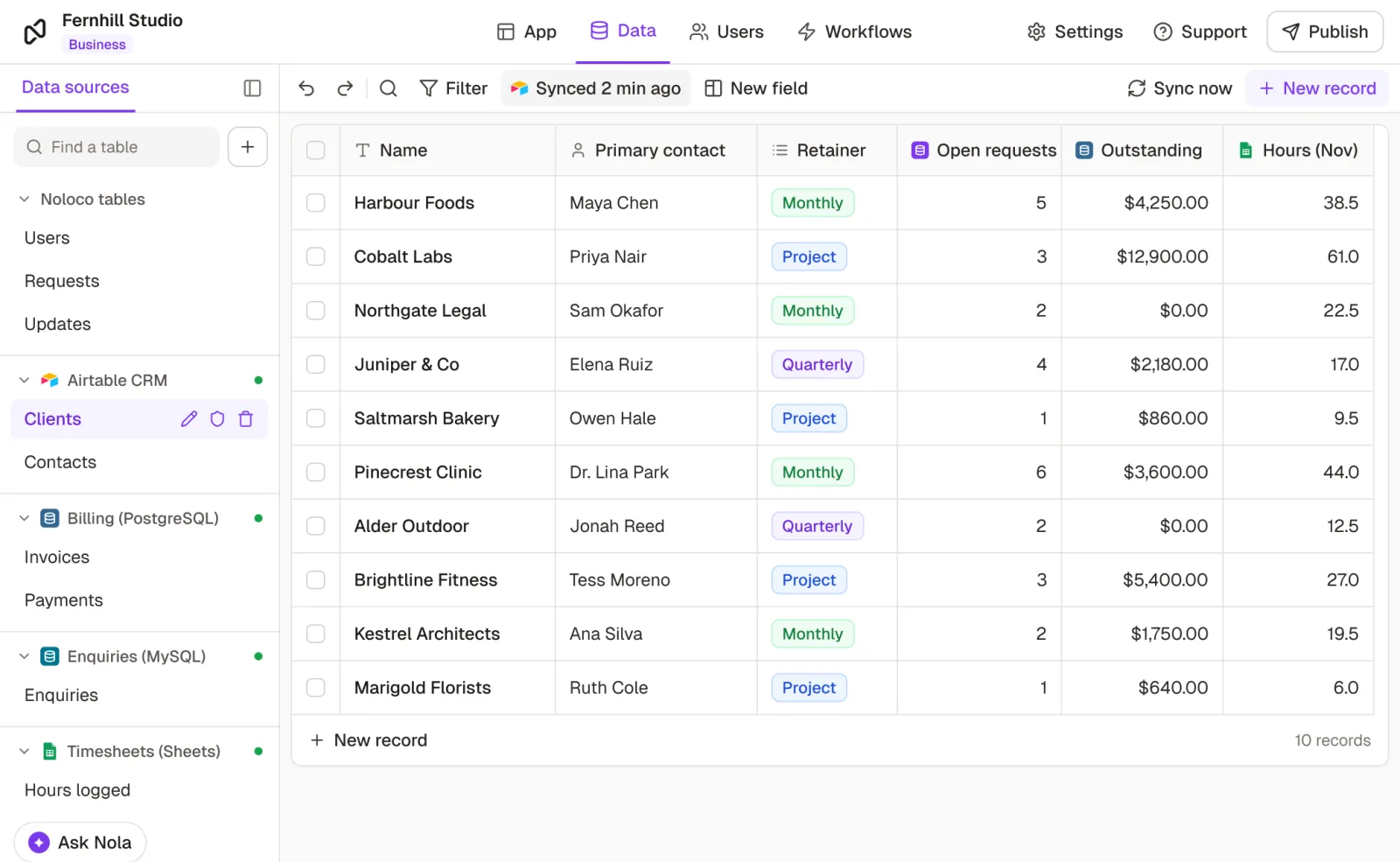
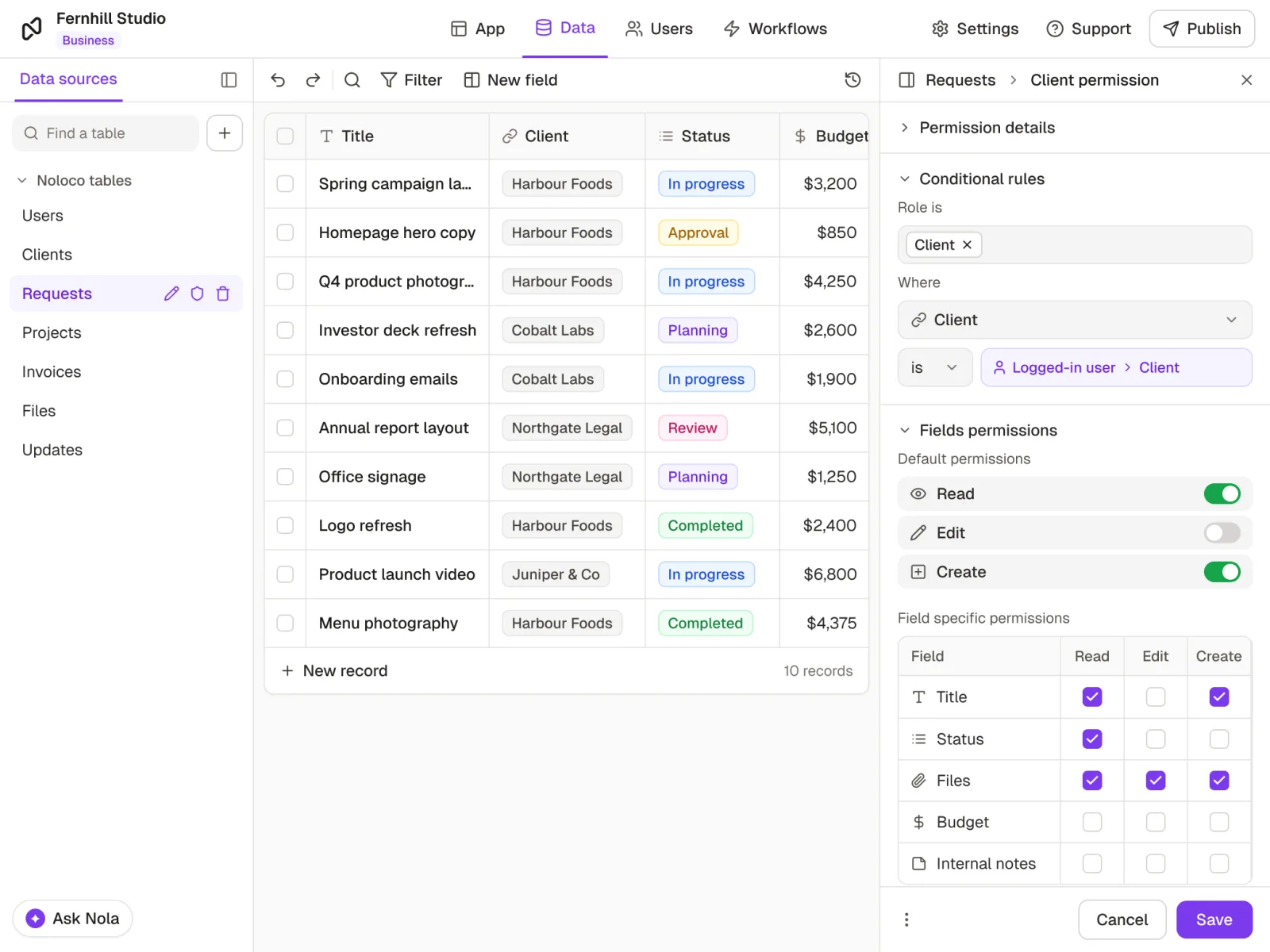
Secure, granular access control for data protection
Set custom permissions so clients only see what’s relevant to them, keeping sensitive information safe. With easy-to-use filters and access controls, you can deliver a personalized, secure experience for each customer—all through one portal.
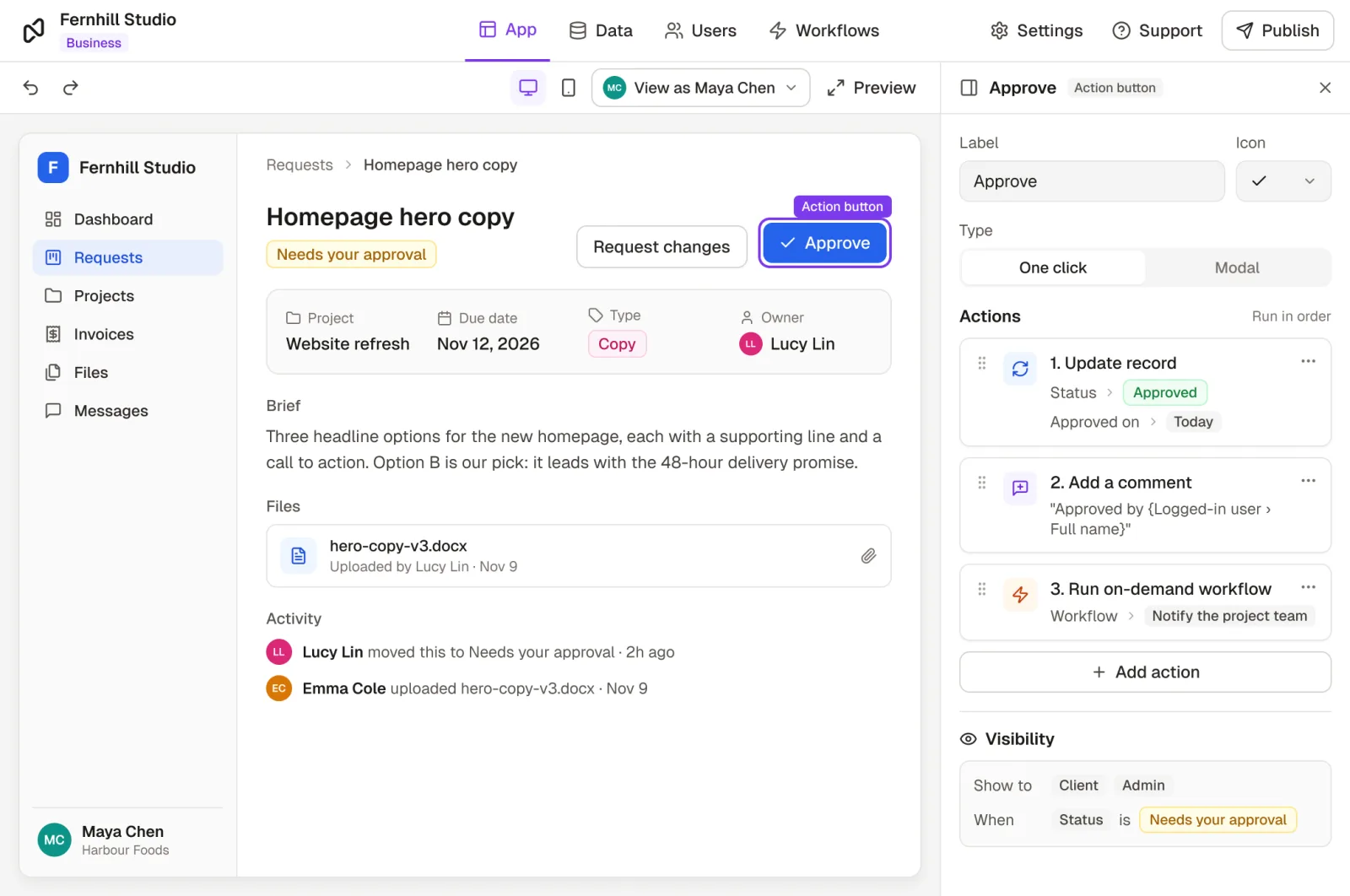
Automation to save time and eliminate errors
Create custom actions that trigger workflows, streamline repetitive tasks, and update fields automatically to boost productivity.
How to build a client portal for your business
Follow this step-by-step video to build a client request portal in Noloco: no more scattered inbox threads or manual status chasing.
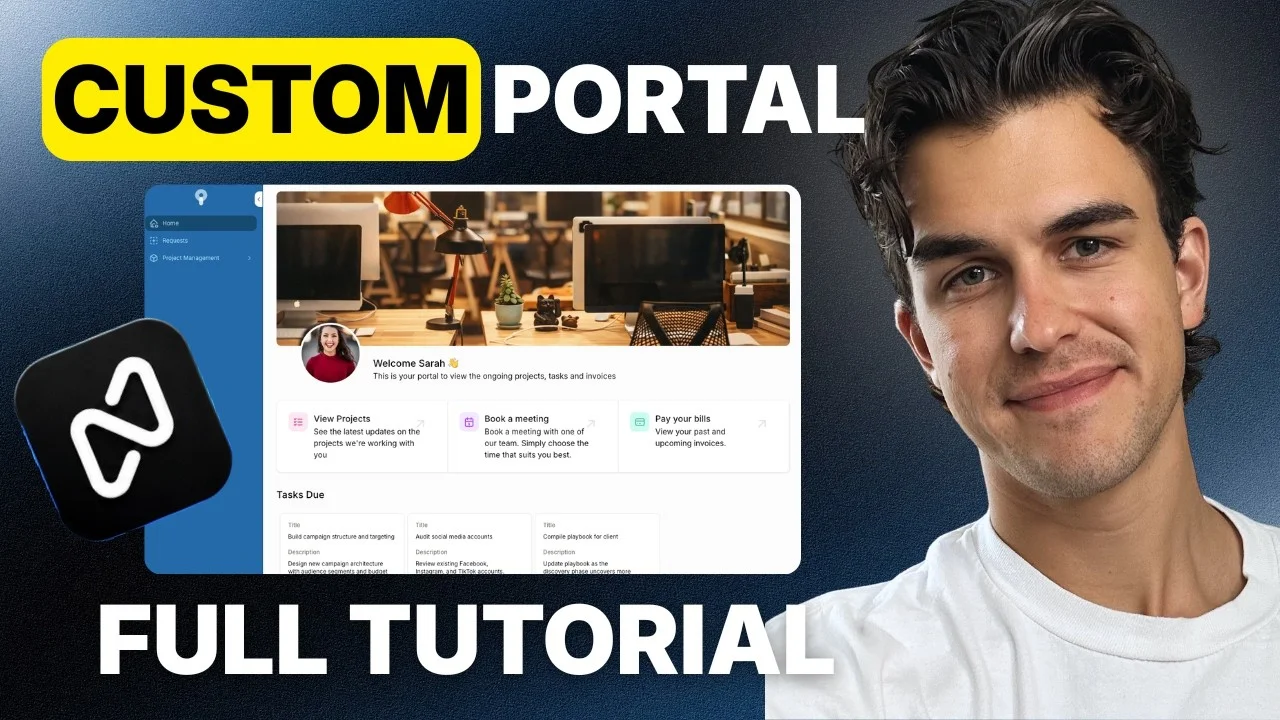 Play video: How to Build a Client Portal for Your Business (Step-by-Step + Checklist)
Client onboarding
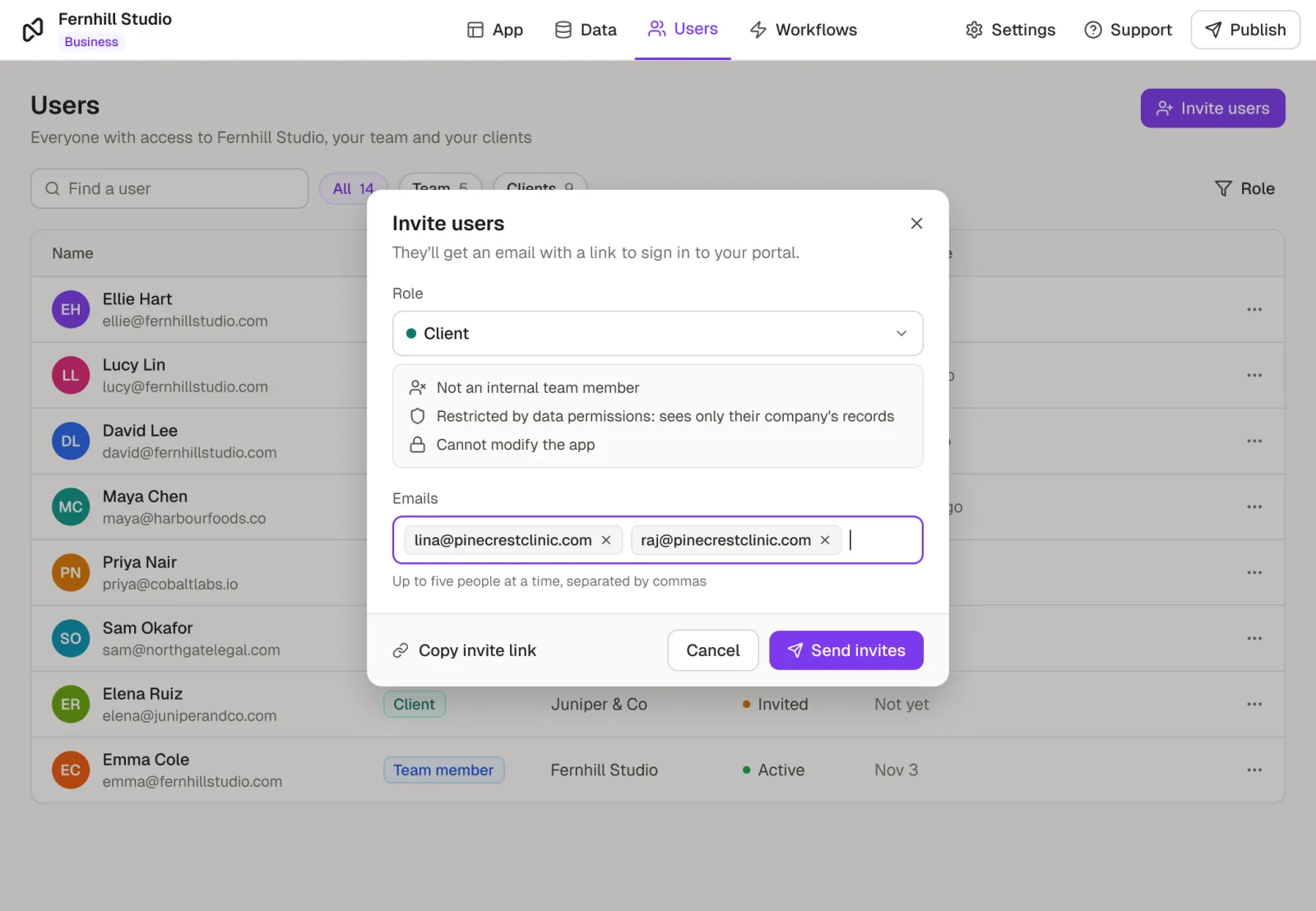
Streamline onboarding from day one
Manual onboarding slows down your team and frustrates clients. With Noloco, you replace spreadsheets, scattered tools, and email threads with a unified, automated client onboarding portal experience that saves time and builds trust.
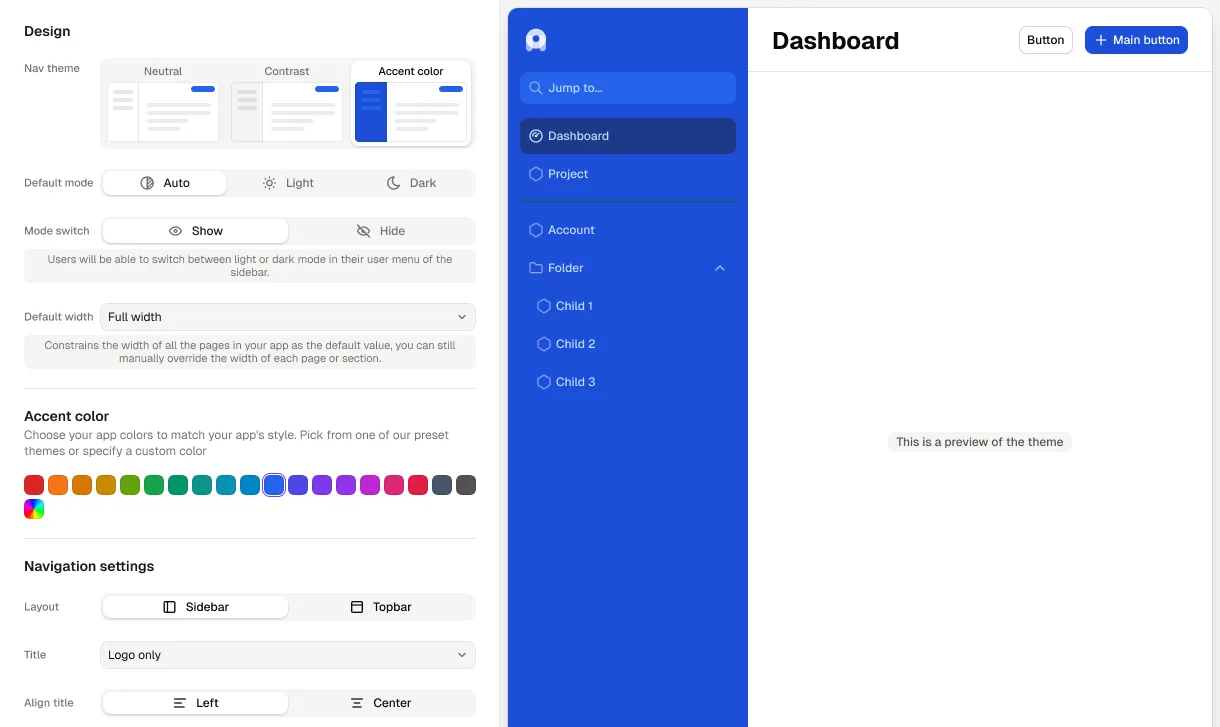
Deliver top-class service with a fully white label client portal
Elevate your client experience by delivering a portal that’s 100% branded and tailored to your business. Noloco’s white label client portal platform lets you showcase your professionalism, build stronger client trust, and differentiate your services—all without writing a single line of code.
Customer stories
Teams running on Noloco



Integrations
Connect the tools you already use
 Airtable
 Postgres
 MySQL
MySQL Google Sheets
 HubSpot
 Stripe
 Xano
Xano Supabase
 SmartSuite
 Zapier
 Make
Make n8n
n8n Slack
Slack Google Drive
What teams say
“Noloco is the best tool for an intranet I've used. The speed at which you can roll stuff out is nuts. And you have the customization without the usual trade offs. Phenomenal platform, really.”
 Oliver BryantCo-founder & CEO, SAFARI.COM
“I think Noloco is the absolute best product I've seen - continues to blow me away every day. I am using Noloco to build an app that will allow me and two team members to do the work that most firms would require 10 people to do”
 Marshal HodaAttorney & Founder, Hoda Law Firm
“We have been using them for about a year now, and the improvement since a year ago has been significant, so the product is excellent (very flexible, easy to set up, and full of very powerful features)”
 Xing ZhangFounder & CEO, AirReading
“With Noloco, we're able to onboard people very quickly and easily. The second they get that link, they're dropping all their documents, and filling in their information. Now I have everything and it's all tagged, rather than sending me an email with 20 attachments and having to sort through and organize them myself.”
 Melanie BaldridgeCEO & Founder, RE Cost Seg
“I'll be honest, I saw parts of the system during your demo and was thinking it could be a great tool, but I didn't think it would be this easy to get around and integrate - very impressive!”
 Stuart BannonICT Manager, Gill Education
Ready to create the perfect client portal for your customers and team?
Click below to start designing your custom portal. No developer expertise required.
No credit card required