
Noloco Tables
Easily manage your data with Noloco Tables
Organize, customize, and instantly import or export your data. Noloco Tables is a database built into every Noloco app, so you can start without connecting anything else.
The same 10 projects, shown as a table, a board, cards and a calendar. On the board, Brand refresh moves from In progress to Review.
How Noloco Tables can benefit you
Say goodbye to static spreadsheets and hello to organized data!
Powerful data storage
Organize and customize your data to suit your team. Pick from different field types like text, numbers, dates, checkboxes, and more!
Get smarter with AI
Turn raw data into insights with AI-powered columns, smart visualizations, kanban boards, calendars and more, giving your team access to insights at a glance.
Real-time updates
Keep everything updated in real-time, whether you're working in-app or connecting with other tools.
Bulk data management
Import and export large datasets in a snap with CSVs. Upload a file and Noloco will match the data to your Tables.
What are Noloco Tables?
Your very own database, inside your app
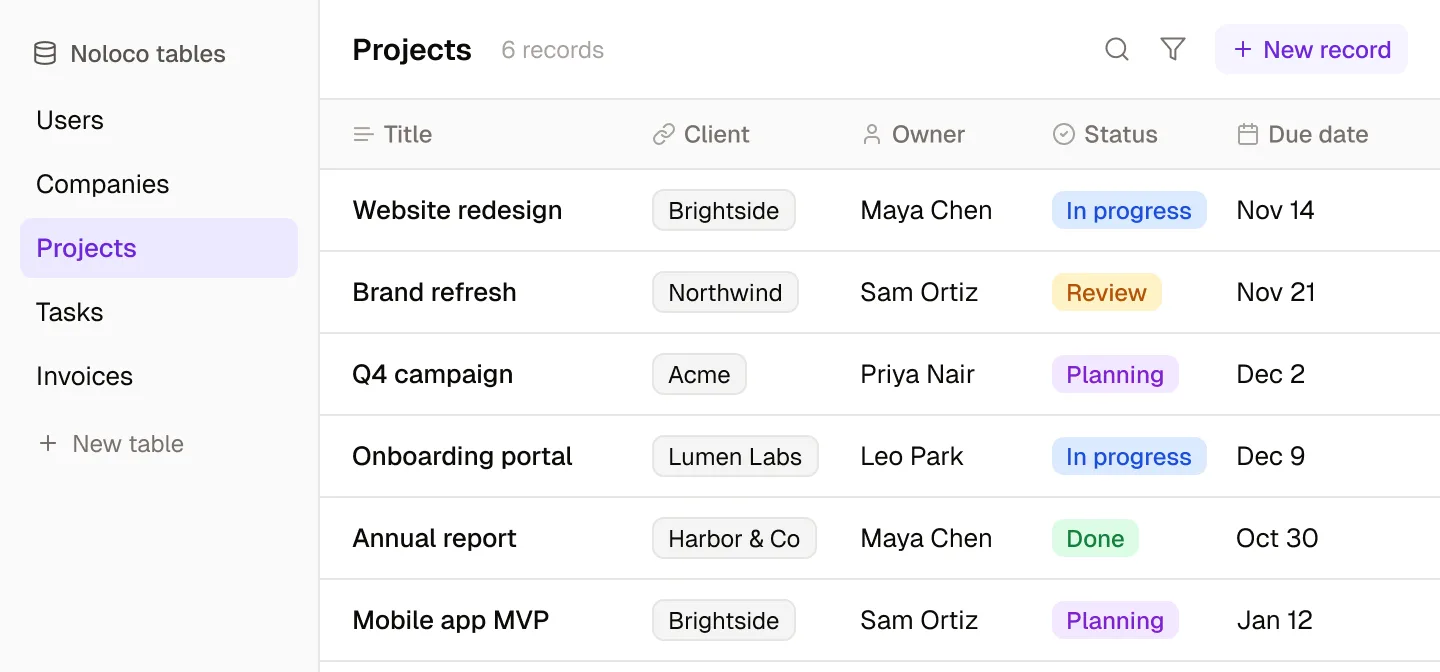
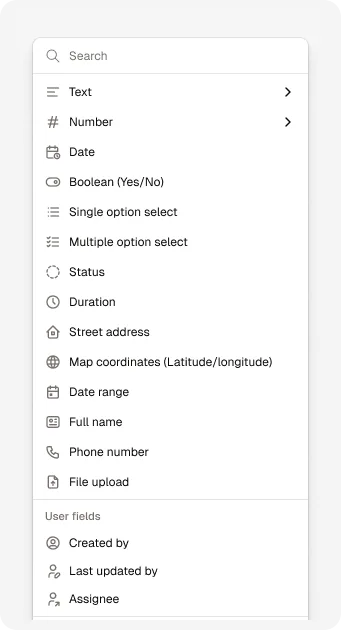
A table holds a list of items of the same type, like clients, projects or tasks. Each item is a record, and each record’s details live in fields. Every app starts with Users and Companies tables, and you can add a table for any list your business needs.
Field types
The right field for every kind of data
Each field’s type decides what it can hold and the input your team and clients see when they fill it in.
- Text, numbers, currency, dates, durations and yes/no
- Single and multiple option selects with colors
- Addresses, map coordinates, phone numbers and full names
- Files and images, uploaded straight onto a record
- Created by, last updated by and assignee, filled in automatically
Relationships
Link your data the way your business works
Noloco Tables are relational, so one change to a client or a project shows up everywhere it is linked.
- Link records across tables, such as a project to its client and its owner
- Rollups summarize related records, such as the total value of a client’s projects
- Lookups pull values through from linked records
- Formulas calculate values from other fields, spreadsheet style
Noloco AI
AI columns that do the busywork
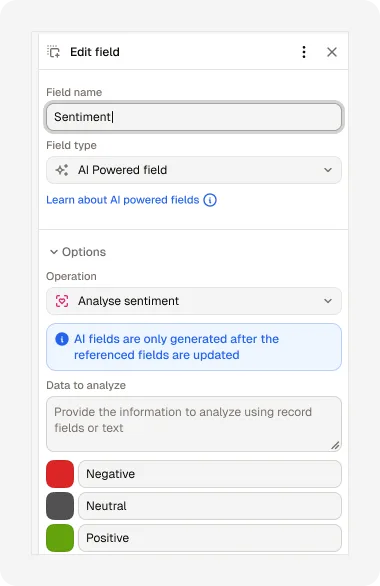
Add an AI field to any table and Noloco fills it in for each record, using the data you already have.
- Classify records automatically
- Summarize long text
- Detect sentiment
- Correct grammar
- Extract keywords
- Run your own prompt on every record
Powerful data grid
Intuitive spreadsheet. Powerful features.
Organize and edit your data, whatever way you need to.
Search, update and fill down
Organize your data with pinned columns
Bulk update, export or delete with ease
The flexibility to create the data solutions your business needs
Build, automate, and analyze, right where your data lives.
Data management
Store and edit every record in one place, with the fields and links your process needs.
Task automation
Trigger workflows when records change, on a schedule, or with a click.
Custom dashboards
Turn your tables into charts and dashboards your team can act on.
Flexible permissions
Decide exactly who can see and edit each table, record and field.
Jumpstart your Noloco app with easy to customize templates
Project Management App
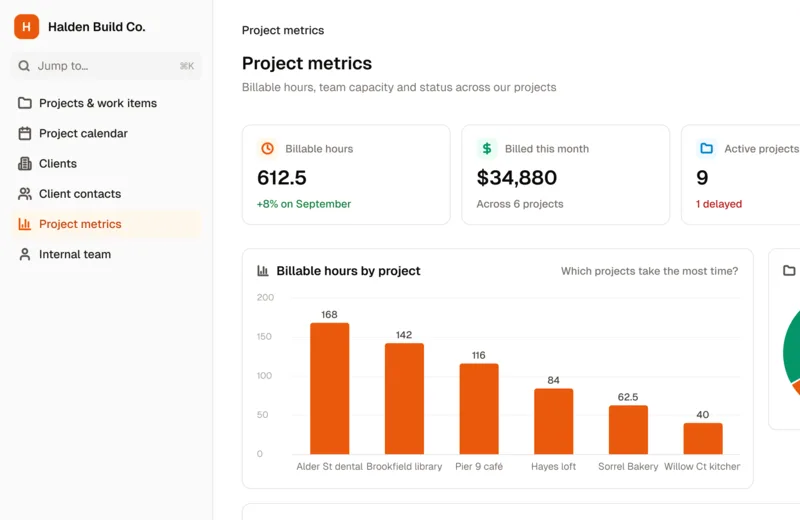
Tasks, resources, and deadlines: organize project details the way you like and easily share updates with your team so everything stays on track.
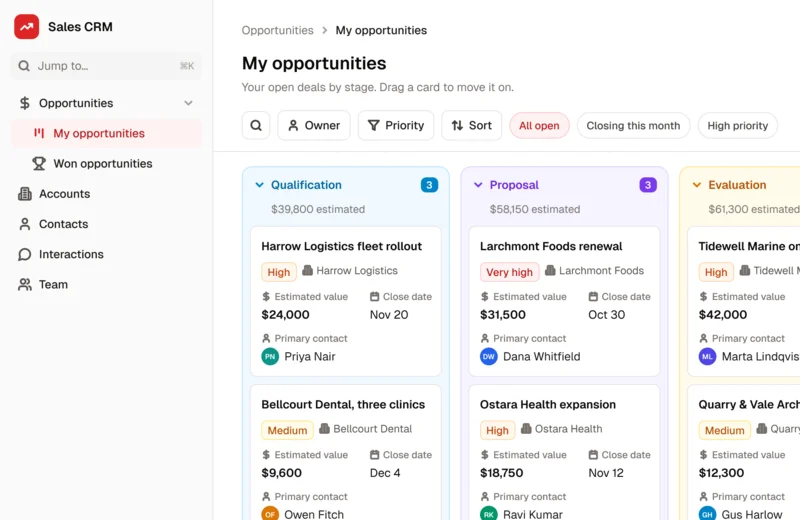
Sales CRM
Keep an eye on all your client chats, sales progress, and contact details in one place.
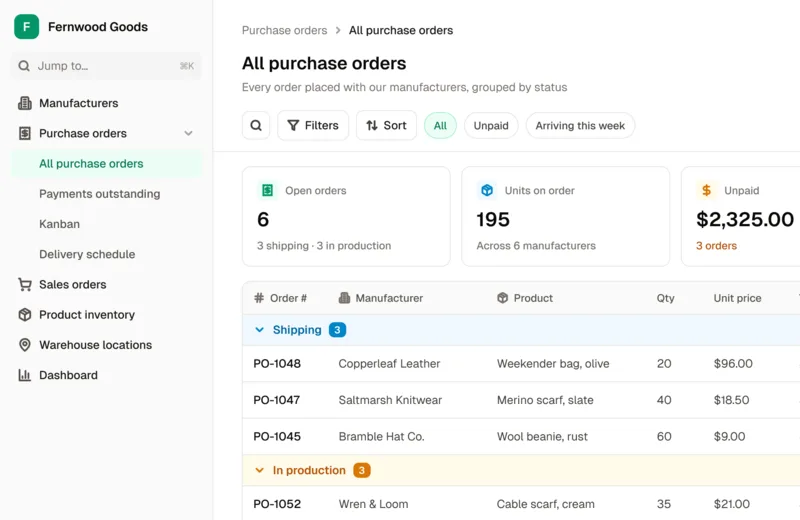
Inventory Tracking App
No more overstocking or overselling. Stay on top of your inventory, whether you're checking stock levels or syncing everything for easy bulk updates.
These customers had great things to say about their Noloco experience
“Noloco is the best tool for an intranet I've used. The speed at which you can roll stuff out is nuts. And you have the customization without the usual trade offs. Phenomenal platform, really.”
 Oliver BryantCo-founder & CEO, SAFARI.COM
“I think Noloco is the absolute best product I've seen - continues to blow me away every day. I am using Noloco to build an app that will allow me and two team members to do the work that most firms would require 10 people to do”
 Marshal HodaAttorney & Founder, Hoda Law Firm
“Noloco is incredible, it has brought a touch of magic to our data in Google Sheet and Airtable - we've been able to create beautiful apps in minutes. This is true no code, it's easy to use and puts you in control of your data. The support is world-class and their roadmap is moving at pace.”
 Jonathan GauntMD & Founder, FD Works
“We have been using them for about a year now, and the improvement since a year ago has been significant, so the product is excellent (very flexible, easy to set up, and full of very powerful features)”
 Xing ZhangFounder & CEO, AirReading
“With Noloco, we're able to onboard people very quickly and easily. The second they get that link, they're dropping all their documents, and filling in their information. Now I have everything and it's all tagged, rather than sending me an email with 20 attachments and having to sort through and organize them myself.”
 Melanie BaldridgeCEO & Founder, RE Cost Seg
Customer stories
Teams building with it

5 minsvs. 3 hours to create report
How Pressworks runs projects, freelancers and finances in one no-code app

600development hours saved
How Singular Design cut developer overhead and improved quality via no-code tools

6-8months saved in engineering
How Creobase saved up to 8 months by choosing a no-code app
Ready to try Noloco Tables yourself?
Take the first step today, for free.
No credit card required