EnterprisePricing

AI-Powered No-Code App Builder
Meet Nola,
your AI app builder
If you can describe it, Nola can build it — from table setup to fully custom systems.

zz
What do you want to build for your business?
Thank you! Your submission has been received!
Oops! Something went wrong while submitting the form.
Real results from Noloco customers


What is Nola?
Nola isn't just a chatbot.
One AI app builder. Everything your firm needs.
Build entire custom systems from your existing data — just describe what you need
Create client portals, project dashboards, resource planners, org charts, and more
Understand and modify your tables, fields and layouts
Setup complex workflows, permissions and filters
Explain how parts of your business fit together
Introducing Canvas:
The fastest way to build the system you actually need
Go beyond rigid layouts: describe the workspace, portal, or dashboard your team needs, and watch Nola build it in seconds.
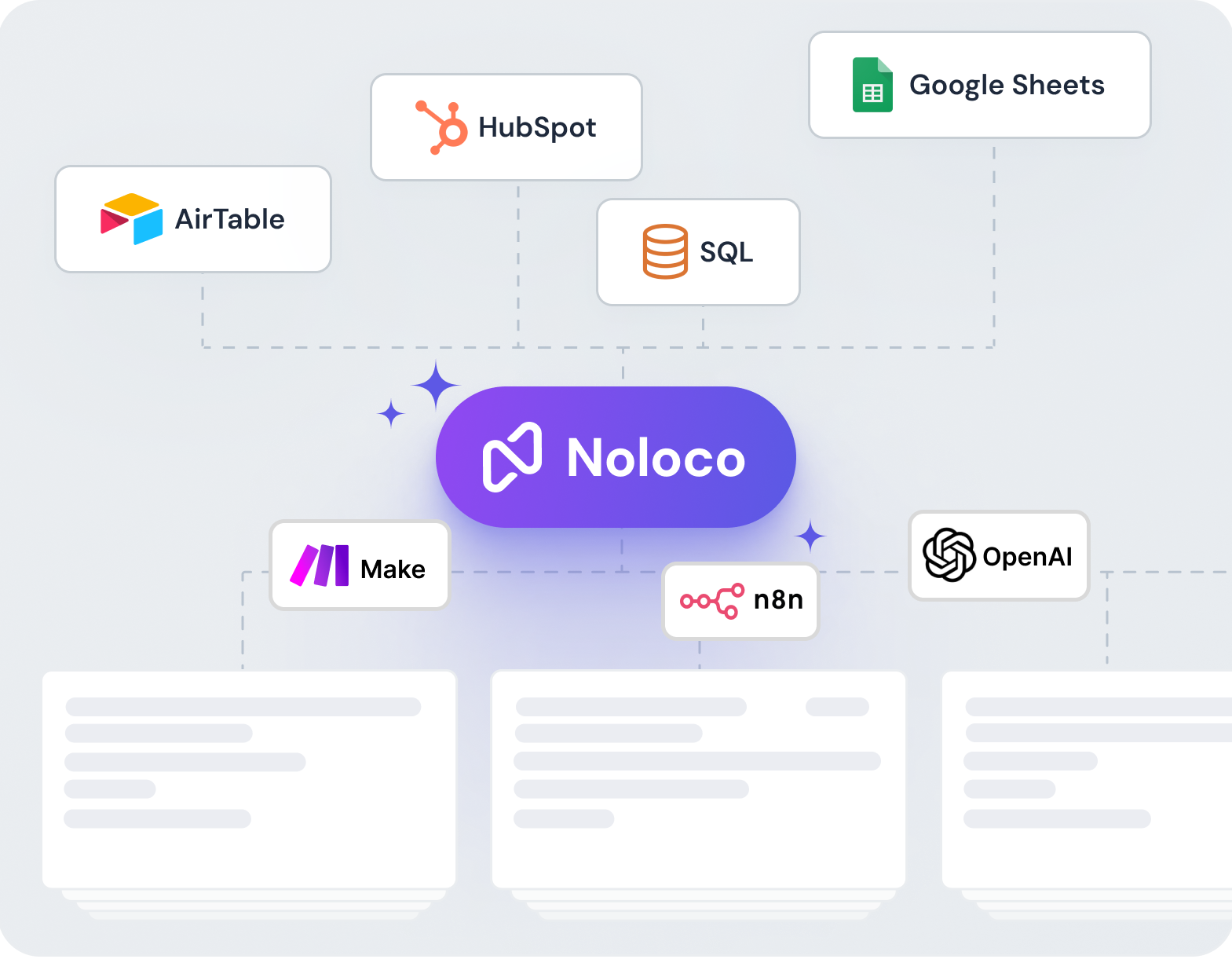
CONNECT YOUR DATA
Connect the tools you already use — Airtable, Google Sheets, PostgreSQL, and more. Nola reads your existing data and builds on top of it.
.png)
DESCRIBE WHAT YOU NEED
Just tell Nola what you need. A client portal, a project dashboard, a resource planning tool — be as specific as you want and she takes it from there.
.png)
NOLA BUILDS YOUR SYSTEM
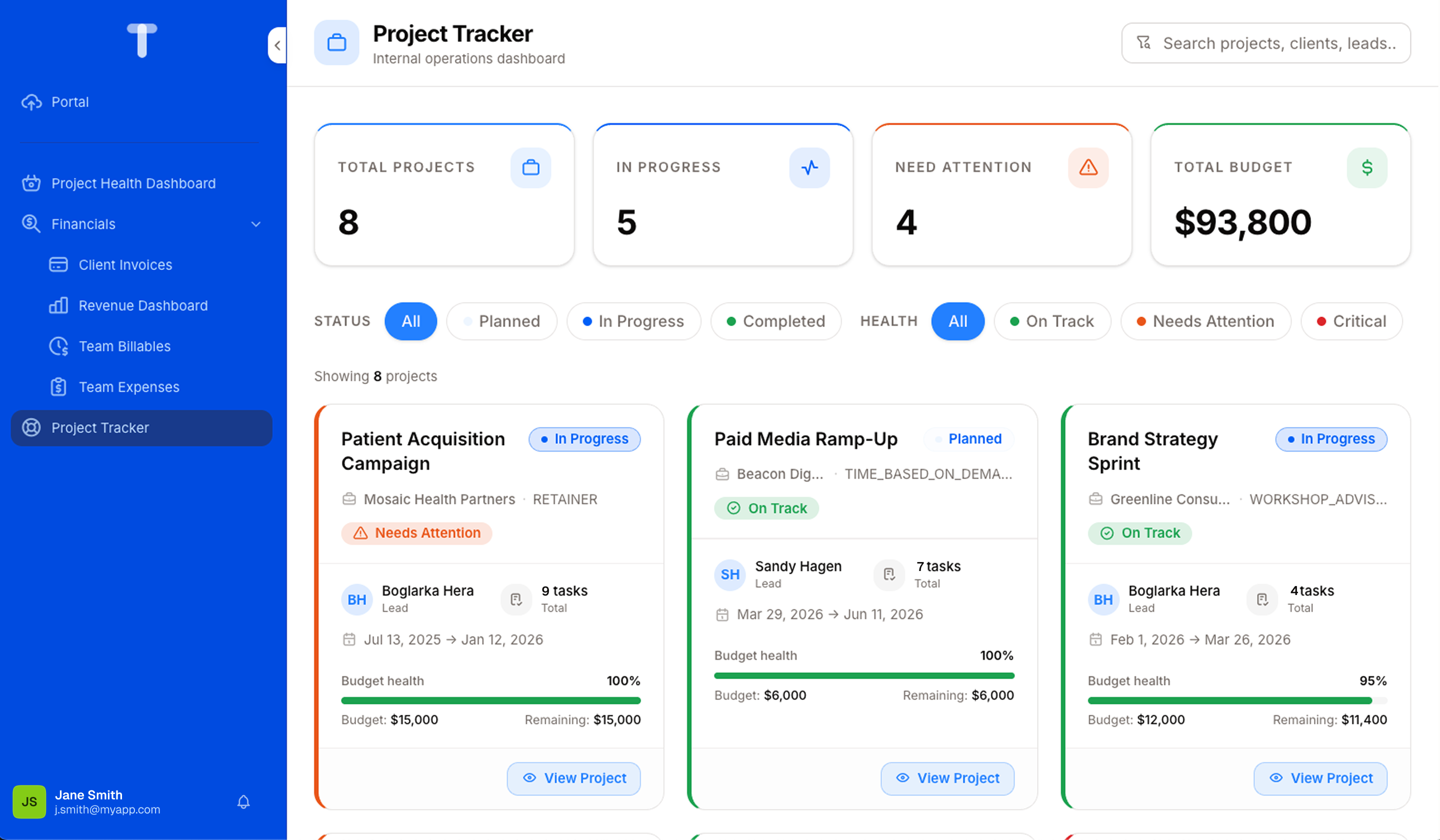
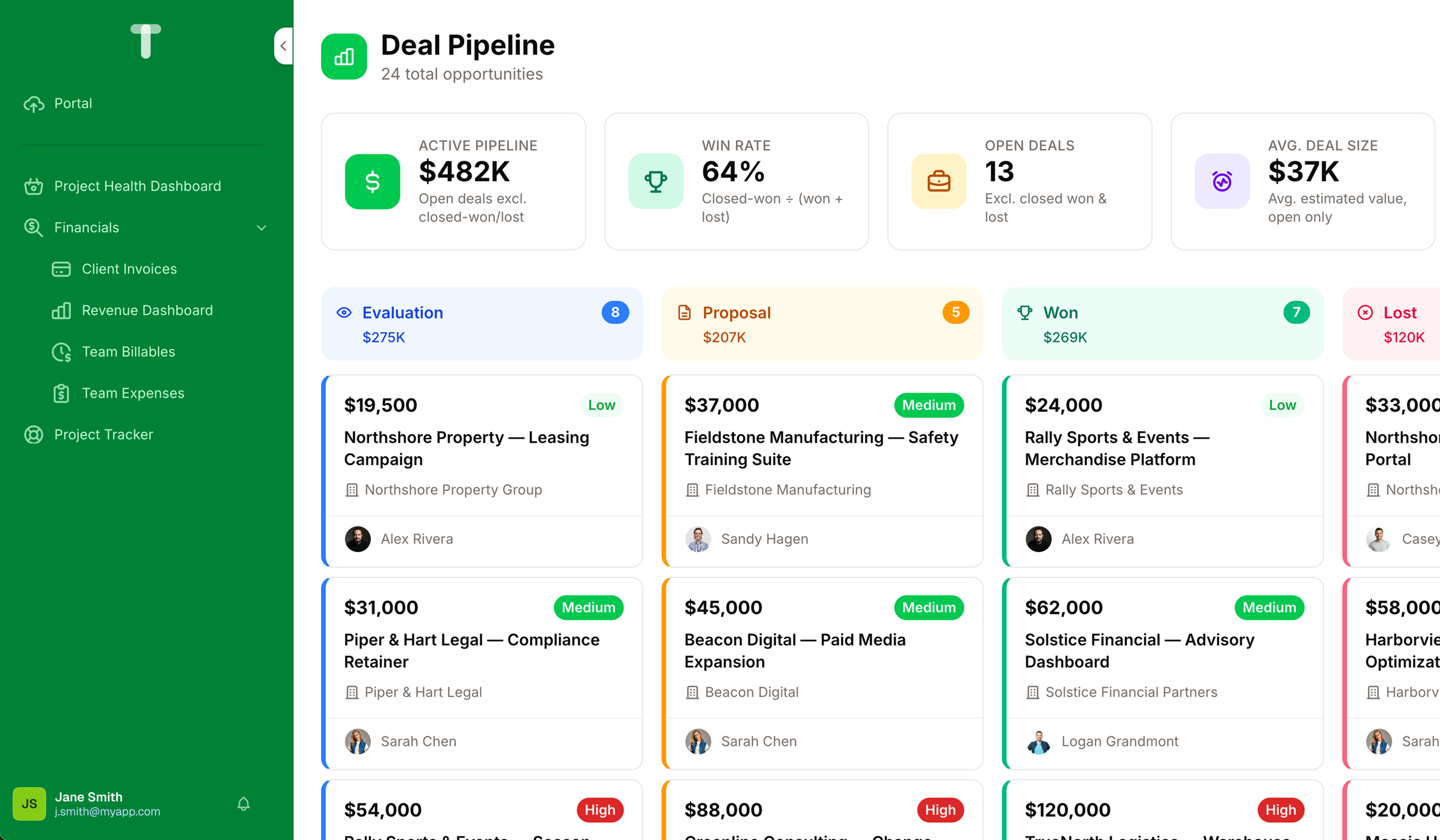
Nola creates Canvases using your existing data, app structure, and permissions. No configuration, no code — just review it and start refining.
.png)
AUTOMATE, CONFIGURE AND REFINE
Ask Nola to adjust anything — "show overdue projects first", "add new permissions", "set up new workflow", and she updates it instantly.
No credit card required
The freedom of AI. The reliability of business software.
Who says you can't have both? Build with AI, customize with no-code: Nola creates your app in seconds, and you stay in control, refining every detail without touching code.

Fast
From a description to a working system in minutes.

Sustainable
Built to hold up under real, everyday business use.
.png)
Reliable
Runs on your existing data, permissions, and processes.
Trusted by
1,000+ teams
1,000+ teams
★★★★★
4.9/5 · 30+ reviews

★★★★★
5.0 on Capterra
No credit card required
.png)



Introducing Nola
See Nola in action
You don't need to choose between speed and security
AI tools move fast. The question most teams end up asking is: who has access, and what can break?
With Noloco, that question is already answered. What Nola builds runs inside the system you already trust: same permissions, same data, same controls.
With Noloco, that question is already answered. What Nola builds runs inside the system you already trust: same permissions, same data, same controls.
.png)
Granular user permissions
.png)
Two-Factor Authentication
.png)
ISO/IEC 27001 Certified
.png)
EU Data Storage
Integrate with the tools
your team already use
Sync Noloco with the tools you already love, and watch
your workflows come alive as they work together.
your workflows come alive as they work together.

Xano

YouTube

Zapier

Zendesk

Xero

Vimeo

SmartSuite

Stripe

Google Sheets

Trello

Slack

QuickBooks

Postgres

Monday

PayPal

PipeDrive

MySQL

OpenAi

InterCom

Hubspot

Make

Jira

MailChimp

Harvest

Google Forms

Gmail

Google Documents

DropBox

EventBrite

Google Drive

Google Calendar

BaseCamp

Airtable

Asana

Buffer

DocsAutomator
Xano
YouTube
Zappier
Zendesk
Xero
Vimeo
SmartSuite
Stripe
Google Sheets
Trello
Slack
QuickBooks
Postgres
Monday
PayPal
PipeDrive
MySQL
OpenAi
InterCom
Hubspot
Make
Jira
MailChimp
Harvest
Google Forms
Gmail
Google Documents
DropBox
EventBrite
Google Drive
Google Calendar
BaseCamp
Airtable
Asana
Buffer
DocsAutomator
Xano
YouTube
Zapier
Zendesk
Xero
Vimeo
SmartSuite
Stripe
Google Sheets
Trello
Slack
QuickBooks
Postgres
Monday
PayPal
PipeDrive
MySQL
OpenAi
InterCom
Hubspot
Make
Jira
MailChimp
Harvest
Google Forms
Gmail
Google Documents
DropBox
EventBrite
Google Drive
Google Calendar
BaseCamp
Airtable
Asana
Buffer
DocsAutomator
Xano
YouTube
Zappier
Zendesk
Xero
Vimeo
SmartSuite
Stripe
Google Sheets
Trello
Slack
QuickBooks
Postgres
Monday
PayPal
PipeDrive
MySQL
OpenAi
InterCom
Hubspot
Make
Jira
MailChimp
Harvest
Google Forms
Gmail
Google Documents
DropBox
EventBrite
Google Drive
Google Calendar
BaseCamp
Airtable
Asana
Buffer
DocsAutomator


.png)


Your most common
questions—answered!
Who is Noloco best suited to?
+
-
Noloco is built for growing B2B professional service businesses that need to centralize and automate delivery workflows, upgrade the client experience and create a single place for visibility across the business. It's perfect for non-technical teams who want powerful systems without hiring developers.
What is Nola?
+
-
Nola is an AI-powered assistant built into Noloco. She can set up your tables and data, build workflows and permissions, and now build fully custom systems — like dashboards or client portals — just by describing what you need.
What is Canvas?
+
-
Canvas is Nola's newest capability. Go beyond the rigid layouts: describe the workspace, portal, or dashboard your team needs and Nola builds it as a Canvas — using your existing data, permissions, and app structure. No code, no configuration, just conversation.
How much does Nola cost?
+
-
Nola uses a credit-based system. Free plan and trial users get free credits to try Nola right away, and every paid plan includes its own credit allowance.
Need more? You can purchase credit add-ons anytime.
How do I access Nola?
+
-
Nola is accessible directly in your Noloco app builder:
1. Open your app in Build Mode
2. Look for the Nola tab in the left side of your app studio
3. Click to open the Nola interface
For more details, see: Getting Started with Nola.
How do I create a Canvas?
+
-
Open the Nola chat in your app, describe what you need, and she'll build it. Be as specific as you want — the more detail you give her, the closer the result. You can then refine it through conversation until it's exactly right.
Can Nola build a whole custom system for my business?
+
-
Yes. You can simply describe the system you need — a client portal, a project dashboard, a reporting workspace, anything you want — and Nola will build it for you, on your existing data, permissions, and app structure. You can then refine it conversationally until you're satisfied.
What kinds of systems can Nola build?
+
-
Client portals, project dashboards, resource planning tools, ticket triage systems, executive reporting workspaces, consultant utilization trackers, onboarding workflows, budget summary views, org charts, delivery pipelines, and more — pretty much any custom experience your team needs. If you can describe it, Nola can build it.
Can I make changes to a Canvas after Nola builds it?
+
-
Yes — just tell Nola what to adjust through conversation. "Show overdue projects first", "add a budget summary", "group by consultant" — she updates the Canvas and you keep refining until it's right. She can also add new permissions, or create workflows to automate your processes.
Do I need tech experience to use the platform?
+
-
Not at all! Noloco is designed especially for non-tech teams. Simply ask Nola, your AI app builder to create your custom application, or build it yourself using a drag-and-drop interface. No developers needed!
Is my data secure?
+
-
Absolutely! Security is very important to us. Our access control features let you limit who can see certain data, so only the right people can access sensitive information. Noloco is also ISO 127001 Certified. You can read more on our Security page.
Do you offer customer support?
+
-
Yes! We provide customer support through various channels—like chat, email, and help articles—to assist you in any way we can.
My business is growing fast—can Noloco keep up?
+
-
Definitely! Noloco makes it easy to tweak your app as your business grows, adapting to your changing workflows and needs.
Your custom app,
built with AI.
Ready to start?
No code, no developers, no waiting.
Just tell Nola what you need.
Just tell Nola what you need.
No credit card required