EnterprisePricing

.svg)
Noloco
vs

Bubble
Noloco vs. Bubble:
Built to Run on Your Data, Not Replace It
Bubble is a true programming tool — without code, but not without complexity. Noloco connects to the data you already manage and gets your team and clients into a working app in hours, not months.
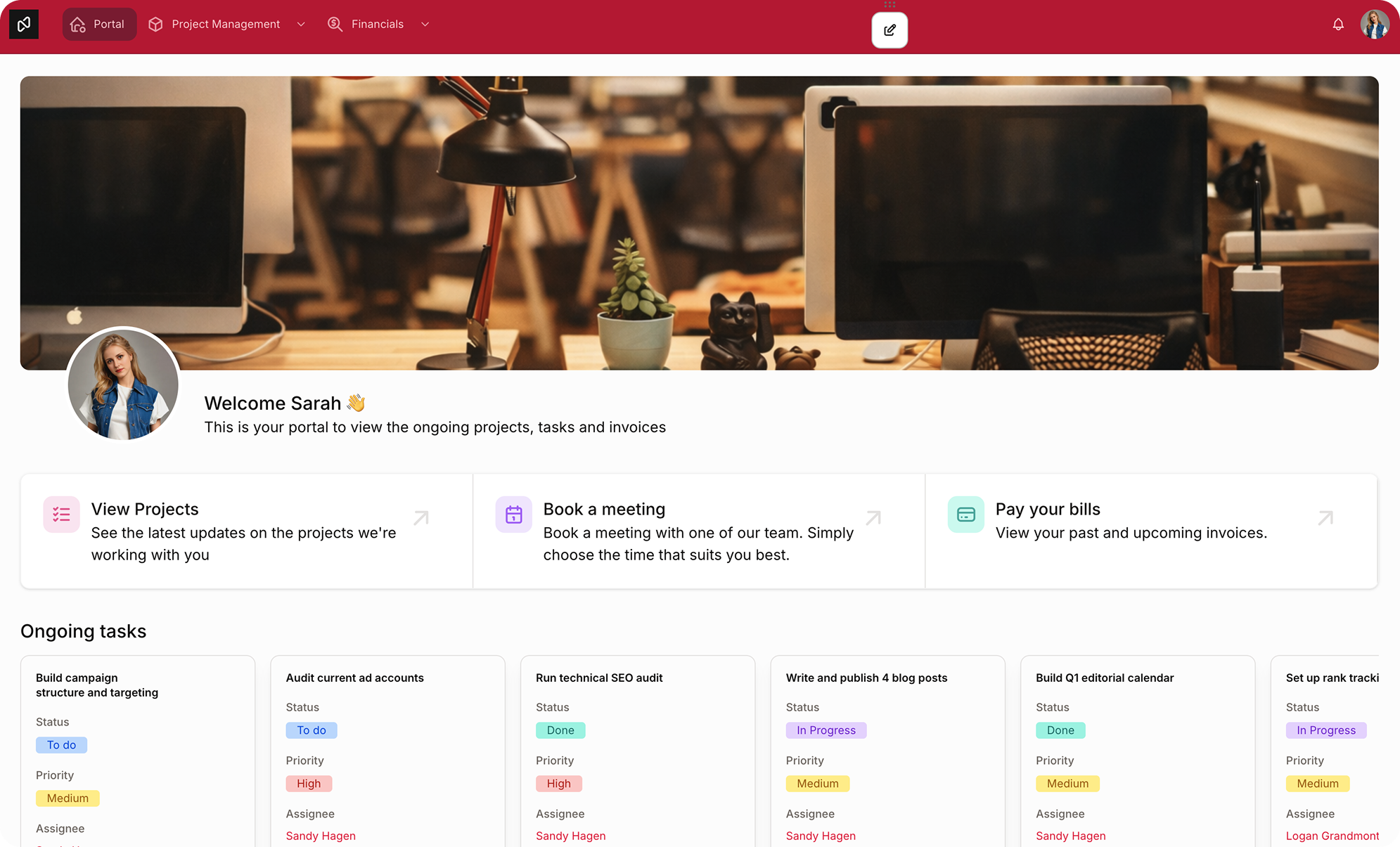
Noloco vs. Bubble at a glance
.svg)
Noloco
Bubble
Noloco

Connect Airtable, Sheets, Postgres, Xano, Supabase, MySQL and more
Visual, point-and-click builder, no programming logic to learn
Row-level + field-level + role-based permissions, configured visually
Native installable PWA included on every plan
Up and running in hours, not weeks

Softr

Native database is the recommended source of truth
Cost scales (sometimes unpredictably) with traffic and complexity
Privacy rules configured manually, type-by-type and field-by-field
Native mobile is a separate, additional-cost plan tier
Steep learning curve


Feature comparison
There’s a lot to love about Noloco and Bubble.
To really grasp the differences between them, let’s compare their features side by side.
To really grasp the differences between them, let’s compare their features side by side.
FEATURE
Noloco
Bubble
Building approach

Visual drag-and-drop + AI assistant

Visual logic builder, closer to programming without code
Data source
Airtable, Google Sheets, Postgres, Xano, Supabase, MySQL, HubSpot and many more
Native Bubble database (recommended), Airtable available only via plugin
Learning curve
Built for non-developers
Steeper; many teams rely on developers or agencies
Permissions
Built in: row-level + field-level + role-based
Privacy rules configured per data type and field; no built-in role-based visual layer
Mobile app
Native, installable PWA on every plan
Native iOS/Android available, but on a separate, higher-cost plan tier
Time to launch
Hours, with auto-generated pages from your data
Days to months, depending on app complexity
Don't take our word for it
Trusted by 1,000+ teams and counting...
.png)


When Bubble is the right choice
— and when it's not
Noloco
Bubble
Data Source

Your data already lives in Airtable, Google Sheets, or a SQL database — you want to build on it without migrating


You're starting from scratch and want full control over a custom database structure
Softr
Team & skills
You want to configure your app precisely (layout, permissions, fields) without iterating through prompts or managing generated code
You have development resources, or budget for a Bubble agency, to build and maintain complex logic
Permissions
You need role + field-level access, configured visually, without writing rules per field
You need highly customized, conditional access logic and are comfortable configuring it manually
Pricing
You want pricing that's easy to understand and predictable as you scale
You're comfortable with usage-based pricing and monitoring workload as you scale
Use cases
Client portals, internal tools, and operational apps on data you already manage
Complex, custom SaaS products and applications built from the ground up
Why teams choose Noloco over Bubble
Bubble can build almost anything — if you're willing to learn it like a developer would. Noloco gives you the same level of control over data and permissions, without the learning curve or the usage to watch.
.svg)
No new database to learn or maintain
Bubble's own documentation recommends against using Airtable as your primary data source — its native database is built to be the source of truth, with privacy rules layered on top of it. That's a reasonable design choice if you're building a new product from zero.
But if your business already runs on Airtable, Google Sheets, or a SQL database, with formulas, automations, and views your team relies on daily, moving that into a new database means rebuilding it — and maintaining two systems in parallel. Noloco connects directly, with live two-way sync. Nothing to migrate, nothing to duplicate.
But if your business already runs on Airtable, Google Sheets, or a SQL database, with formulas, automations, and views your team relies on daily, moving that into a new database means rebuilding it — and maintaining two systems in parallel. Noloco connects directly, with live two-way sync. Nothing to migrate, nothing to duplicate.
.svg)
Permissions your team configures, not codes
Bubble's privacy rules are powerful, but they're built like a developer tool: every data type and field gets its own rule set, evaluated individually. Getting it right takes real care, and getting it wrong can quietly expose data you meant to protect.
In Noloco, permissions are role-based and visual from the start: set what a client, team member, or admin can see and edit, down to the individual field, without writing a single rule by hand.
In Noloco, permissions are role-based and visual from the start: set what a client, team member, or admin can see and edit, down to the individual field, without writing a single rule by hand.
.svg)
Pricing you can actually plan around
Bubble bills by Workload Units: a single meter that combines database queries, workflow runs, and API calls, each consumed at different rates. It's flexible, but it also makes costs difficult to estimate upfront, and usage can spike in ways that are hard to anticipate until the bill arrives.
Noloco's pricing is built to be transparent and predictable, so you know what you're working with as your team and usage grow.
Noloco's pricing is built to be transparent and predictable, so you know what you're working with as your team and usage grow.
.svg)
No logic flows to learn. No developer required
Bubble is, by design, a true application development platform without code — but "without code" doesn't mean "without complexity." Its visual programming model (conditionals, custom states, recursive workflows) is powerful, and many teams hire a Bubble developer or agency to build and maintain what they need.
Noloco is built for the person running the business, not the person who'd otherwise be coding it. If you can configure a spreadsheet, you can build and maintain a production-ready Noloco app yourself.
Noloco is built for the person running the business, not the person who'd otherwise be coding it. If you can configure a spreadsheet, you can build and maintain a production-ready Noloco app yourself.
How to get started in four simple steps
.png)
Up and running in minutes
Start your 14-day free trial, no credit card required. Connect your Airtable base and Noloco generates your app pages automatically.
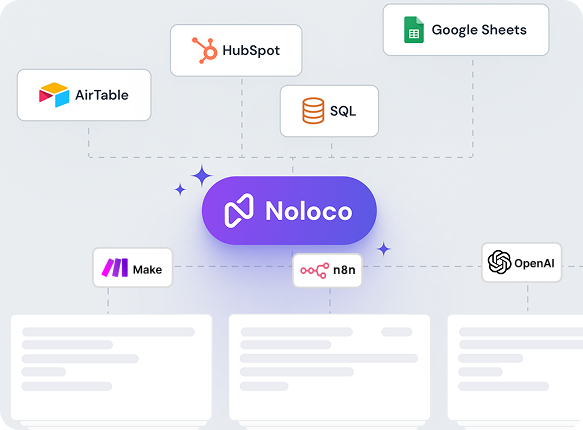
No migration needed
Connect your data from Airtable, Google Sheets, or any supported source. Noloco syncs it in real time and builds your pages automatically.
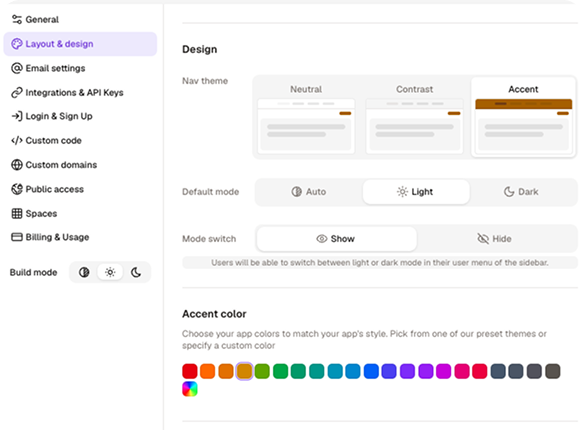
Customize your app
Add your logo, set your colours, configure what each user can see and do, all without writing a single line of code.
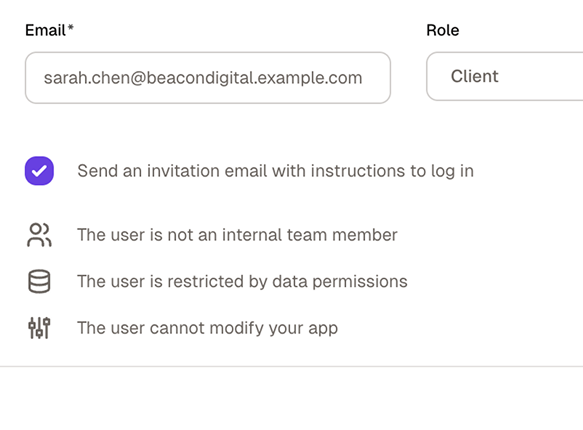
Invite your team and clients
Publish your app, assign roles, and send invitations. Everyone sees exactly what they need — and nothing they don't.
No credit card required
Still have questions?
Here are the ones we hear most.
What's the main difference between Bubble and Noloco?
+
-
Bubble is a no-code development platform: you build app logic, workflows, and a database from scratch, much like a developer would, just without writing code. It's powerful, but it comes with a real learning curve and usage-based pricing that scales with your app.
Noloco takes a different approach: you connect data you already manage and build a working app on top of it visually, with transparent pricing and no workflow logic to learn.
Can I use Airtable as my main database in Bubble?
+
-
Technically yes, via Bubble's Airtable plugin, but Bubble's own documentation recommends against it, noting the native database is more performant and is what its privacy rules are built around. In practice, most Bubble apps run on Bubble's own database, with Airtable used as a secondary source. Noloco connects directly to Airtable as a primary data source, with live two-way sync: no migration, no secondary database to maintain.
Does Noloco require me to move my data out of Airtable?
+
-
No. Noloco connects to your existing Airtable bases with live two-way sync. You don't migrate anything. If you update a record in Noloco, it updates in Airtable instantly — and vice versa. Your existing workflows, formulas, and automations stay intact.
Is Bubble's pricing predictable?
+
-
Bubble uses Workload Units: a usage meter that tracks every database query, workflow run, and API call your app makes, each weighted differently. That makes costs hard to estimate upfront, and usage can climb faster than expected as your app scales. Noloco is built to keep pricing transparent and easy to plan around, however your usage grows.
Can I try Noloco for free?
+
-
Yes. Noloco offers a 14-day free trial, which includes full access to the features on your selected plan. This allows your team to fully evaluate workflows, permissions, automations, and integrations. No credit card is required to get started.
Can I connect multiple data sources in the same Noloco app?
+
-
Yes. A single Noloco app can pull from multiple data sources simultaneously: Airtable bases, Google Sheets, Postgres, Xano, Supabase, MySQL, and more. You can build pages that reference data from different sources in the same interface, without duplicating or migrating anything.
Does Bubble have a mobile app?
+
-
Yes — Bubble added native iOS and Android publishing in 2025, but it's available on a separate (and pricier) plan tier from its web plans. Noloco includes a native, installable PWA on every plan, so your app works like an app on any device from day one.
Do I need a developer to use Bubble?
+
-
Not strictly, but many teams end up hiring one. Bubble's logic model — conditionals, custom states, backend workflows — is closer to programming than most no-code tools, and getting complex apps right often means bringing in a Bubble specialist. Noloco is built so non-developers can build and maintain the entire app themselves.
How long does it take to get a Noloco app live?
+
-
Most teams connect their data source and have a working app within an hour. Noloco reads your data schema and auto-generates pages for each table, so you're not starting from a blank canvas. A basic client portal — login, record list, detail page — typically takes 1–2 hours to configure. More complex apps with custom workflows and multi-role permission structures take longer, but Noloco's template library covers most common starting points.
Do I need technical skills to use Noloco?
+
-
No. Noloco is built for operators, not developers. If you can configure a spreadsheet and think clearly about what different users should see and do, you can build a production-ready Noloco app. For teams that want to move faster, Nola — Noloco's AI assistant — can scaffold pages and suggest configurations.
Stop building from zero. Start from what you already have.
Bubble gives you full control, at the cost of time and a learning curve. Noloco gives you a working app on your existing data, branded and permissioned, without the build.