
Legal software solution
Legal software that fits how your firm works
Track cases, manage client requests, and automate your legal work without workarounds.
- Bring your existing tools and data into one system
- Reduce admin work that eats into billable hours
- Add structure as your firm grows
Is your firm facing any of these?
Your tools don't match how you work
Most legal software doesn't quite fit your processes, so your team works around it with emails, spreadsheets and manual steps.
Building something custom isn't realistic
An operating system built for your firm sounds great, but in reality means high costs and long timelines.
Too much time goes into admin work
Following up with clients, chasing documents, updating case status: it all adds up and eats into time that should be billable.
Who sees what
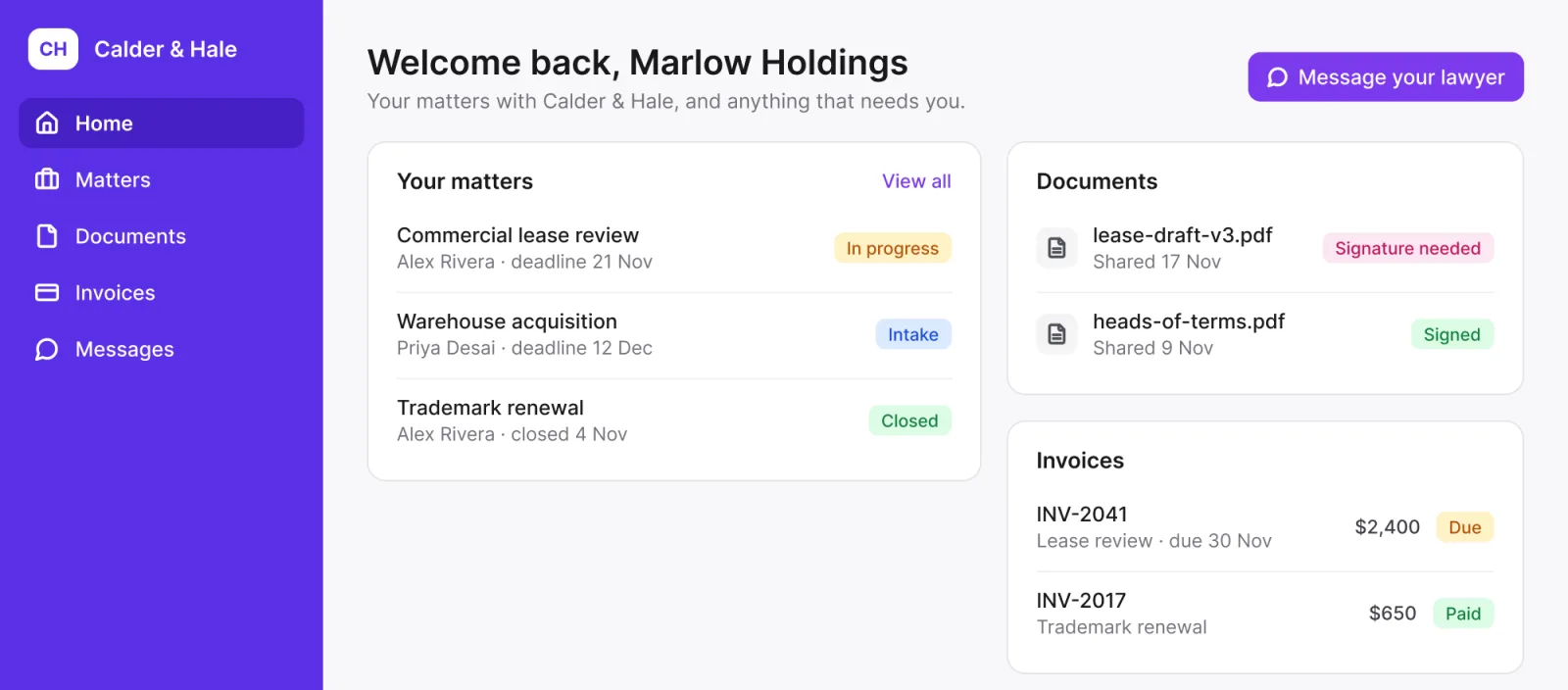
Clients see their matters, and nothing else
Switch between a partner, an associate and a client. It's one list of matters: each client sees only their own, and only partners see the fees.
Partners like Margaret see every matter, Fees included. Associates like Daniel see every matter, but never Fees. Carla at Ashgrove Logistics sees only Ashgrove Logistics' 3 matters, and never Fees.
Take full control of your firm and stop chasing updates and workarounds
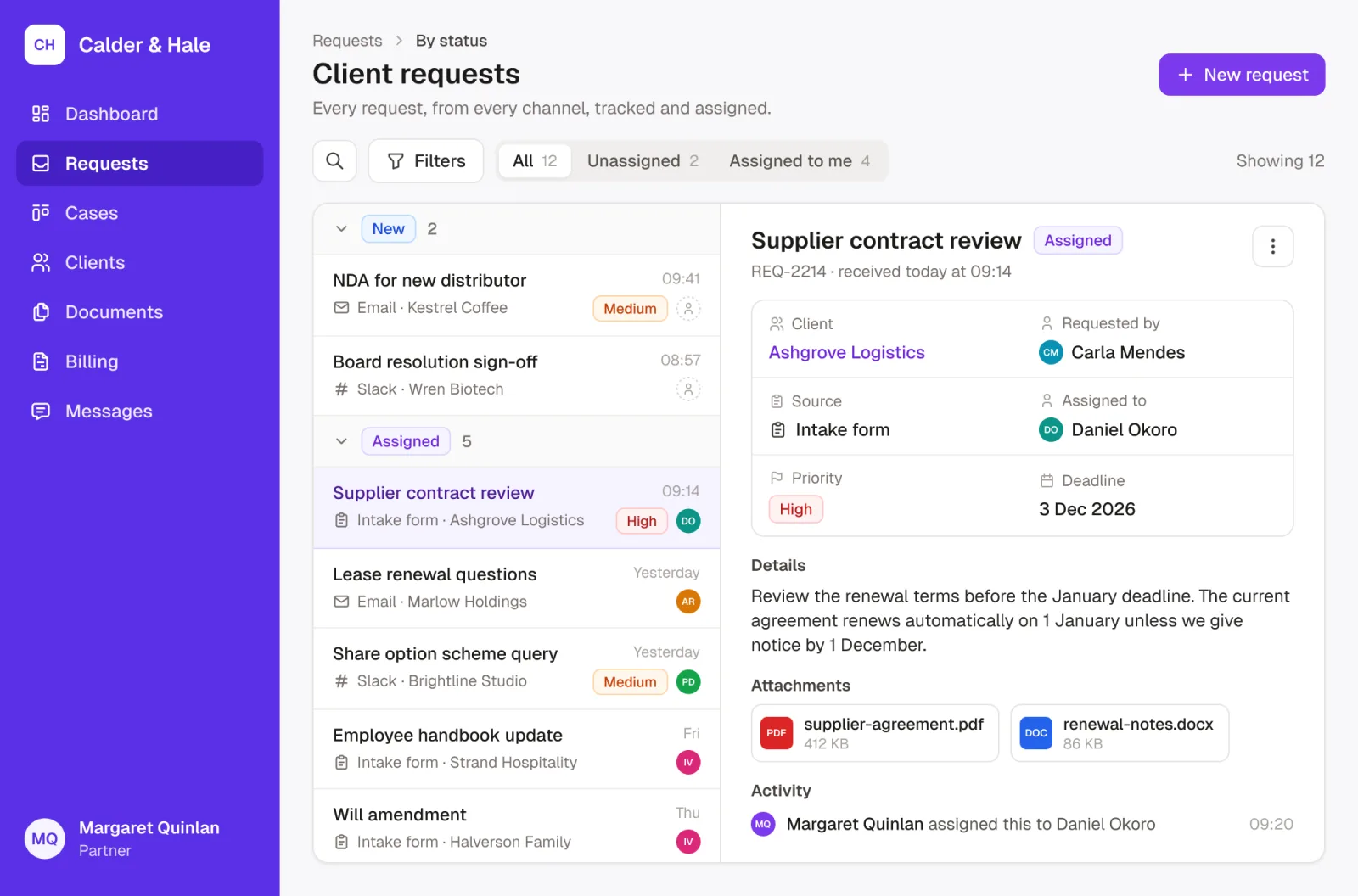
Track requests in one place
Whether they come from email, Slack or a simple client intake form, everything is centralized, tracked, and assigned to the right person.
- No more back-and-forth emails
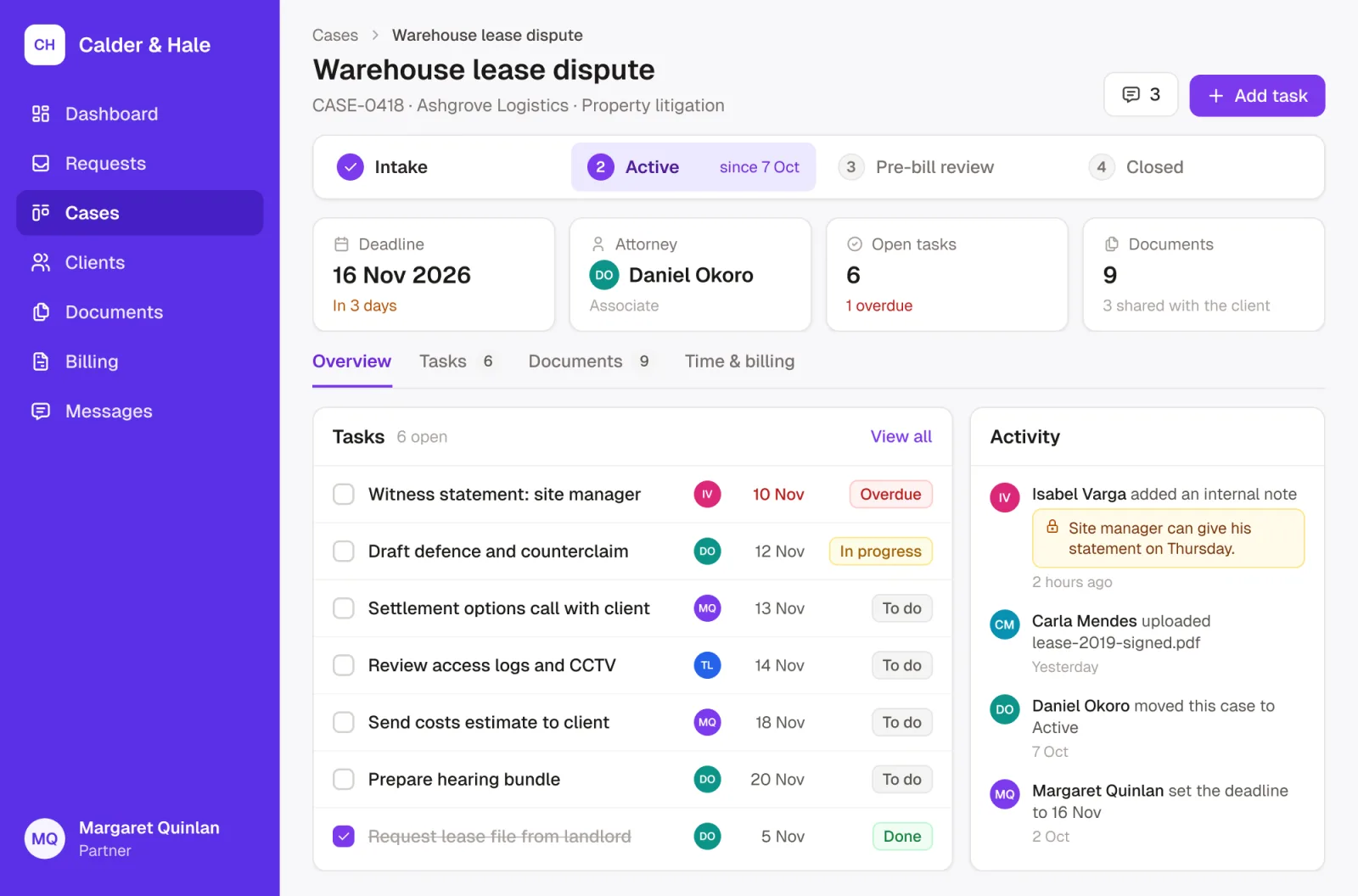
Know exactly what's happening across your cases
See what’s ongoing, what’s due, and who’s responsible with a clear case tracking system.
- No more guessing or chasing updates
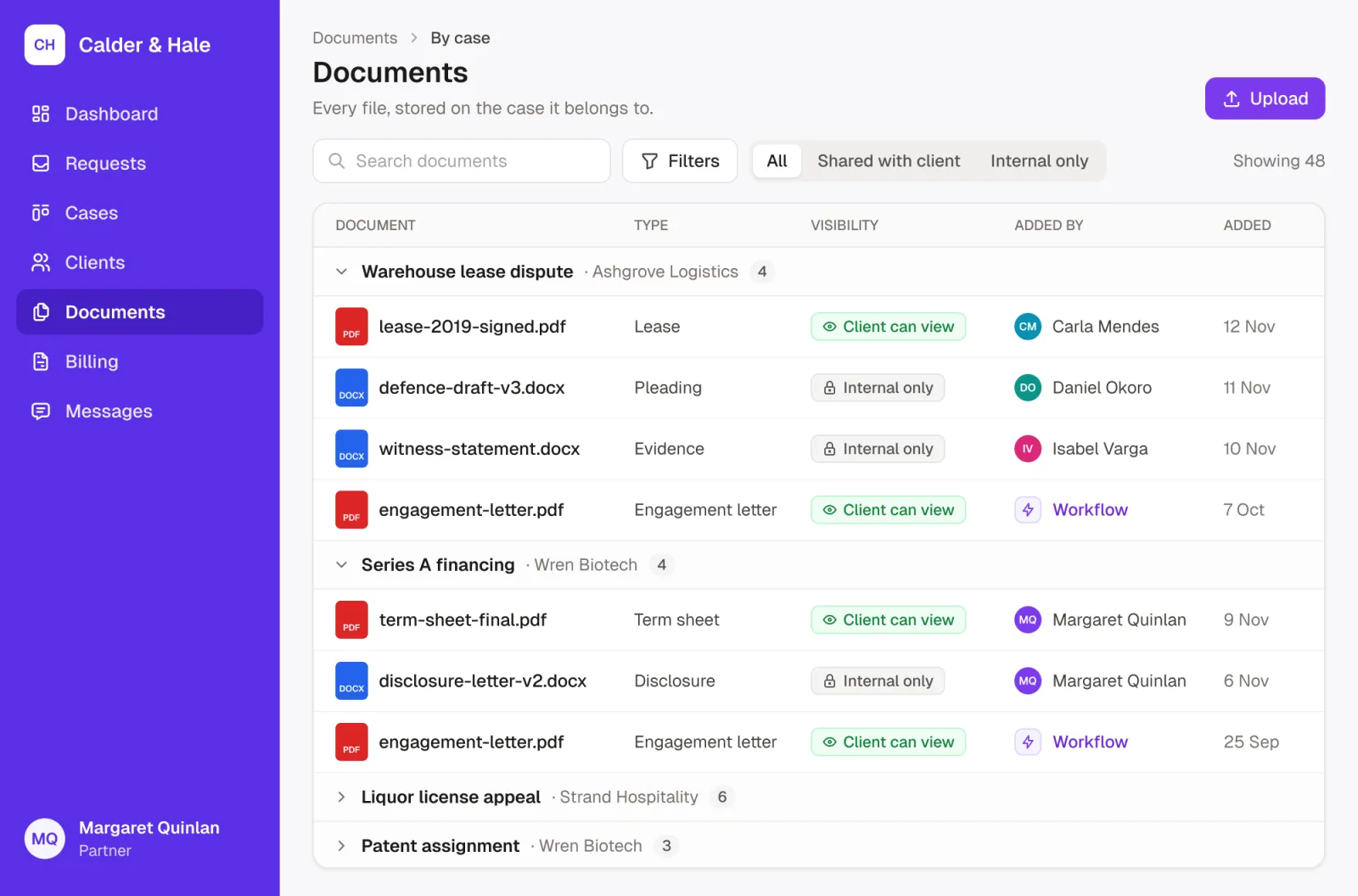
Keep documents safe
Documents are shared securely and stored in one place, with simple document automation to keep them easy to find and share.
- No more digging through folders
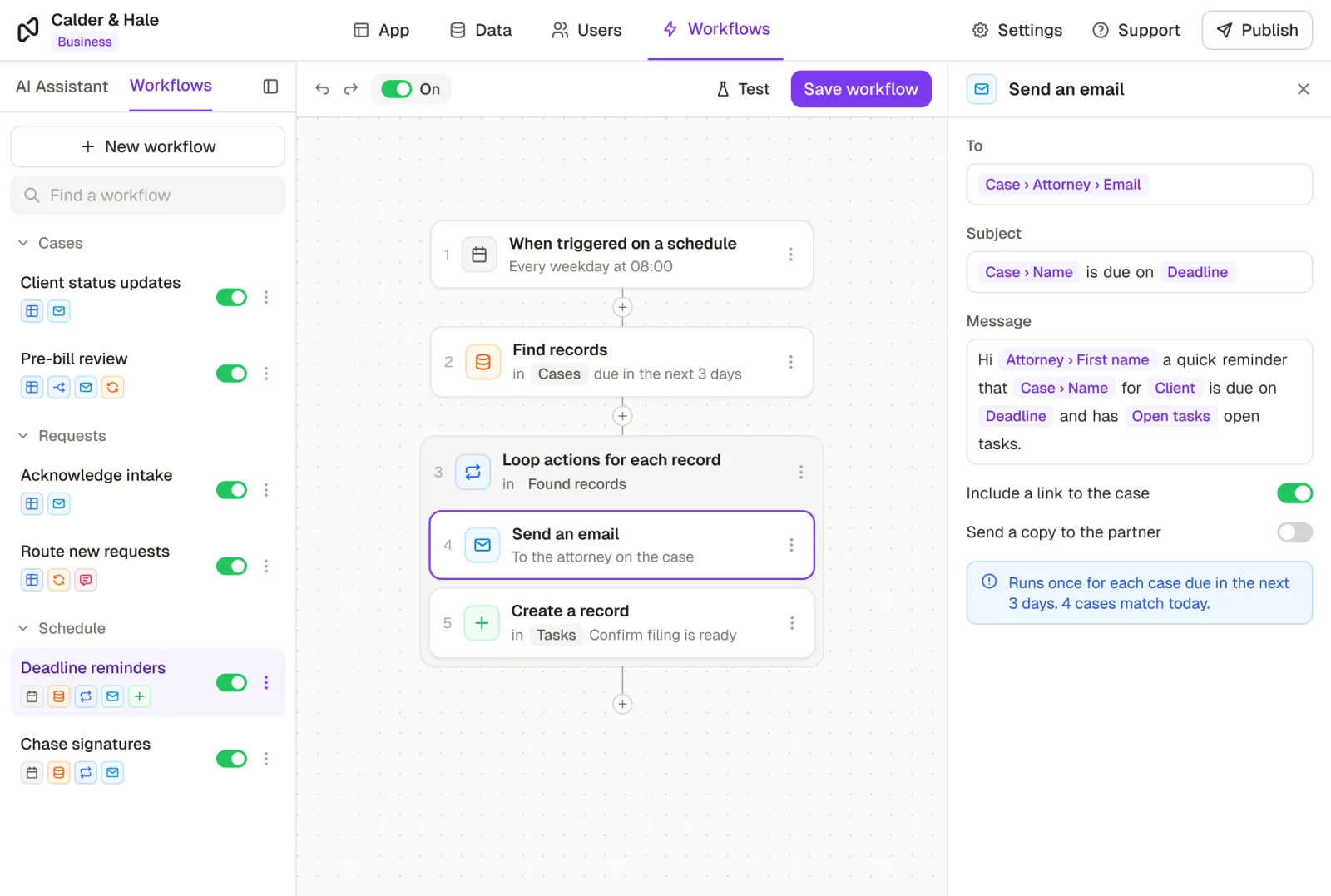
Reduce admin work
Automate follow-ups, reminders, and internal steps so your team spends less time on repetitive work.
- Less manual work for your team
Give access to clients
Clients can check progress, access documents and stay updated without emailing your team, all through a secure portal.
- Fewer emails, more structure
Why firms switch to Noloco
Project-based businesses use Noloco to standardize delivery internally, while clients experience a professional and reliable service.
Before Noloco
- You're relying on emails, memory, and scattered tools
- Things fall through the cracks as you grow
- Admin work takes up too much of your time
 After Noloco
- You stay in control of who sees what across clients, cases and documents in one system
- You can grow without becoming harder to manage
- Less admin, more time for billable work
Get started in four simple steps
- 1
Create your free account
Set up your ready-to-go firm workspace in minutes. Or build your own system with AI.
- 2
Add clients and projects
Import your client list and projects instantly, or add them manually to get started.
- 3
Create your client portals
Give clients a branded portal to view projects, track real-time progress, and manage billing.
- 4
Invite your team and clients
Assign roles, set permissions, and publish your system so team and clients can start working.
Your data, safe and sound
SSO & role-based access control
Control who sees what, with enterprise-grade single sign-on and granular permission settings across your organization.
Two-factor authentication
Secure every login with an extra layer of protection for all users.
ISO/IEC 27001 certified
Built on best practices: Noloco's infrastructure meets global standards for information security management.
EU data residency
Your data is securely hosted in the EU, helping meet local privacy and data protection regulations.
We're here to help. Every step of the way.
Hands-on onboarding
From setup to rollout, we work closely with you to build the system your firm needs.
24/7 human support
Carlos, David, and the team are there when you need them.
Dedicated success manager
A dedicated person who understands your goals and helps you reach them.
Customer stories
Teams running on Noloco

50%increase in billable hours
How GAP Consulting doubled cash flow with a no-code client portal

600development hours saved
How Singular Design cut developer overhead and improved quality via no-code tools

5 minsvs. 3 hours to create report
How Pressworks runs projects, freelancers and finances in one no-code app
Integrations
Connect the tools you already use
 Airtable
 Postgres
 MySQL
MySQL Google Sheets
 HubSpot
 Stripe
 Xano
Xano Supabase
 SmartSuite
 Zapier
 Make
Make n8n
n8n Slack
Slack Google Drive
What teams say
“I think Noloco is the absolute best product I've seen - continues to blow me away every day. I am using Noloco to build an app that will allow me and two team members to do the work that most firms would require 10 people to do”
 Marshal HodaAttorney & Founder, Hoda Law Firm
“With Noloco, we could shape the system around how our business actually runs. It felt like going from a messy spreadsheet to a proper software tool.”
 Candra JohnsonOperations Manager, OH-Visas
“With Noloco, we're able to onboard people very quickly and easily. The second they get that link, they're dropping all their documents, and filling in their information. Now I have everything and it's all tagged, rather than sending me an email with 20 attachments and having to sort through and organize them myself.”
 Melanie BaldridgeCEO & Founder, RE Cost Seg
“We've saved at least one person, if not two, in terms of headcount.”
 Dan StonesHead of Coaching & Operations, Pravar Group
“I really appreciate Noloco for its easy-to-use interface and exceptional time to value. The support team is outstanding.”
 Jamal HimmitCo-Founder of DynamicWhale