EnterprisePricing

.svg)
Noloco
vs

Airtable
When Airtable Portals Get Too Expensive
Airtable Portals are a reasonable solution for small numbers of external users.
As your client base grows, the per-seat bundle model creates costs that don't match what you're getting. Here's exactly when that happens — and what to do about it.
As your client base grows, the per-seat bundle model creates costs that don't match what you're getting. Here's exactly when that happens — and what to do about it.
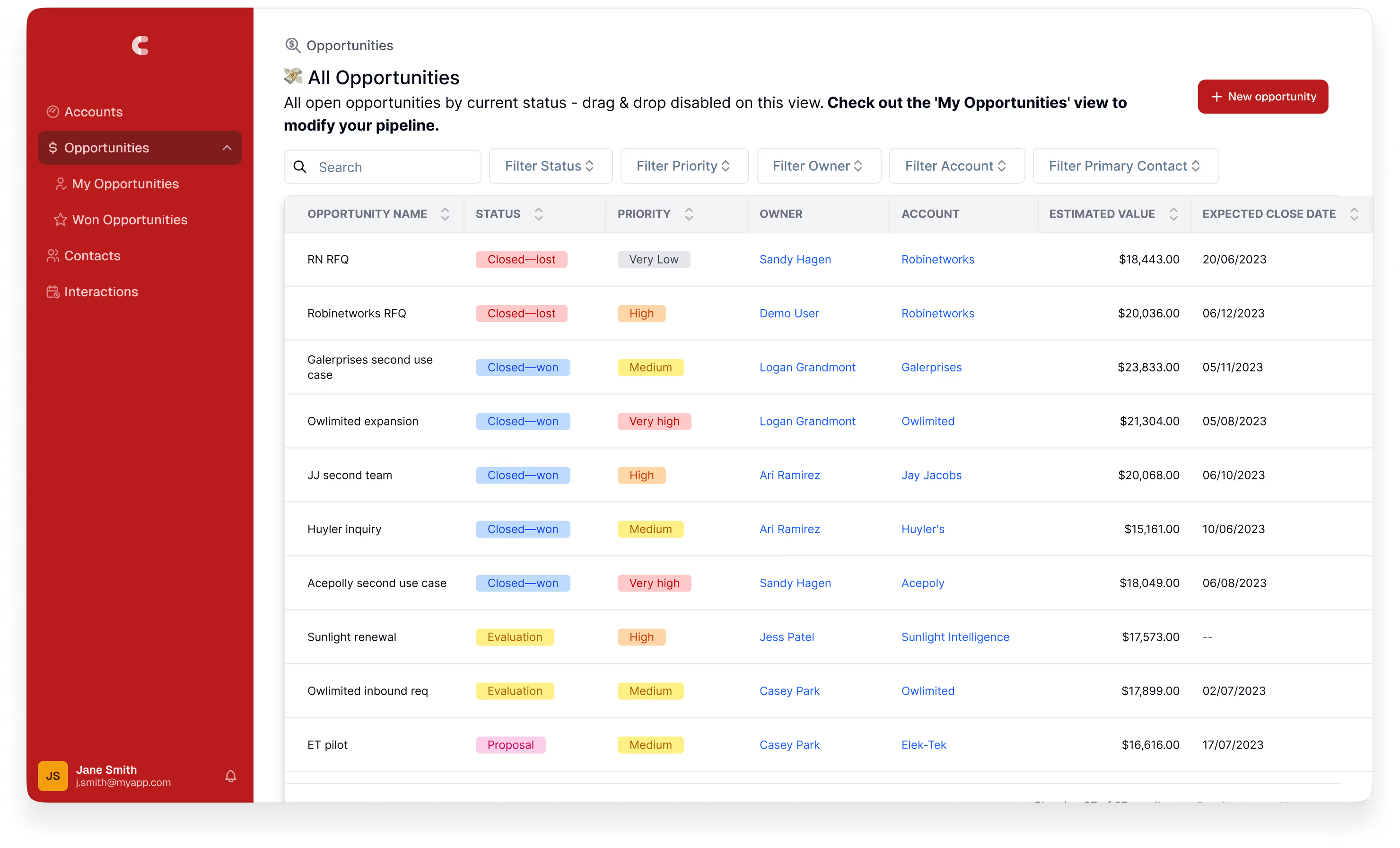
Calculate your Airtable Costs
Stop guessing, calculate exactly what your Airtable setup costs
When the cost model works
Portals are a genuinely good fit in specific situations:

Fewer than 15
external users
external users
The entry price covers the full allocation, making the effective per-seat cost reasonable.
.png)
Clients only need read-only access
If your clients genuinely only need to view data, Portals add no cost beyond the base add-on entry price.

You're already heavily invested in Airtable Interfaces
Portals extend the Interface experience you've already built. No rebuild required.

You want to stay entirely withing the Airtable ecosystem
No third-party tools, no additional integrations to manage.

Speed matters more than anything
If you need external access today and brand quality isn't a requirement, Portals are the fastest path.
When the cost model breaks down

When your client count grows beyond 15
The $120/month entry price covers 15 portal seats. The moment you need a 16th, you're buying another bundle. As client count grows, portal costs grow proportionally — stacked on top of your existing Airtable subscription.
For a service business managing 40 active clients, each with at least one contact who needs interactive portal access, that's a minimum of 40 billable portal seats. Volume packs reduce the per-seat rate, but the absolute cost is significant — and it's a recurring line item that grows every time you win a new client.
This is the structural problem with per-seat bundle pricing for service businesses: your software cost is coupled to your client count. Winning more clients should improve your margin. With per-seat portal pricing, it partially offsets it.
For a service business managing 40 active clients, each with at least one contact who needs interactive portal access, that's a minimum of 40 billable portal seats. Volume packs reduce the per-seat rate, but the absolute cost is significant — and it's a recurring line item that grows every time you win a new client.
This is the structural problem with per-seat bundle pricing for service businesses: your software cost is coupled to your client count. Winning more clients should improve your margin. With per-seat portal pricing, it partially offsets it.
When multiple contacts per client need access
Most professional services engagements involve more than one stakeholder on the client side. A law firm's client may have a lead partner, a paralegal, and a finance contact. A marketing agency's client may have a marketing manager, a brand director, and a procurement contact.
Each contact who needs interactive (non-read-only) access is a billable portal seat. For a firm with 20 clients but 3 contacts per client, that's 60 billable portal seats — at the 50-seat volume pack pricing.
Each contact who needs interactive (non-read-only) access is a billable portal seat. For a firm with 20 clients but 3 contacts per client, that's 60 billable portal seats — at the 50-seat volume pack pricing.

When the experience quality doesn't justify the cost
Portals extend Airtable's Interface UI to external users. The sign-in page can be branded with a logo on Business and Enterprise Scale plans. Beyond that, the experience is Airtable's Interface design system — not your brand.
There's no custom domain. Clients log in at an Airtable-hosted URL. For professional services firms where the client portal is a visible part of their service delivery — where it represents their brand and their quality standard — paying a significant monthly add-on fee for an experience that still looks like a third-party tool creates a gap between cost and value.
There's no custom domain. Clients log in at an Airtable-hosted URL. For professional services firms where the client portal is a visible part of their service delivery — where it represents their brand and their quality standard — paying a significant monthly add-on fee for an experience that still looks like a third-party tool creates a gap between cost and value.

When the strict guest definition creates edge cases
Airtable's portal guest definition requires external users to have a different email domain than your organisation. This is intentional — it prevents teams from reclassifying internal members as guests to reduce licensing costs.
But it creates edge cases:
- A client contact with a shared domain (a partner organisation, a shared services team) may not qualify as a portal guest
- Internal team members cannot be given portal guest access under any circumstances
- A portal guest given editor access across multiple bases is automatically reclassified as a full internal editor and billed at the full seat rate
For service businesses with complex client structures — clients who are also partial internal collaborators, or clients with access to more than one base — these edge cases add administrative complexity and potential unexpected cost.
But it creates edge cases:
- A client contact with a shared domain (a partner organisation, a shared services team) may not qualify as a portal guest
- Internal team members cannot be given portal guest access under any circumstances
- A portal guest given editor access across multiple bases is automatically reclassified as a full internal editor and billed at the full seat rate
For service businesses with complex client structures — clients who are also partial internal collaborators, or clients with access to more than one base — these edge cases add administrative complexity and potential unexpected cost.

When you need capabilities Portals don't provide
Portals deliver what Airtable Interfaces deliver — no more, no less. The constraints that apply to Interfaces apply equally to Portals:
- No custom domain
- Limited branding (Business+ only)
- Per-user record filtering requires manual setup on each page
- No multi-step forms with conditional logic
- Limited branding (Business+ only)
- Per-user record filtering requires manual setup on each page
- No multi-step forms with conditional logic
- No custom action buttons
- No client notification system
- Inconsistent mobile experience
- 50-interface-per-base hard cap
- No client notification system
- Inconsistent mobile experience
- 50-interface-per-base hard cap
If your clients need a genuinely interactive portal experience — submit requests, approve deliverables, upload files, receive notifications, take actions — Portals provide a functional but limited version of this. At the point where the Portal cost is significant and the experience still doesn't meet your quality bar, the case for a purpose-built portal layer becomes clear.
The alternative architecture
The pattern most growing service businesses land on: keep Airtable as the database, replace Portals with a dedicated portal tool.
This works because the problem Portals solve — giving external clients access to your Airtable data — can be solved by any tool that connects to Airtable via API. The difference is in the pricing model and the experience quality.
How Noloco fits:Noloco connects to your existing Airtable base via two-way sync. No migration. Your team keeps working in Airtable exactly as before. Noloco adds the portal layer:
This works because the problem Portals solve — giving external clients access to your Airtable data — can be solved by any tool that connects to Airtable via API. The difference is in the pricing model and the experience quality.
How Noloco fits:Noloco connects to your existing Airtable base via two-way sync. No migration. Your team keeps working in Airtable exactly as before. Noloco adds the portal layer:
Custom domain and full branding
The portal looks like your product, at your domain

Flat monthly fee with client seats bundled in
Adding clients doesn't increase your bill until you reach your plan threshold

Automatic record isolation
Each client sees only their own records, across every page, without per-page filter configuration
Role-based permissions defined once
Client, Account Manager, Admin — applied everywhere automatically

Multi-step forms, action buttons, notifications, native mobile PWA
A genuinely interactive client experience, not just a filtered view
Works for internal tools too
The same Noloco app can serve your team and your clients from the same Airtable base
The net effect: you stop paying per client seat for portal access, you get a better client experience, and your Airtable base stays exactly as it is.


Don't take our word for it
Trusted by 1,000+ teams and counting...




Why teams choose Noloco
.svg)
Your Airtable base stays exactly as it is
No migration, no rebuilding your workflows.
Noloco connects to your existing base and adds the portal layer on top — your team keeps working in Airtable the same way they always have.
Noloco connects to your existing base and adds the portal layer on top — your team keeps working in Airtable the same way they always have.
.svg)
Users only see what they should
Whether it's a client logging into their own portal or a team member accessing their department's data, every user sees exactly what their role allows— at your domain, with your branding. No one sees an Airtable spreadsheet.
.svg)
Permissions work at scale
Define roles once —Client, Manager, Admin — and every new user gets the right access automatically. No reconfiguring filters for every new user or new Interface page.
How to get started in four simple steps
.png)
Up and running in minutes
Start your 14-day free trial, no credit card required. Connect your Airtable base and Noloco generates your app pages automatically.
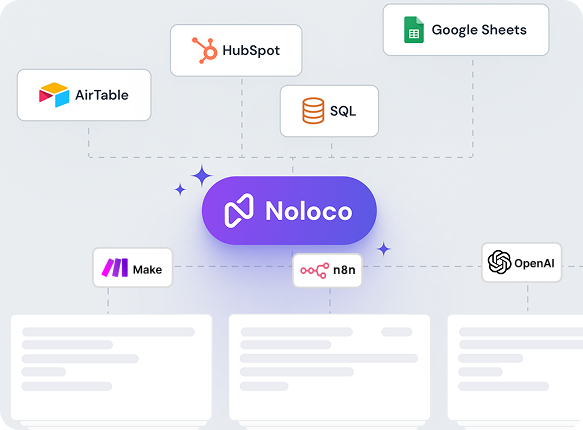
No migration needed
Noloco connects to your existing Airtable bases with live two-way sync. Your tables, linked records, and formulas stay exactly as they are.
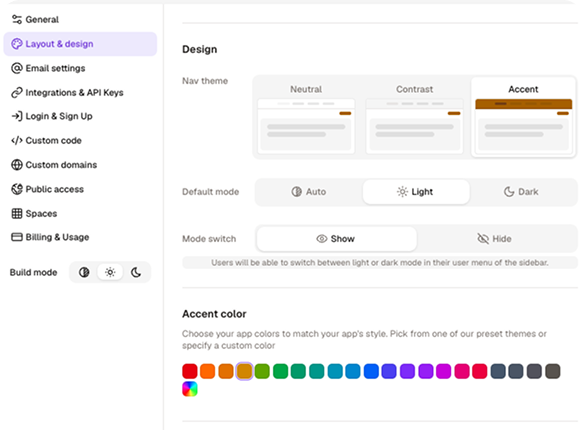
Customize your app
Add your logo, set your colours, configure what each user can see and do, all without writing a single line of code.
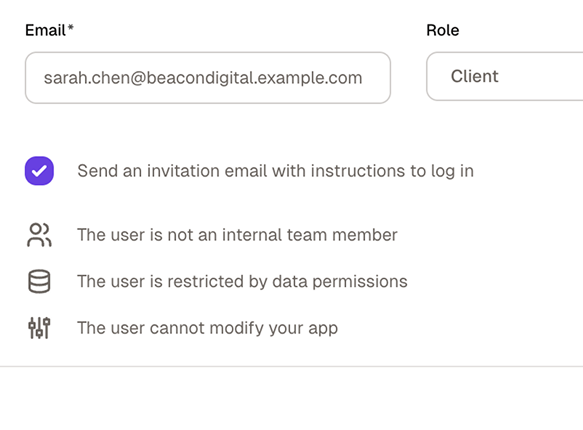
Invite your team and clients
Publish your app, assign roles, and send invitations. Everyone sees exactly what they need — and nothing they don't.
No credit card required
Still have questions?
Here are the ones we hear most.
What’s the difference between Airtable Interface Designer and Noloco?
+
-
Airtable Interface Designer lets you build internal views and dashboards on top of your Airtable data. It’s designed for teams who want to create filtered views, summary dashboards, or simple data-entry forms within Airtable, without sharing raw base access.
Noloco is a full app builder. It connects to your Airtable base with live sync and lets you build a complete application on top of it: custom navigation, branded design, row-level permissions, external user access, mobile support, multi-step workflows, and action buttons.
The data stays in Airtable. The app is in Noloco.
Can I use Noloco without migrating away from Airtable?
+
-
Yes. Noloco connects to your existing Airtable base via two-way sync — your data stays in Airtable, and your team keeps working there exactly as before.
Noloco adds the portal layer on top: the client-facing experience, the permissions, the branding, and the domain. You can be live with a client portal without touching your Airtable setup.
We've hit the 3-interface limit on the Team plan but don't want to pay for Business just to unlock more interfaces. What are our options?
+
-
Upgrading to Business solves the interface limit but doubles your per-seat cost — a significant jump for what is essentially a structural cap rather than a capability gap.
Noloco is the alternative most teams in this position use: it connects to your Airtable base and lets you build as many views, pages, and role configurations as your operation requires, with no equivalent interface limit. Your Airtable base stays on the Team plan; Noloco handles the application layer on top.
We're paying for Airtable Portals but our client count keeps growing and the cost is becoming significant. What do other service businesses do?
+
-
The per-seat bundle model means your portal cost grows every time you win a new client — which is the wrong direction for margin.
The most common switch is to Noloco, which connects to your existing Airtable base and charges a flat monthly fee with client seats bundled in. Your Airtable base stays exactly as it is, your team keeps working there, and you stop paying per client seat for portal access. Most teams that make this switch report the Noloco cost is lower than what they were paying for Portals alone — while getting a better client experience.
Why would a professional services firm use Noloco instead of Airtable Interfaces?
+
-
Three main reasons.
First, the portal looks like their product: custom domain, full branding, not Airtable's UI.
Second, permissions work automatically at scale: roles are defined once and applied everywhere, and each client sees only their own records without per-page filter configuration.
Third, the cost doesn't grow with their client count: Noloco's flat monthly fee bundles client seats in, whereas Airtable Portals are a separate paid add-on priced per seat bundle.
Can Noloco replace Airtable entirely?
+
-
It depends on how you use Airtable. Noloco includes its own built-in database (Noloco Tables) with relational data support, so teams that primarily use Airtable as a backend database can fully consolidate into Noloco.
Many teams prefer using both together: Airtable as the backend and Noloco as the front-end experience for clients, partners, or internal teams.
We have 30+ clients and the Airtable Portals seat costs are adding up. Is there a way to give clients access without the per-seat billing?
+
-
Airtable Portals are priced per seat bundle — costs scale directly with your client count. Noloco uses a flat monthly fee with client seats bundled in, so your bill doesn't grow as you add new clients until you reach your plan threshold.
Each client logs into a branded portal at your domain, sees only their own records automatically, and can submit forms, approve deliverables, and take actions — without an Airtable account and without adding to your Portals seat count.
Airtable Portals don't support a custom domain and the branding is limited. Is there a way to give clients a branded experience on top of Airtable?
+
-
Yes. Noloco connects to your Airtable base and publishes the portal at your own domain with full brand control — your logo, your colors, your navigation. Clients log in at clients.yourfirm.com (or whatever domain you choose) and see a portal that looks and works like software you built.
Your Airtable base stays untouched — Noloco adds the branded layer on top.
Can I try Noloco for free?
+
-
Yes. Noloco offers a 14-day free trial, which includes full access to the features on your selected plan. This allows your team to fully evaluate workflows, permissions, automations, and integrations. No credit card is required to get started.
Our Airtable seat count keeps growing as we hire. How do we stop paying for every person who touches the base?
+
-
The per-seat model punishes growth — every new hire, contractor, or stakeholder who needs edit access adds to the bill. The most effective fix is separating what actually needs to happen in Airtable from what can happen in a portal layer on top.
With Noloco, your core team works in Airtable as editors. Everyone else (clients, contractors, stakeholders who need to view data or take specific actions) logs into Noloco instead. Noloco's flat monthly fee includes client seats, so adding users on that side doesn't increase your Airtable bill.
What can Noloco do that Airtable Interface Designer can’t?
+
-
— Custom domain and full white-label branding: your app looks like your product, not Airtable’s
— Row-level and field-level permissions: each user sees only what they’re allowed to see
—External user access included: no Portals add-on required
—Native mobile app (PWA): installable on iOS and Android with a real mobile experience
— Multi-step workflows and action buttons: automations triggered from within the app, not just in the base
—Unlimited interfaces on all plans: not dependent on your Airtable plan tier
— Charts and dashboards: built natively into your app layout
— Multi-source data: connect Airtable, GoogleSheets, PostgreSQL, and more in the same app
Why do teams switch from Airtable Interface Designer to Noloco?
+
-
The most common triggers:
— They need to give clients or partners access and don’t want to pay the Portals add-on
— They want a branded app with their own domain and logo
— They’ve hit the interface limit on their Airtable plan
— They need row-level permissions, not just view-level
— They want a realmobile experience for their team or clients
— They want workflows and automations that are part of the app interface, not hidden in the Airtable base
Outgrowing Portals?
Most teams are live on Noloco within a day.