EnterprisePricing


Choosing the best CRM for agencies isn’t about a single “winner.” In my experience, it's never that simple.
It’s about fit: your client model (retainer, project, or performance), the maturity of your agency workflows, and how much you need to automate today versus scale tomorrow.
I've seen agencies get this wrong in both directions, going too simple too early, or buying enterprise tooling they can't yet use. Below, you’ll find a concise CRM comparison I put together after evaluating these platforms against real agency workflows: features, trade-offs, and pricing signals to help you shortlist confidently. I cover sales-centric tools, all-in-one platforms, and no-code systems that extend beyond sales into delivery, billing, and client collaboration.
If you need multi-client oversight, branded portals, and automation you can evolve without code, start with platforms built for agency scalability and cross-team visibility.
Comparison snapshot (focus, features, and starting price signals)
These tools serve meaningfully different agency profiles.
Noloco is not a traditional CRM — it's listed here because I find that growing agencies often search for a "CRM" when what they actually need is an operating system that links clients, delivery, and financials in one place. If you're primarily looking to manage a sales pipeline and contacts, HubSpot, Pipedrive, or Copper will serve you better.
If you've already outgrown your current tools and need something built around service delivery, not just deal tracking, I'd point you to first read the Noloco section carefully.
Noloco: No-Code Agency Operating System for Growing Agencies
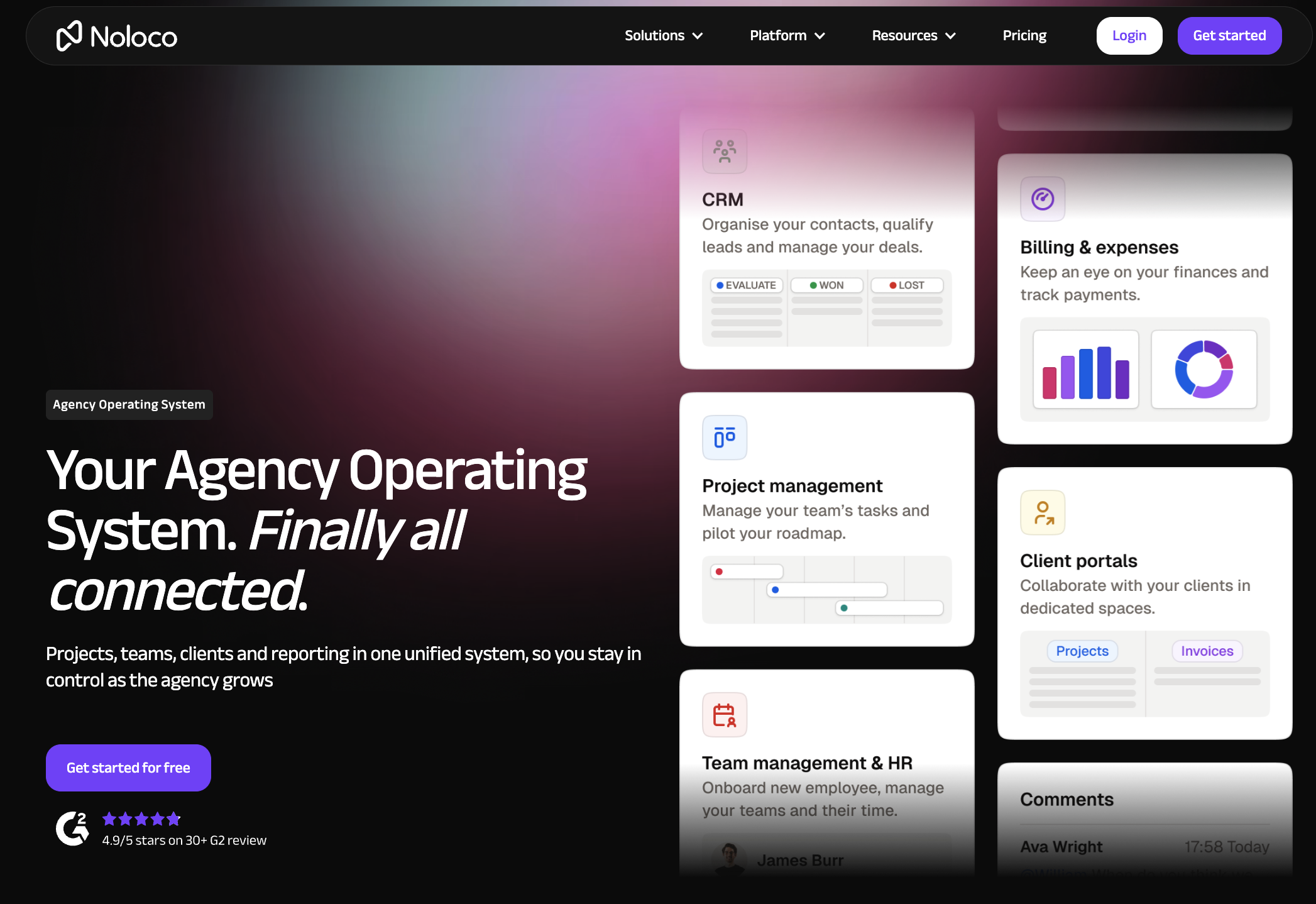
A no-code operating system for agencies centralizes your entire client lifecycle—sales, delivery, billing, HR, and collaboration—without writing code. Noloco brings CRM, projects, time/billing, and branded client portals together in one customizable workspace, enabling teams to operate from a single source of truth instead of stitching tools with brittle spreadsheets.
What sets Noloco apart:
- Unified backend across delivery, billing, and HR with granular permissions for multi-client work.
- Rapid customization using data models, visual builders, and automations—no engineering backlog needed.
- Branded client portals for scoped collaboration, file sharing, approvals, and real-time status updates.
- Dedicated onboarding/support to accelerate time-to-value and change management.
Common agency workflows unified in Noloco:
- Centralize client files and SOWs, track milestones, dependencies, and alerts.
- Automate onboarding: intake forms → data capture → task assignments → client portal access.
- Tie time and expenses to projects, generate invoices, and sync with finance tools.
Trade-offs to consider:
- Noloco is not a traditional out-of-the-box sales CRM. If your primary need is pipeline management, email sequencing, and marketing automation, HubSpot or Pipedrive will get you live faster.
- For agencies that need advanced resource utilisation tracking, capacity planning, and mature P&L reporting at scale, dedicated PSA tools like Productive or Scoro have more depth in those specific areas.
- Noloco requires a setup phase — even with agency-ready defaults and AI-assisted configuration, it's designed for teams that want to build a system that fits their workflows, not teams looking for a zero-configuration tool they can use on day one with no customisation.
Best fit signal: If you're a 5–50 person B2B agency in a growth phase (adding clients and projects faster than your current tools can keep up) and you need delivery, client collaboration, and financial visibility in one flexible system, Noloco is worth evaluating seriously.
If you're earlier-stage or primarily need sales pipeline management, start elsewhere and revisit Noloco when the operational complexity kicks in.
Explore how Noloco streamlines CRM and delivery on the Agency Operating System solution and the Agency OS guide.
HubSpot CRM
HubSpot is popular with agencies because it blends sales, marketing, and service in a cohesive UI, offering a generous free tier and clear upgrade paths. A free CRM tier typically includes core sales features with unlimited users and paid upgrades when you need marketing automation, advanced reporting, or service modules.
Why agencies choose it:
- Contacts, deals, tasks, email tracking, meeting links, calling, and a robust app marketplace.
- Integrated marketing tools for email, landing pages, and forms as you adopt hubs over time.
- Large integration catalog and approachable UX for small to mid-sized teams.
Trade-offs:
- Costs can expand with additional hubs, contacts, and advanced features.
- Still requires careful governance as your tech stack and automation scale.
Pricing snapshot:
- Free CRM available; paid plans start at $15/user/month for the Starter seat, scaling by hub and feature depth, with a reputation for being user-friendly for small–mid agencies
Where Noloco differs:
- HubSpot is excellent at sales/marketing execution. Noloco extends beyond CRM into project delivery, billing, HR, and client portals when you want one branded operating system instead of multiple connected apps.
Salesforce Sales Cloud
Salesforce is the choice for agencies with complex processes, larger client rosters, or governance needs. Platform customization—the ability to model any process with custom objects, automations, and integrations—helps agencies reflect nuanced pipelines, approval chains, and multi-brand hierarchies.
Why agencies choose it:
- Einstein AI, advanced forecasting, granular permissions, and enterprise analytics.
- Deep ecosystem across sales, service, and marketing, plus AppExchange connectors.
- Scales to sophisticated, multi-entity, and compliance-heavy environments.
Trade-offs:
- Higher total cost of ownership at scale and a steeper learning curve.
- Best fit if you have (or can access) admin/developer resources.
Pricing snapshot:
- Entry plans start around $25/user/month; premium plans can exceed $100/user/month depending on modules and support levels.
Zoho CRM
Zoho CRM appeals to cost-conscious, global agencies thanks to multilingual/multi-currency support, automation, and integrated apps across the Zoho suite. It’s an AI-powered CRM in practical terms: Zoho’s Zia can assist with lead scoring, next-best actions, and sentiment to prioritize outreach.
Why agencies choose it:
- Competitive pricing across tiers with a broad feature set.
- Strong global features out of the box (currencies, languages, tax).
- Extensible when paired with other Zoho apps (books, projects, campaigns).
Pricing snapshot:
- Standard $14, Professional $23, Enterprise $40, Ultimate $52 per user/month (annual billing), with advanced AI in higher tiers.
Zoho CRM vs. Zoho Bigin (SMB-focused):
- Zoho Bigin: Lightweight pipeline CRM for micro teams that need simplicity and mobile-first pipelines.
- Zoho CRM: Broader automation, analytics, and suite integrations for growing agencies.
Pipedrive
Pipedrive is a visual pipeline CRM—deals move through drag-and-drop stages—designed to keep sales execution fast and focused. Agencies value the clarity of what’s in play, who owns it, and what’s stuck.
Why agencies choose it:
- Simple, intuitive pipelines with email integration and mobile apps.
- Workflow automation from the Advanced plan (commonly around $29/user/month).
- Fast setup for new reps and partner managers.
Trade-offs:
- Limited native marketing and service modules; often paired with other tools.
- Reporting can feel constrained versus enterprise suites.
Monday Sales CRM
Monday resonates with agencies that want sales CRM and project tracking in one visual, no-code environment. Visual boards act as customizable canvases for leads, deals, projects, and client deliverables—with automations that keep work moving.
Benefits for agencies:
- Combine pipeline tracking with project/retainer delivery on the same platform.
- Configure automations, quotes, and invoicing without code.
- Highly flexible views (kanban, timeline, workload) to coordinate sales and delivery.
Trade-offs:
- Pricing can increase as you add automations, seats, and advanced features.
- Governance and data modeling matter as teams and boards multiply.
Where Noloco differs:
Monday Sales CRM is a strong choice for agencies that want a familiar, visual interface for both pipeline and project tracking.
Where it hits limits is in client-facing collaboration — client portal access is either limited or requires per-seat pricing that scales poorly as your client roster grows — and in workflow flexibility for agencies with non-standard delivery models.
Noloco is worth evaluating when client collaboration and custom delivery workflows matter as much as internal task management.
If your agency primarily needs internal team coordination, Monday remains a credible option.
GoHighLevel
GoHighLevel targets agency-specific requirements with white-labeling (rebrand and resell the platform), multi-client dashboards, and strong marketing automations.
Why agencies choose it:
- White-label CRM lets you offer a branded client experience and recurring revenue stream.
- Multi-client controls make it easier to manage separate client workspaces at scale.
- Built-in funnels, email/SMS, and integrations align with performance and local marketing work.
Trade-offs:
- If you don’t need white-label/resell motions, some features may be overkill.
- Governance and client-by-client configuration require thoughtful setup.
Where Noloco differs:
GoHighLevel is purpose-built for agencies that resell or white-label the platform itself — a legitimate and distinct use case.
If your agency's model doesn't include white-labelling or managed services for local clients, much of GoHighLevel's feature set won't apply to you.
Noloco serves a different profile: B2B service agencies that need a flexible operating system for their own delivery operations, not a platform they resell to clients.
Zendesk Sell
Zendesk Sell fits service-led agencies where sales and support must collaborate. As a unified CRM, it aligns the sales process with ticket history, SLAs, and helpdesk context.
Why agencies choose it:
- Native integration with Zendesk Support to surface tickets and customer context in sales.
- Sales automation, activity tracking, and task management built into one interface.
- Cleaner handoffs from pre‑sale to post‑sale service teams.
Trade-offs:
- Less depth in sales forecasting and marketing automation than dedicated sales/marketing suites.
- Best when you already rely on Zendesk for support.
Copper CRM
Copper is the native Google Workspace CRM for agencies that live in Gmail and Drive. It surfaces CRM fields inside Gmail, automates record creation from emails, and keeps sellers in their daily flow.
Why agencies choose it:
- Rapid onboarding for Google-first teams; minimal context switching.
- Automation and file linking with Drive, Calendar, and Meet.
- Clean UI with enough customization for small–mid teams.
Pricing snapshot:
- Essential $14, Advanced $29, Power $49, Enterprise $99 per user/month (annual billing), catering to growing needs while staying inside Google workflows.
Keap CRM
Keap positions itself as an all-in-one CRM and automation toolkit that combines contacts, billing, email campaigns, and onboarding workflows—popular with small agencies that need basic automations without stitching multiple tools.
Why agencies choose it:
- Built-in forms, email sequences, and invoice/payments reduce tool sprawl.
- Useful for managed services and standardized onboarding.
Trade-offs:
- Breadth over depth; advanced reporting and complex multi-team workflows can feel constrained.
- As data and automations grow, teams may outgrow starter bundles.
Freshsales by Freshworks
Freshsales is a growth-oriented CRM with clean design, AI assistance, and approachable pricing, making it a strong step-up from spreadsheets for lean agencies.
Why agencies choose it:
- Free plan for up to 3 users; paid Growth at $9, Pro $39, Enterprise $59+ per user/month.
- AI insights, email workflows, and a focused UX reduce admin time.
- Part of the broader Freshworks suite (support, marketing) as you expand.
Best fit:
- Small agencies that want to start simple.
How to Choose the Best CRM for Your Agency
Here's the selection framework I'd walk any agency through:
- List must-haves: visual pipelines, multi-client dashboards, billing, client portals, SLAs, languages/currencies, and compliance.
- Map pains to growth goals: missed handoffs, manual billing, reporting gaps, or slow onboarding.
- Shortlist by fit and cost: match CRM type (enterprise, sales-oriented, all-in-one, no-code OS) to your structure (retainer-heavy, project-based, multi-client).
- Test via trials/sandboxes: validate integrations, permissions, and automation on a real client scenario.
- Evaluate onboarding and support: ensure training, data migration, and admin guidance.
Quick mapping from agency type to fit:
Frequently asked questions
Which CRM is best for small agencies and startups?
For very small agencies (under 5 people) primarily managing contacts and a sales pipeline, HubSpot's free tier or Copper CRM are strong starting points with minimal setup.
Noloco is better suited to agencies that are past the early stage and feeling operational pressure — more clients, more projects, more tools that don't connect. If you're not yet experiencing that friction, a simpler CRM will serve you well until you are.
What are the essential features an agency CRM must have?
Look for multi-client management, workflow automation, contact tracking, pipeline or project visualization, and integrations with marketing and delivery tools.
How do pricing tiers typically work for agency CRMs?
Most CRMs start with a free or entry plan and scale by users, features, and integrations; higher tiers unlock advanced automation, reporting, and support.
How important are integrations for agency CRMs?
Critical—integrations connect sales, marketing, delivery, and finance, reducing manual data entry and errors as your stack grows.
Can an agency CRM improve client collaboration and project delivery?
Yes; with branded portals and connected workflows, CRMs can centralize communication and streamline handoffs from sale to delivery.
Author


Our recent posts
Explore all blog posts



Your most common
questions—answered!
Who is Noloco best suited to?
+
-
Noloco is perfect for small to medium-sized service businesses like consultancies, agencies, advisory firms, as well as engineering and industrial services such as energy, construction, or any other operations-focused fields.
Do I need tech experience to use the platform?
+
-
Not at all! Noloco is designed especially for non-tech teams. Simply build your custom system using a drag-and-drop interface. No developers needed!
Is my data secure?
+
-
Absolutely! Security is very important to us. Our access control features let you limit who can see certain data, so only the right people can access sensitive information
Do you offer customer support?
+
-
Yes! We provide customer support through various channels—like chat, email, and help articles—to assist you in any way we can.
My business is growing fast—can Noloco keep up?
+
-
Definitely! Noloco makes it easy to tweak your system as your business grows, adapting to your changing workflows and needs.
Is there any training or support available to help my team get up to speed?
+
-
Yes! We offer tutorials, guides, and AI assistance to help you and your team learn how to use Noloco quickly.
Can I make changes to my app after it’s been created?
+
-
Of course! You can adjust your app whenever needed. Add new features, redesign the layout, or make any other changes you need—you’re in full control.
Ready to boost
your business?
Build your custom tool with Noloco