EnterprisePricing

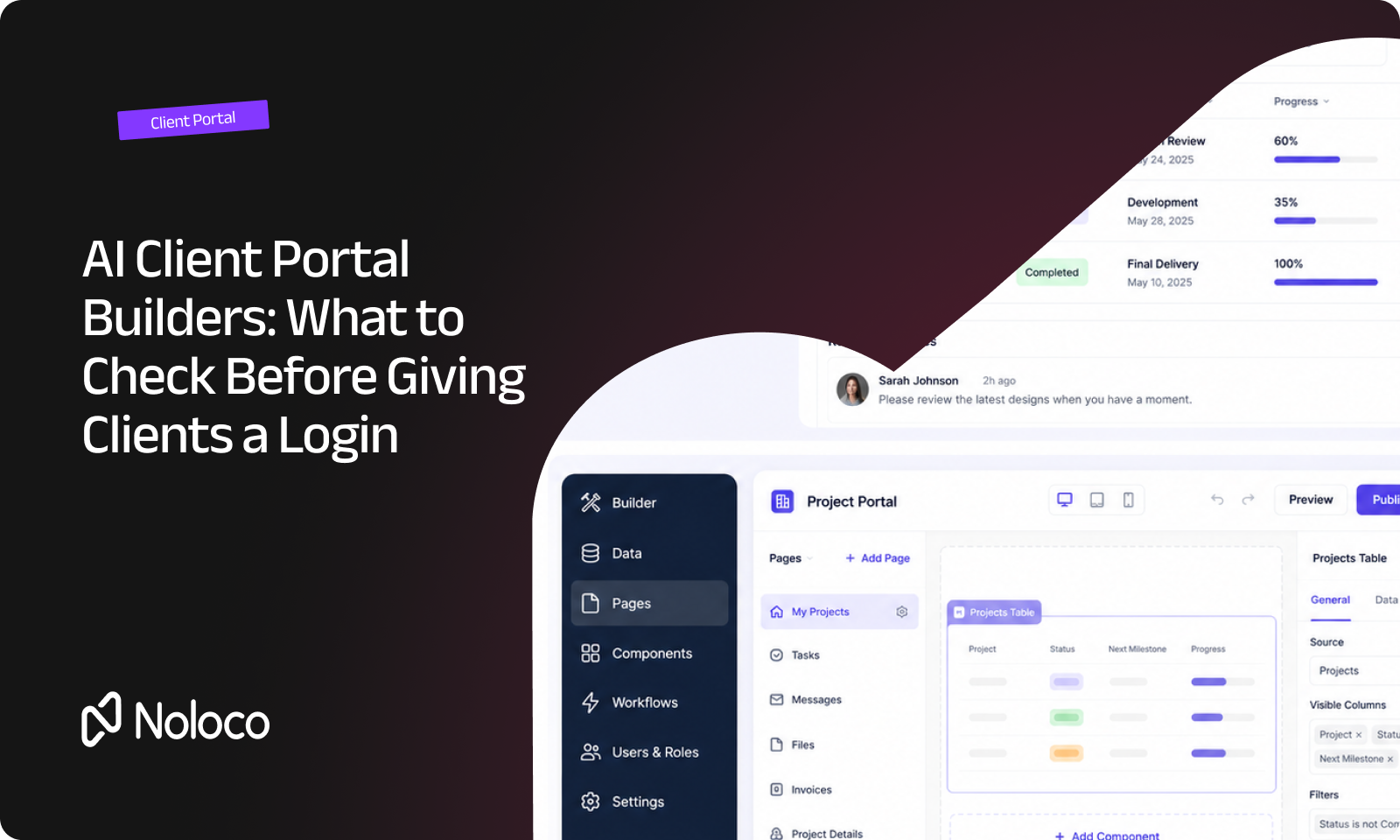
Someone on your team typed “build me a client portal” into an AI tool last week. A few minutes later, there was a login screen, a dashboard and some tables. It looked like a portal, but would you actually give a client the login? That’s a different question.
A real client portal isn't just a set of screens. It has to show each client the right information, keep your existing data up to date, control who can see what, and change when your process changes.
That matters even more when your business has a messy operation behind the portal: clients requesting work, teams approving it, contractors doing the work, spreadsheets being updated, and exceptions appearing every day.
AI can get you to the first version quickly these days. The real test is whether you can run the business on what it builds.
TL;DR
- AI can generate a working client portal interface in minutes. That doesn't automatically make it ready for real client logins.
- The important questions are what happens to your data, how permissions are enforced, and how easily you can change the portal when your process changes.
- Stacker, Taskade, Zite and WeWeb are commonly positioned as ways to build portals and business apps with AI. We compare them with Noloco on what matters after the first prompt.
- Every tool in this comparison now has some form of AI-assisted building. The difference is what sits underneath that generated interface.
- If your business has outgrown spreadsheets, Airtable or a collection of disconnected tools, look for a portal that can handle the complexity behind the client-facing experience — not just generate a nice-looking front end.
What is an AI client portal builder?
An AI app builder lets you describe software in plain English and generates an application from your instructions.
An AI client portal builder makes a more specific promise: it can help you create a place where people outside your company can log in and interact with your business.
That difference matters. A client portal might need to handle:
- A client seeing only their own projects
- A contractor seeing the jobs assigned to them
- Your internal team seeing everything they need
- Different approval steps for different types of work
- Clients submitting requests that become internal tasks
- Data changing in Airtable or another system without needing to update a separate copy
- Access being removed when a client or contractor leaves
- A process changing six months after you first built the portal
A demo only needs to handle the first version; a business portal needs to handle what happens next.
Why AI-generated portals need a different test
The appeal of AI builders is obvious. Instead of starting with a blank screen, you can describe what you want: “Build a portal where clients can see their projects, upload documents and approve work.”
The AI can produce a working starting point very quickly and that changes how software gets built. You don't necessarily need to start with a developer or spend weeks planning every screen. But it also creates a new trap: confusing “the AI built it” with “the business can safely rely on it.”
Those aren't the same thing. A portal can look finished while still having questions around:
- Who can see each record?
- Where does the data actually live?
- What happens when the underlying data changes?
- Can someone on the team safely change the workflow?
- What happens when you add another client?
- Can you give different people different levels of access?
- What happens when your process no longer matches the original prompt?
These are the questions worth asking before handing out the login.
How do the main AI portal builders compare?
Here's how Stacker, Taskade, Zite and WeWeb compare with Noloco.
Every claim in the table above is based on what the vendors publish about their products. It isn't an independent security audit. If you're choosing between them, my advice is to test the tools against your own workflow rather than relying on a demo.
What should you check before trusting an AI-built portal with real client data?
Security isn't something you can judge from how polished a portal looks.
In October 2025, security firm Escape scanned 5,600 publicly available applications built with AI coding tools. It reported more than 2,000 high-impact vulnerabilities, more than 400 exposed secrets and 175 cases of exposed personal data. The finding wasn't that every AI-built application is unsafe; it's that generating an application and securing an application are two different jobs.
Before connecting real client data, check five things:
1. Are permissions attached to the data?
A client shouldn't be able to access another client's records simply because they know the right URL or find the right screen. Ask whether access is enforced at the record level, rather than relying on hiding buttons or pages.
2. Can you test access with two real users?
Don't just look at the permissions settings. Create two test accounts and give each one access to a different client. Then try to access the other client's records. That's a much better test than assuming the configuration is correct.
3. Can you change the portal without rebuilding it?
Your process will change: maybe clients need another approval step, maybe a contractor needs access to a new field, maybe your team changes the way projects move from one stage to another. You shouldn't have to throw away the application every time the business changes.
4. Does it stay connected to your existing data?
If your team already works in Airtable or Google Sheets, check whether the portal connects to that data or creates a separate copy. A separate copy creates another system to maintain, while a direct connection means your team can keep working with the data they already have while the portal gives clients and other external users the experience they need.
5. Can you explain who has access to what?
When something goes wrong, you need an answer. Who could see the record? Who changed it? When was access removed? What security controls does the vendor actually provide? Look for concrete answers rather than generic claims about being “secure”.
Do you need to move your Airtable or Google Sheets data?
Not necessarily. If your operation already runs in Airtable or Google Sheets, you don't automatically need to migrate everything just because you want a client portal.
The important question is how the portal works with your existing data.
Some tools give you a new database and expect you to move or import your data into it. Others connect to your existing sources, allowing your team to keep working where it already works while clients, partners and contractors get a separate interface.
For example, Noloco connects directly to Airtable and Google Sheets. That means your internal team can continue managing the underlying data while Noloco provides the client-facing experience on top.
This is especially useful when your portal is only one part of a larger operation. The same system can handle internal work and external collaboration, with different people seeing different parts of the same underlying data.
What makes an AI portal builder useful for complex operations?
A basic client portal is relatively simple:aA client logs in, sees some information and submits a request.
But many businesses don't work that way. The real process might look more like:
Client request → internal review → quote → approval → scheduling → contractor → delivery → client sign-off → invoice
And then someone asks for an exception halfway through.
That's the kind of operation where flexibility matters. You need to be able to change the workflow, give different people different access, connect the portal to the data you're already using, and keep the whole thing understandable to the team running it.
This is where the difference between an AI-generated prototype and a business system becomes obvious.
Where does Noloco fit?
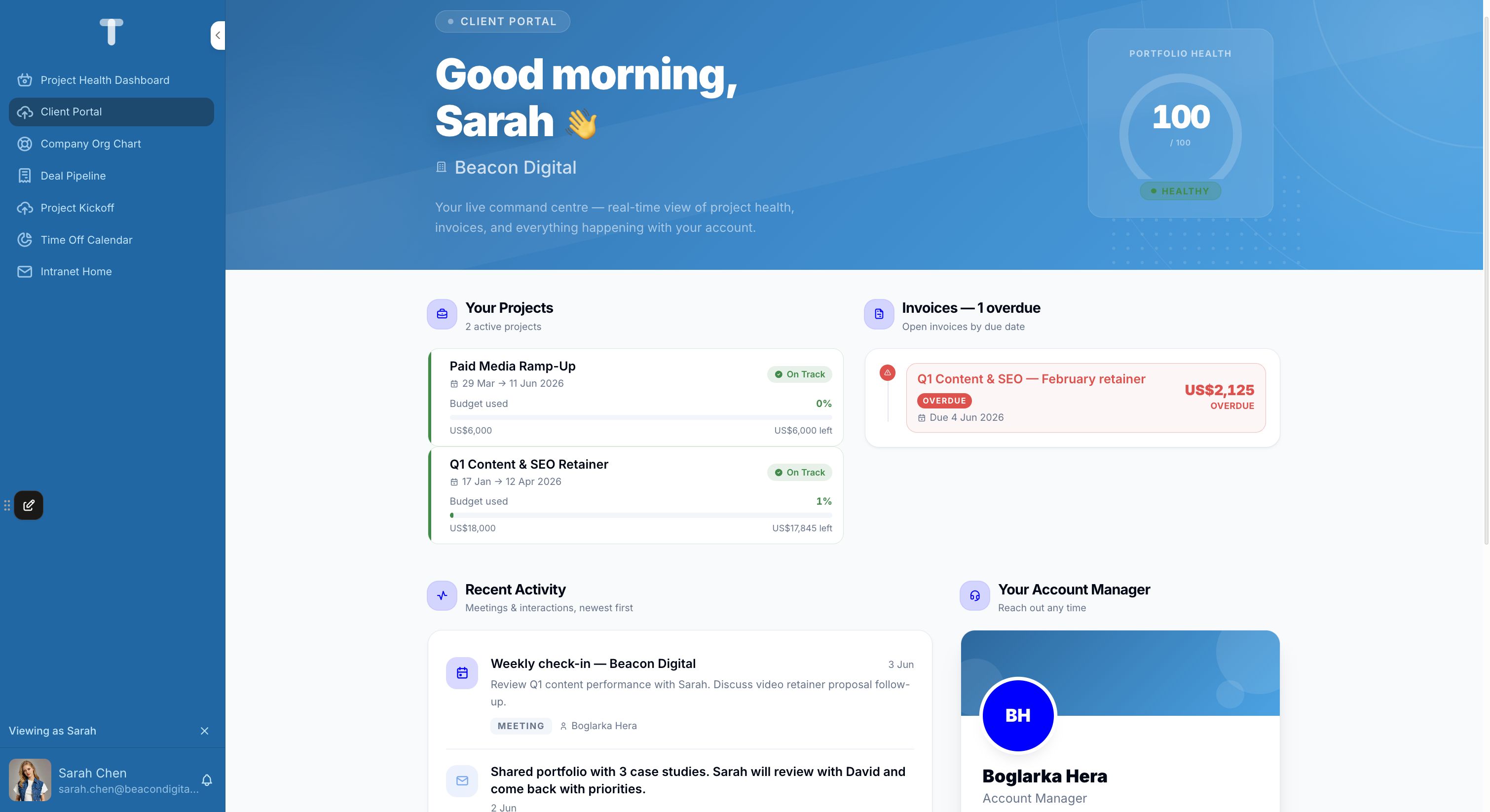
Noloco takes a slightly different approach to AI building. Our AI builder Nola can help you build the portal from a description of how your business works, just as if you were vibe-coding, but the generated portal sits on top of the controls you need to run a real operation: authentication, permissions, connected data and no-code workflows.
So you get the speed of AI with the structure of a business software.
That matters when the person building the portal isn't a developer, as you don't need to know how to code or how to maintain the code.
You can start with the problem you actually have: “Our clients need to see their projects and approve deliverables, but our internal team needs to see everything.”
Then build from there: add the exceptions, add the internal views, give contractors access to the records they need, add more exceptions, and change the process when the business changes.
The AI gets you moving. The no-code controls give you a way to keep the system under control.
Final thoughts
AI has changed how quickly you can get from an idea to a working portal and that's a good thing.
But speed isn't the only thing that matters when the portal is going to hold real business data and sit in the middle of a real operation.
Before choosing an AI client portal builder, test three things: Can it keep the right people out of the wrong data? Can it stay connected to the data your team already uses? Can your team change it when the business changes?
If the answer to all three is yes, you're looking at more than an AI-generated demo; you're looking at a system you might actually be able to run the business on.
If you're comparing AI app builders more broadly, see Best AI app builders in 2026.
If you've already built something in Lovable and are deciding whether it's ready for real client logins, see 6 Lovable alternatives for client portals.
FAQ
Can AI actually build a client portal?
Yes. Several tools can generate a working portal with login screens, dashboards and data views from a prompt.
The harder part is making sure the portal is ready for real users. Check permissions, data connections and how easily you can change the system before giving clients access.
What's the difference between an AI app builder and an AI client portal builder?
An AI app builder can generate many types of software. An AI client portal builder is designed around a specific use case: people outside your company need to log in and access a limited view of your business data.
That makes permissions, data access and external users much more important.
Is an AI-generated portal secure enough for real client data?
That depends on the specific tool and how it handles permissions and data access. Don't assume a portal is secure because it looks finished.
Test whether users can only access the records they're supposed to see, check what the vendor publishes about security, and look for concrete controls such as audit logs, authentication and record-level permissions.
Do I need to migrate off Airtable or Google Sheets?
Not necessarily. Some tools use their own database. Others connect directly to Airtable, Google Sheets or other existing data sources.
If your team already has a working data setup, check whether the portal can work with it before deciding to migrate everything.
How quickly can you launch an AI-generated client portal?
You can often generate a first version in minutes or hours.
Getting it ready for real clients takes longer because you still need to test permissions, connect your real data and make sure the workflow matches how your business actually operates.
The first version is fast; but making it trustworthy is the important part.
What should I test before giving a client access?
Use two test client accounts and make sure neither can access the other's records. Then test what happens when you change the workflow, update the underlying data and remove a user's access.
If those tests work, you're testing the actual system rather than just the demo.
Author



Our recent posts
Explore all blog posts


Your most common
questions—answered!
Who is Noloco best suited to?
+
-
Noloco is perfect for small to medium-sized service businesses like consultancies, agencies, advisory firms, as well as engineering and industrial services such as energy, construction, or any other operations-focused fields.
Do I need tech experience to use the platform?
+
-
Not at all! Noloco is designed especially for non-tech teams. Simply build your custom system using a drag-and-drop interface. No developers needed!
Is my data secure?
+
-
Absolutely! Security is very important to us. Our access control features let you limit who can see certain data, so only the right people can access sensitive information
Do you offer customer support?
+
-
Yes! We provide customer support through various channels—like chat, email, and help articles—to assist you in any way we can.
My business is growing fast—can Noloco keep up?
+
-
Definitely! Noloco makes it easy to tweak your system as your business grows, adapting to your changing workflows and needs.
Is there any training or support available to help my team get up to speed?
+
-
Yes! We offer tutorials, guides, and AI assistance to help you and your team learn how to use Noloco quickly.
Can I make changes to my app after it’s been created?
+
-
Of course! You can adjust your app whenever needed. Add new features, redesign the layout, or make any other changes you need—you’re in full control.
Ready to boost
your business?
Build your custom tool with Noloco