EnterprisePricing

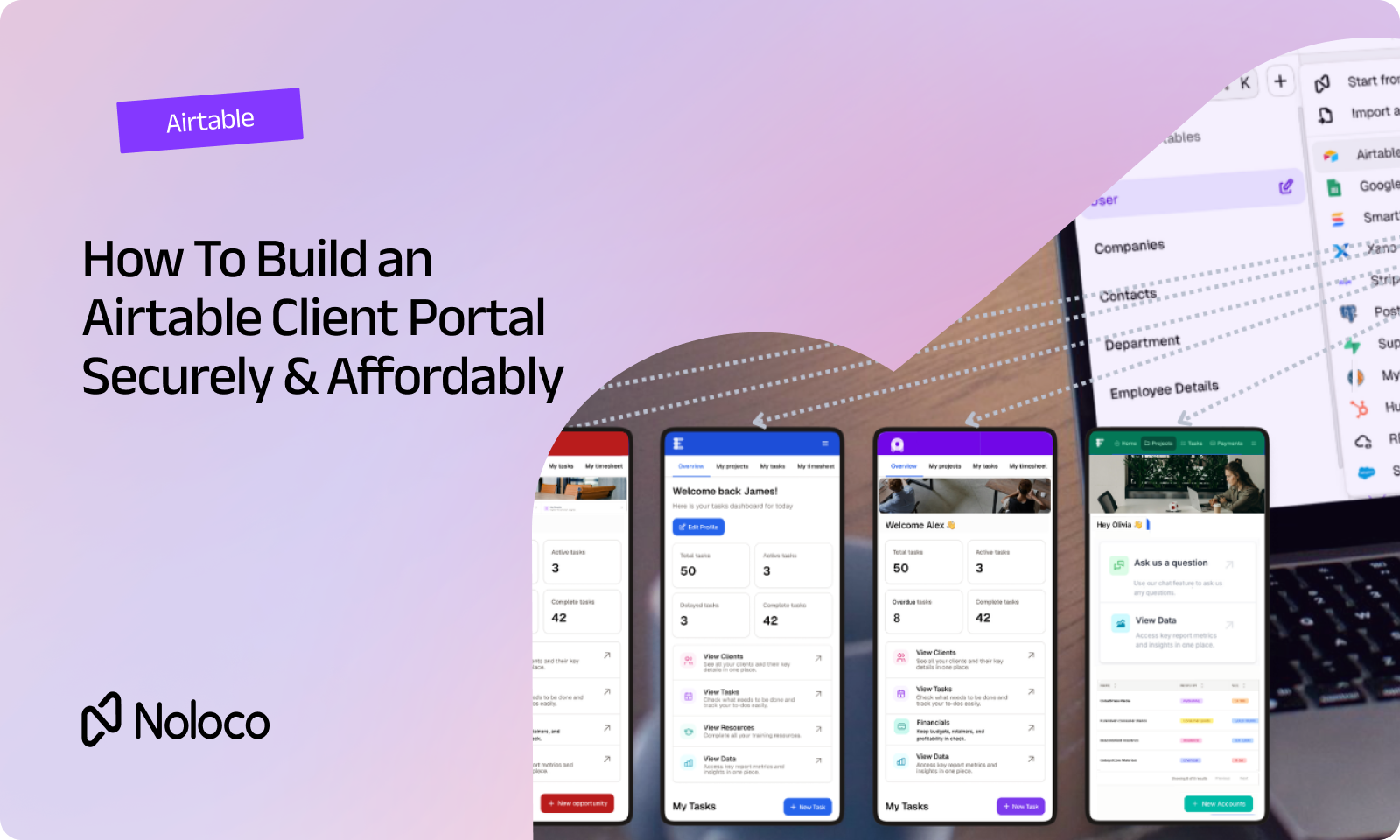
If your clients need to see project updates, approve work, submit information, or check their invoices, Airtable can be a useful place to keep the underlying data. The tricky part starts when you give those clients access to it.
You don't want Client A seeing Client B's projects. You don't want external users seeing internal notes, margins, or pricing. And you don't want your team maintaining a separate Airtable view for every client every time the workflow changes.
That's the real challenge of building an Airtable client portal: giving people access to the data they need without giving them access to everything else.
A secure portal needs to answer three questions:
- Who is this person?
- Which records should they be able to see?
- What are they allowed to do with those records?
Once you have dozens of clients, contractors, or partners using the same operational data, those rules need to work automatically.
TL;DR
- An Airtable client portal gives customers a way to log in and work with selected data from your Airtable base without accessing the base itself.
- A secure portal should control access by user, record, field, and role rather than relying on a shared or manually filtered view.
- Airtable's native Portals feature can handle basic external access, but businesses with more complex client workflows may run into limitations around permissions, client-specific views, branding, and workflows.
- You can keep Airtable as your data source and add a dedicated portal layer on top with Noloco.
- Noloco lets you build branded client-facing workflows with permissions and automation built into the same system, without moving your existing Airtable data.
What actually makes an Airtable client portal secure?
A login screen doesn't make a client portal secure. The important question is what happens after someone logs in.
Imagine you have one Airtable base containing: 200 client projects, internal project notes, client contact details, pricing and margins, documents, approval status, contractor assignments.
Your clients shouldn't all get the same view of that information. A client might need to see their projects and approve a deliverable, a contractor might need to see the jobs assigned to them, your internal delivery team might need access to everything.
A useful customer access portal separates those experiences while keeping the underlying data connected.
The important part is that these boundaries should be enforced by the system. You don't want security to depend on someone remembering to update a filtered view every time you add a client.
Why external access needs extra care
The moment people outside your core team can access operational data, you're dealing with a different problem from simply sharing an internal Airtable base.
Verizon's 2026 Data Breach Investigations Report found that third parties were involved in 48% of breaches covered by its analysis. That doesn't mean client portals cause breaches, but it does highlight why external access needs to be deliberately scoped rather than treated like another internal user.
For a business running client projects, finance operations, field work, logistics, or another multi-step process, the question isn't whether clients should get access. It's how much access they should get, and whether that boundary keeps working as the business grows.
How does Airtable handle client portals?
Airtable offers its own Portals feature, built on top of Interface Designer and it gives external users a way to interact with selected Airtable data without giving them access to the entire base. You can create interfaces for things like record review and forms, filter the data being displayed, hide fields, and assign different permission levels.
For a simple setup with a small number of external users, this can be enough. The problem appears when the portal becomes part of a real operational workflow.
You may need:
- Different clients seeing different records
- Contractors seeing only their assigned work
- Internal users having broader access
- Certain fields hidden from external users
- Clients approving work
- Approvals triggering the next step
- A branded experience on your own domain
- One portal that works for hundreds of users without creating hundreds of separate views
That's where the distinction between sharing Airtable data and building an Airtable-powered client portal becomes important.
Where does the native Airtable approach start to strain?
There are three common pressure points.
1. Permissions get harder as the number of clients grows
A basic filtered view can work when you're dealing with a handful of clients, but imagine creating a separate view for every client:
- Client A → only Client A's records
- Client B → only Client B's records
- Client C → only Client C's records
And then another 20 clients join.
Now change the structure of your project workflow, and make sure all those views still enforce the right rules.
That's interface sprawl: the portal becomes a collection of exceptions that someone has to maintain.
For a complex operation, it's much cleaner to define the rule once: A client can see records where that client is the account owner. Then let the system apply that rule whenever the client logs in.
2. Clients need to do more than read data
Most client portals don't exist just so customers can look at a dashboard; they need to do something. For example:
- Your team sends a proposal.
- The client opens it in the portal.
- They approve it.
- The record changes to "Approved."
- The account manager gets notified.
- The next stage of the workflow starts.
That's more than a view. If your team still has to check comments, copy information into another tool, update a status manually, and tell someone else what happened, you've created another layer of admin rather than removing it.
3. Your portal becomes part of the customer experience
Clients shouldn't have to understand how your internal tools work. They need a simple place to:
- Check the status of their work
- Upload documents
- Approve something
- Request a change
- See the information relevant to them
And ideally, it should look like your company's software, not an internal database that happens to have an external login. That's especially important when the portal becomes a regular part of how clients work with your business.
How do you build role-based access for an Airtable client portal?
Start with the people who need access. Before touching your Airtable settings, write down:
1. Who needs to log in?
For example: Clients, contractors, partners, internal delivery staff, managers
2. What records should each person see?
A client may see their own projects, a contractor may see assigned jobs across several clients, a manager may see every project.
3. What can each person do?
For example: View, comment, upload, submit, approve, edit
4. What should happen after they do it?
An approval might change a status and notify your team, a document upload might create a task, a client request might start a new workflow. This gives you a permission model before you start building the interface.
Build the portal on top of your existing Airtable data
If Airtable is already where your business keeps its operational data, you don't necessarily need to replace it. You can keep Airtable as the source of truth and add a client-facing layer on top.
Noloco connects directly to your existing Airtable bases, so your team can continue working with the data they already have while clients get a separate experience designed for them. With Noloco's permissions, you can define which records and fields different users can access based on their role and relationship to the data. So instead of building one view for Client A, one view for Client B, one view for Client C, you can build one client experience and let the user's identity determine which records appear.
That's much easier to maintain when the number of clients grows.
Keep sensitive fields out of the client experience
Filtering records isn't the whole job. You also need to think about fields.
Your internal Airtable record might contain client-facing project status, internal delivery notes, cost, margin, internal owner, risk notes, customer comments. A client might need the first and last fields, but not everything in between. That's why a secure no-code client portal needs more than a filtered table.
The rule should be based on the user and their role, rather than relying on a team member to remember which fields to hide on each page.
This becomes particularly important as your operation changes. If someone adds a new internal field six months later, you don't want to discover after the fact that it was visible to external users.
How do you add approvals and status updates?
The best client portal is not just somewhere customers go to check information; it should help move the work forward.
For example, say you're running a project delivery process. Your workflow could look like: Draft → Client review → Client approval → Production → Delivered
A client opens the portal and sees a project waiting for approval. They click Approve.
That action can then:
- Update the project status.
- Notify the person responsible.
- Create or trigger the next task.
- Keep the client-facing status up to date.
Noloco's workflows let you build these kinds of actions into the same system. The important part is that the client doesn't need to understand what's happening behind the scenes: They click a button. Your workflow moves forward.
Airtable Portals vs. Noloco for a client-facing operation
If you're deciding between Airtable's native portal functionality and adding a dedicated layer on top of Airtable, the useful comparison isn't simply "which one has more features?"
It's whether the setup will still make sense when your operation gets more complicated.
For businesses with a straightforward portal, Airtable's own tools may be enough.
For a more complicated operation, especially one involving clients, contractors, internal teams, approvals, and different levels of access, a dedicated portal layer can remove a lot of the manual work around keeping those experiences separate. It can also be cheaper as your client list grows, because you're not treating every client who logs in like another internal software seat.
You can see the differences in more detail in our Noloco vs Airtable Interfaces comparison.
How much does an Airtable client portal cost?
Cost depends on how you're giving external users access and what they need to do.
With Airtable's native Portals, external users who need more than read-only access are subject to Airtable's portal pricing and seat structure. That can be reasonable for a small number of external users, but client-facing operations can have a very different user pattern from an internal team.
You might have 15 employees but 150 clients who occasionally log in.
A pricing model built around every person who needs access can therefore become a significant part of the cost of the system. Noloco takes a different approach, with client access included in its plans rather than treating every client as another full Airtable seat.
And there's another reason price is worth looking at now. In August 2026, Airtable agreed to be acquired by Bending Spoons. Nothing about Airtable's pricing has changed as a result of the acquisition yet, but Bending Spoons has changed pricing after some of its previous acquisitions. That makes today's price only part of the question for a business building a client-facing system it expects to rely on for years. Here's what the Bending Spoons acquisition could mean for Airtable users.
The important question isn't simply the monthly price; it's whether adding your next 50 clients makes the system harder or more expensive to operate. For a detailed breakdown of Airtable's pricing and how external access affects the total cost, see our guide to Airtable pricing in 2026.
What should you check before launching an Airtable client portal?
Before giving real clients access, test the portal as if you were trying to break it.
1. Test every user type
Create test accounts for clients, contractor, internal users, managers, etc. Log in as each one and check what they can see and edit (and most important, what they cannot).
2. Test record boundaries
Take two test clients and make sure Client A cannot see Client B's: projects, documents, requests, financial information, internal notes.
Don't just check the homepage; check search, lists, detail pages, forms, and any other place data appears.
3. Test sensitive fields
Look specifically for information that should stay internal: pricing, margins, internal comments, risk notes, and operational notes are easy to overlook.
4. Test actions, not just visibility
Can a client edit something they shouldn't? Can they approve a record? Can they upload a document? Can they access an action through a different page?
5. Test what happens when a relationship changes
What happens when:
- A client closes a project?
- A contractor finishes an assignment?
- An employee changes role?
- A user should no longer have access?
Access should follow the underlying relationship, rather than depending on someone remembering to update several views.
The secure Airtable portal is the one your team doesn't have to babysit
Airtable can be a perfectly good place to keep your operational data. The problem starts when your operation outgrows the way you're sharing that data.
If five clients need to check a project, manually filtered views might be enough; if 100 clients, contractors, and internal users all need different access to the same operational data, you need something more deliberate.
You need to know: Who is this person? Which records belong to them? Which fields should they see? What can they do? What happens after they do it?
That's where a dedicated portal layer becomes useful.
Noloco lets you keep the Airtable data you've already built while adding the permissions, branded client experience, and workflows needed to turn it into something your team and clients can actually run on.
And because you don't have to build the whole thing from scratch, you get the flexibility to shape the system around how your operation actually works — without turning it into another fragile project that only one person understands.
Ready to see what that looks like?
Compare Noloco vs Airtable Interfaces to see how permissions, client access, branding, and workflows differ once your Airtable data becomes part of a real client-facing operation.
Airtable client portal FAQ
What is an Airtable client portal?
An Airtable client portal is a customer-facing interface that lets clients log in and view or interact with selected information stored in an Airtable base. Instead of giving clients access to the Airtable base itself, the portal provides a separate experience where each user can access the records and actions relevant to them.
Is Airtable's native Portals feature secure enough for client data?
Airtable Portals provides controls for giving external users access to selected Airtable interfaces and assigning permission levels. Whether it is sufficient depends on the complexity of your workflow and the level of separation you need between clients, internal users, and other external collaborators.
If every client needs a different set of records and fields, it's important to test how those permissions behave as your user list and data structure grow.
What's the difference between sharing an Airtable view and building a secure client portal?
A shared Airtable view is primarily a way to expose a particular view of your data; a client portal is built around the identity of the person using it. The goal is for the same portal to show different information to different users based on their role and relationship to the underlying records.
Can you build an Airtable client portal without coding?
Yes. A client portal can sit on top of an existing Airtable base, allowing you to create the client-facing interface and permission rules without building and maintaining a custom application. Noloco connects to Airtable so you can keep your existing data while building the portal layer around it.
Can clients use an Airtable portal without accessing Airtable directly?
Yes. The point of a client portal is to give customers a separate place to interact with the information and actions relevant to them, without giving them access to your internal Airtable workspace.
Can an Airtable client portal handle approvals?
Yes, depending on how you build it. For a simple setup, a client can update or comment on a record. For a more involved workflow, you can use a portal layer such as Noloco to turn a client action into the next step in your process — for example, updating a status and notifying the right team member after an approval.
Can I keep Airtable as my database and use Noloco for the portal?
Yes. Noloco connects directly to Airtable, so you can keep your existing Airtable base while giving internal and external users a different interface for working with the same operational data.
Author



Our recent posts
Explore all blog posts


Your most common
questions—answered!
Who is Noloco best suited to?
+
-
Noloco is perfect for small to medium-sized service businesses like consultancies, agencies, advisory firms, as well as engineering and industrial services such as energy, construction, or any other operations-focused fields.
Do I need tech experience to use the platform?
+
-
Not at all! Noloco is designed especially for non-tech teams. Simply build your custom system using a drag-and-drop interface. No developers needed!
Is my data secure?
+
-
Absolutely! Security is very important to us. Our access control features let you limit who can see certain data, so only the right people can access sensitive information
Do you offer customer support?
+
-
Yes! We provide customer support through various channels—like chat, email, and help articles—to assist you in any way we can.
My business is growing fast—can Noloco keep up?
+
-
Definitely! Noloco makes it easy to tweak your system as your business grows, adapting to your changing workflows and needs.
Is there any training or support available to help my team get up to speed?
+
-
Yes! We offer tutorials, guides, and AI assistance to help you and your team learn how to use Noloco quickly.
Can I make changes to my app after it’s been created?
+
-
Of course! You can adjust your app whenever needed. Add new features, redesign the layout, or make any other changes you need—you’re in full control.
Ready to boost
your business?
Build your custom tool with Noloco