
Noloco App MCP
AI assistants for your whole team
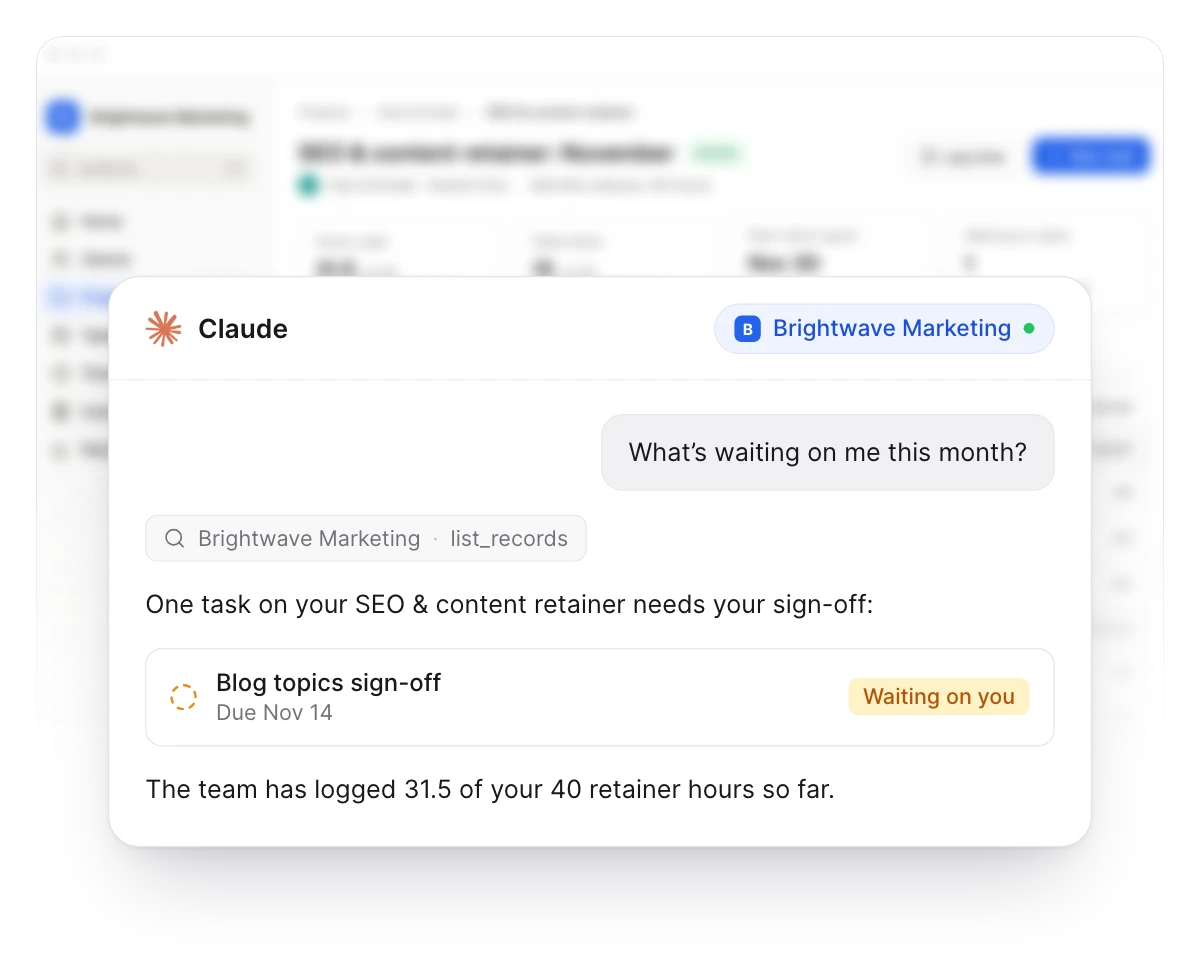
With the App MCP, team members connect their own AI assistant, like Claude, ChatGPT or Cursor, to a Noloco app and work with the data they're allowed to access. They can find records, ask questions, and create or update records where their permissions allow it, all from their assistant's chat, without opening Noloco.
Your app, inside the assistant your team already uses
Acts as the user
It only sees what they can see
The assistant signs in as the person who connected it, so each person can access only the data their app role allows, down to the record and the field. A teammate gets whatever their role allows, and a client asking about “my projects” gets only their own. Nothing else is in reach.
Agent access
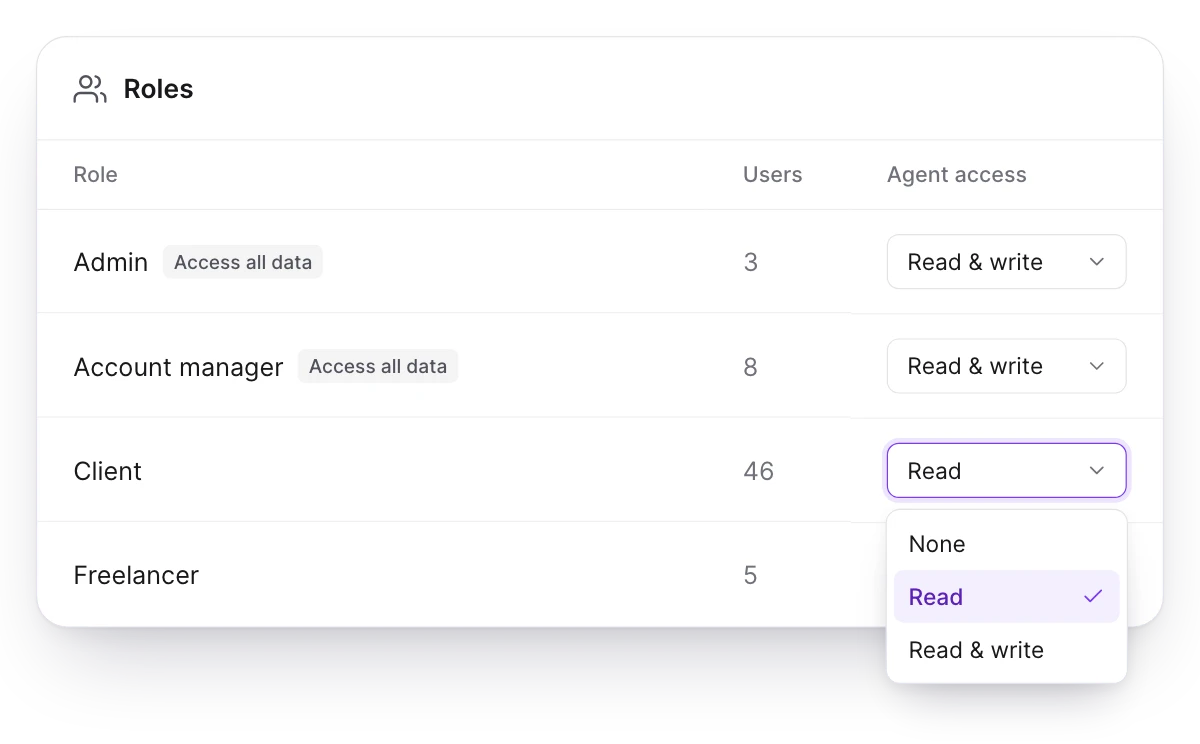
You decide which roles can connect
Each role has its own Agent access setting: None, Read, or Read & write. Roles that access all data start on Read & write, and every other role starts on None, so nothing opens up for your clients until you switch it on.
For your team
Connect from the profile menu
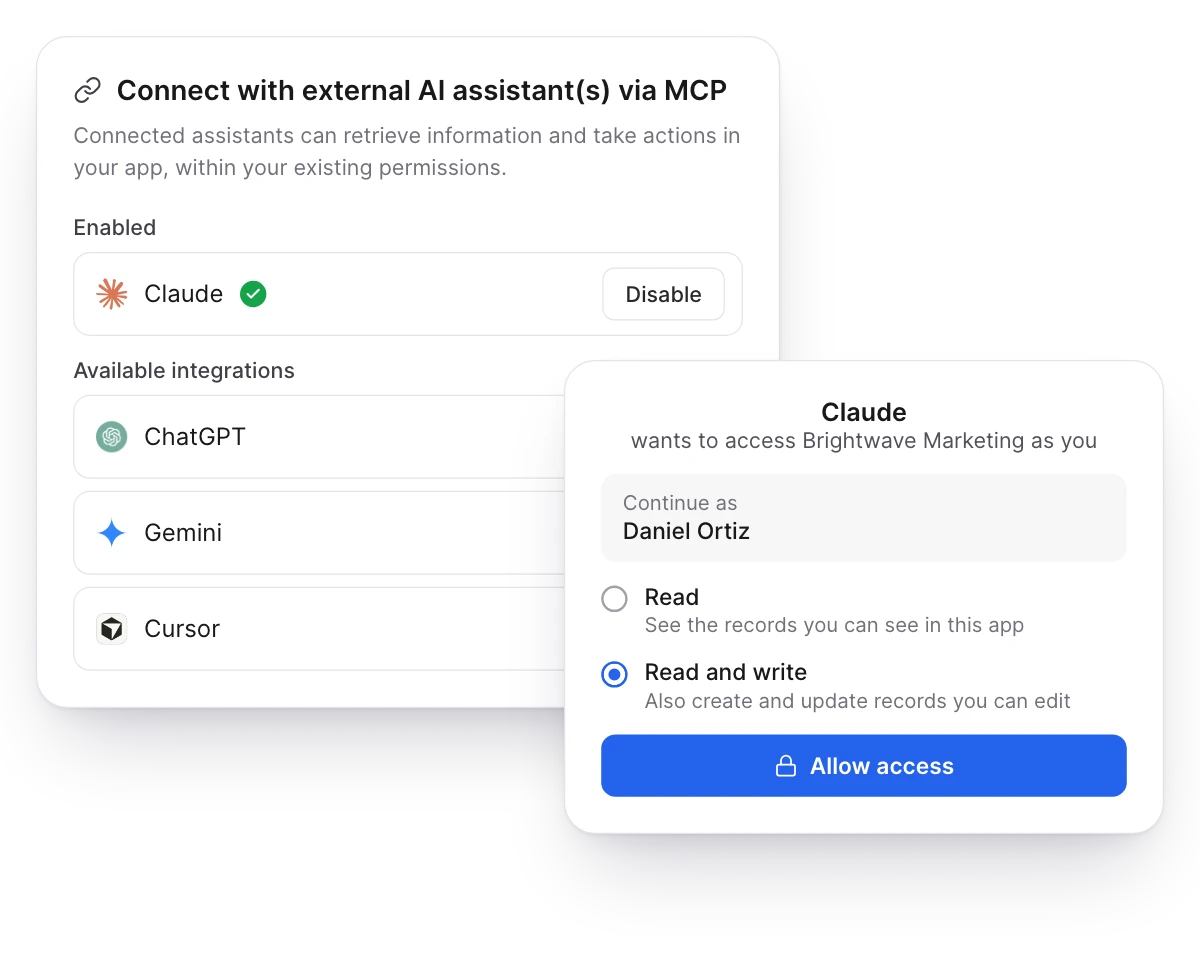
Each person opens Connect AI Assistant (MCP) from their profile menu and picks their assistant. Claude connects in one click, and any other assistant takes the app’s server URL. They sign in to your app, choose Read, or Read and write if their role allows it, and can disable an assistant from the same menu at any time.
What a connected assistant can do
Find records, ask questions
List tables and their fields, and find or fetch any record the user can see.
Create and update
Where their permissions allow it, with Read & write, add records and update existing ones.
Never delete
It can't delete records, whatever the user's role allows.
One app, records only
Each connection covers a single app, with none of the tools that change how it is built.
Two MCP servers, two jobs
Everyone gets the right level of access: one MCP server for the people who build your apps, and one for everyone who uses them.
Noloco MCP, for builders and admins
Build and change your apps, and work with all their data. Admins approve access to each app, and building needs read and write access plus builder and data admin permissions.
App MCP, for your whole team
Each person connects their own assistant to one app and can access only the data their app role allows. It works with records only, and can't delete them.
Customer stories
Teams building with it

50%increase in billable hours
How GAP Consulting doubled cash flow with a no-code client portal
- It Just So Happens
29active projects
How the remote digital agency ‘It Just So Happens’ built one portal around the way they work with Canvas by Noloco
60%software cost reduction
How Redrock Entertainment built a Custom Operating System and Cut Software Costs by 60% with Noloco
Give your whole team their own AI assistant
Switch on agent access for a role, and its users can connect in a minute. Included on every plan.