EnterprisePricing

Your operations lead has been paying for Claude Pro on a personal card for three months. Now half the office wants it, someone asked whether clients can use it too, and finance wants one number for next year's budget.
The pricing page gives you the per-seat price. It doesn't tell you how many seats you'll actually need, what happens when people hit their usage limit mid-afternoon, or what Claude can't do on its own once clients and subcontractors are part of the work. This guide covers all three.
Prices checked November 2026 on Anthropic's official pricing page. Anthropic changes plans often, so confirm before you buy.
TL;DR
- Claude has four individual plans (Free, Pro, Max, Ultra) and two business plans (Team and Enterprise). Business plans are priced per person.
- Team costs $20 per person per month on annual billing ($25 monthly) for a standard seat, or $100 ($125 monthly) for a premium seat with 5x the usage. It covers 2 to 150 people.
- Enterprise has a $20 seat fee plus usage billed at API rates, so the final bill depends on how much your team uses Claude.
- The hidden costs are seats for people who only use Claude now and then, extra usage credits when limits run out, and the cost of getting your business data in front of Claude safely.
- Claude is licensed to people inside your company. Clients, subcontractors, and field crews don't get a login to your records. A portal builder like Noloco can give them that, and Claude can connect to it.
How does Claude pricing work in 2026?
Claude is priced per person, not per company. Every plan comes with a usage allowance that resets every five hours and every week. When someone runs out, they either wait for the reset or keep working on prepaid usage credits.
That makes Claude different from most business software, where a seat means unlimited use. With Claude, a seat means a set amount of work per week. Heavy users, such as the person writing every proposal or the one building internal tools with Claude Code, will hit limits long before someone who asks two questions a day.
Free plan: $0
Good for trying Claude out. You get limited usage, the Sonnet and Haiku models, and up to five Projects. There's no Claude Code and no access to Opus, the more capable model. Don't run real client work on it: there are no admin controls and no central billing.
Pro plan: $17 per month billed annually ($20 monthly)
The plan most people start on. Pro adds more usage, the Opus model, Claude Code, Research, and Claude in Chrome. It's a personal plan, so the company can't manage who has it, see who uses it, or take it back when someone leaves.
Max plan: $100 per month
Max gives 5x the usage of Pro, priority access when Claude is busy, and $100 a month in API credits. It's billed monthly only. It suits one person who uses Claude for hours every day.
Ultra plan: $200 per month
Ultra replaced the old Max 20x plan. It gives 10x Pro usage per week and, for verified accounts, no five-hour limit. It includes $200 a month in API credits. For most businesses this is a plan for one or two power users, not a team.
Team plan: $20 to $125 per person per month
Team is where a business plan starts. You need at least two people and can add up to 150. Standard seats cost $20 per person per month on annual billing or $25 monthly. Premium seats cost $100 annually or $125 monthly and give 5x the usage of a standard seat. You can mix both.
Team adds central billing, single sign-on (SSO), admin controls for which tools Claude can connect to, Claude Code, Claude Cowork, and up to $500 a month in pooled API credits. Anthropic doesn't train models on your content by default on this plan.
Enterprise plan: $20 seat fee plus usage
Enterprise works differently. The self-serve version charges $20 per seat per month, billed annually, with a 20-seat minimum, and then bills every token your team uses at standard API rates. Self-serve plans prepay for usage; larger contracts are invoiced monthly through Anthropic's sales team.
On top of Team, you get audit logs, automatic user provisioning (SCIM), custom data retention, IP allowlisting, spend limits per person, and a HIPAA-ready option. These are the features IT and compliance teams usually ask for.
What hidden costs make Claude more expensive than the pricing page suggests?
AI is no longer a side experiment. In McKinsey's State of AI survey (December 2025), 88% of organizations said they use AI in at least one business function, but only 7% said it was fully rolled out across the organization. Most of the extra cost shows up in that gap between "a few people use it" and "the whole operation runs on it."
1. Seats for people who only use Claude now and then
Every person who logs in needs a seat. Your project coordinators, bookkeeper, and site managers might each use Claude twice a week, but they cost the same as your heaviest user on a standard seat. A 40-person company that gives everyone access pays for 40 seats, even if 15 people do most of the work.
2. Usage credits when people hit their limit
Standard seats are built for regular use, not all-day use. When someone runs out, admins can switch on prepaid usage credits so they can keep working. That's useful, but it turns a fixed monthly cost into a variable one. Set spend limits per person from day one.
3. Premium seats creeping in
Once a few people hit limits every week, the easy fix is to upgrade them to premium seats. That's $100 per person per month instead of $20. Five upgrades add $6,000 a year to the bill.
4. Enterprise usage you can't predict
Enterprise looks cheap at $20 a seat, but usage is billed on top at API rates. A team that uses Claude to summarize a few emails will spend very little. A team that runs long research tasks or Claude Code every day will spend a lot more. Run a pilot with a small group before you commit.
5. Getting your business data in front of Claude
Claude is only as useful as what it can see. If your job records, client files, and invoices live in a spreadsheet, Airtable, or five different tools, someone has to connect them, decide what Claude is allowed to read, and keep those rules up to date. That work doesn't show up on the pricing page, but it's often where the real cost sits.
6. Everyone outside your company
Claude seats are for your own staff. Your clients, subcontractors, field crews, and partners don't get a login, and buying them seats isn't the answer: you'd be paying for licenses for people who only need to check a job status or upload a document. Those people need a portal, not a chat window.
What does Claude actually cost in real-world scenarios?
These examples use list prices from November 2026, before tax, and leave out usage credits.
Scenario A: 12-person accounting firm on Team, standard seats
12 standard seats at $20 per month on annual billing comes to $2,880 a year. On monthly billing it's $3,600. For a small team that uses Claude for client emails, meeting notes, and first drafts, this is usually enough.
Scenario B: 40-person solar installer on Team, mixed seats
30 office staff on standard seats ($7,200 a year) and 5 operations leads on premium seats because they build reports and tools every day ($6,000 a year) comes to $13,200 a year.
Now add the 60 field installers and subcontractors who need to see their job list and upload photos. Giving them standard seats would add another $14,400 a year, and it still wouldn't give them a screen that shows only their own jobs. That's a portal problem, not a Claude problem.
Scenario C: 150-person engineering services firm on Enterprise
150 seats at $20 per month is $36,000 a year in seat fees, before any usage. Usage is billed on top at API rates and depends entirely on how the team works. The firm gets audit logs, SCIM, and per-person spend limits, which its IT lead needs to sign off.
What can't Claude do on its own for a client-facing operation?
Claude is very good at thinking, writing, and building. It isn't a place where your operation runs. Here's what that means in practice for a business with clients, subcontractors, and partners in the workflow:
- No login for outside people. A client can't sign in and see their project status, their invoices, and only their documents.
- No permission rules on your records. Claude doesn't know that a subcontractor should see the job address but not your margin, unless the system it connects to enforces that.
- No single source of truth. Claude works with what you give it or what it connects to. If your data is spread across spreadsheets and inboxes, Claude's answers will be too.
- No approval steps you can rely on. A chat can draft a change order. It can't make sure the right manager approves it before the client sees it.
That's where pairing Claude with a portal like Noloco makes sense. Claude does the thinking. The portal holds the records, decides who sees what, and gives outside people a login.
How does Claude connect to Noloco?
Noloco is the AI portal builder for businesses whose operations don't fit the template. You can build a portal for your team, clients and partners on top of your existing data, using AI to shape it around how your business actually works.
You can use Claude with Noloco in two ways: to build and change your app, or to work with the business data inside it.
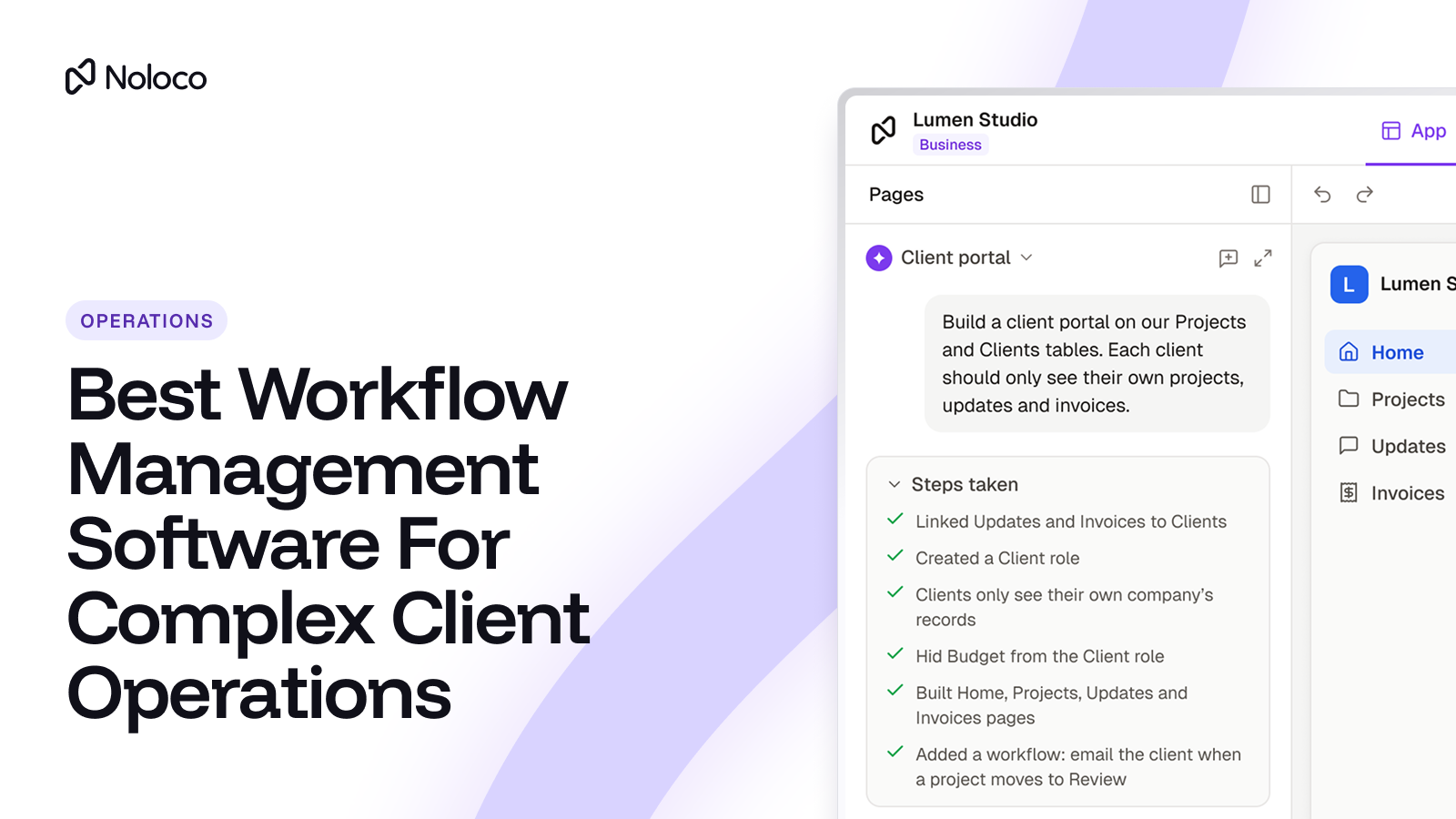
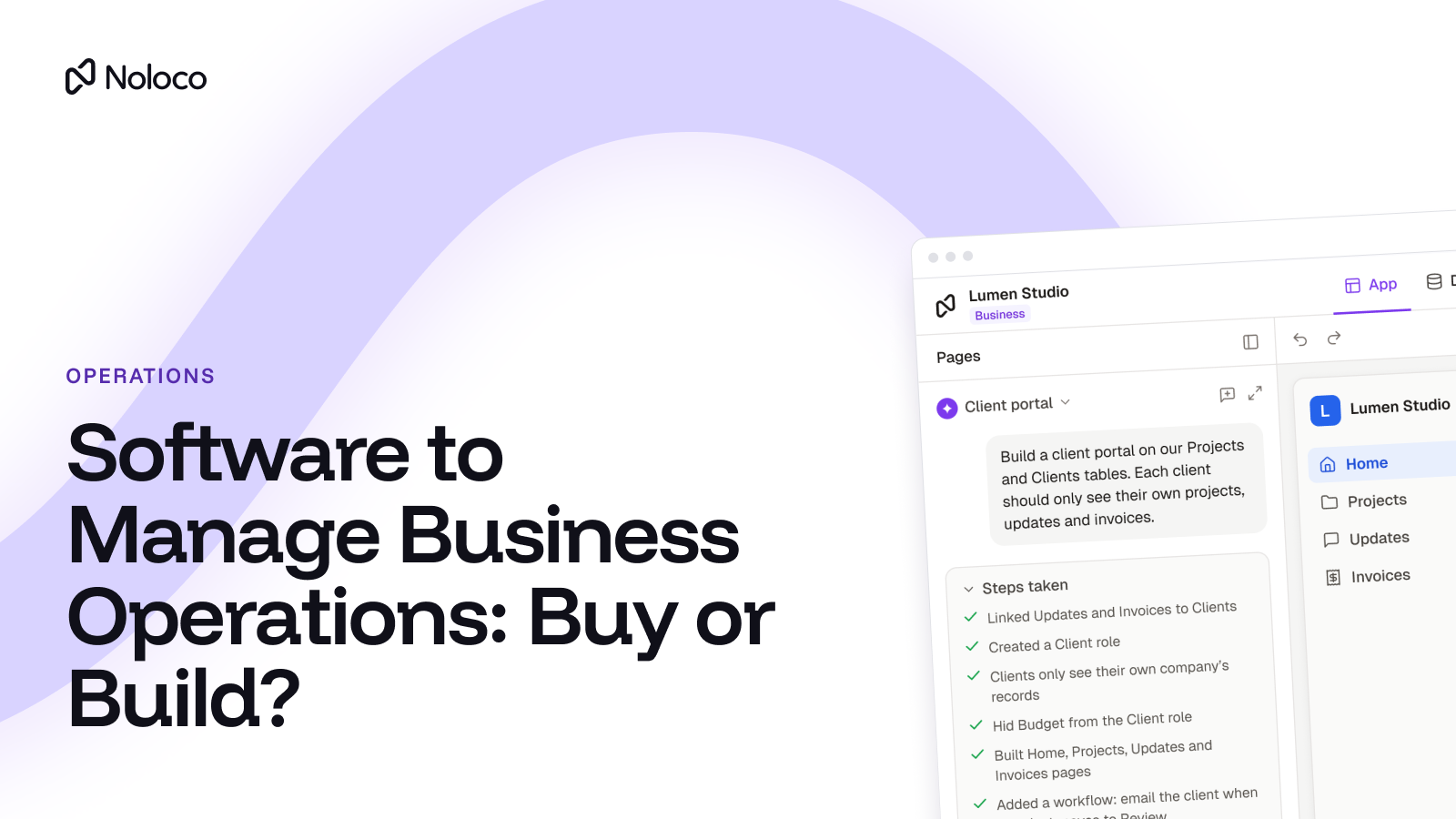
1. Build your Noloco app from Claude. Connect Claude Desktop or Claude Code to Noloco through the Noloco MCP server. Then describe what you need in a conversation, whether that's a client portal, a project management system, a request form or an approval workflow. Claude can build and configure your Noloco app based on your instructions. Admins approve access to each app, and building requires read and write access, plus builder and data admin permissions, so you're under control.
2. Put Claude to work with your business data. Connect Claude to an existing Noloco app using App MCP. Claude can then answer questions, find records and make changes on your behalf, within the permissions of the person who connected it. It can only access the records and fields that person's role allows, and it can't delete records. You also decide which roles can connect AI assistants in the first place.
Your team, clients and partners get their own place to work. With Noloco, you can build a branded portal where clients submit requests, check project progress, upload documents and approve work. Your subcontractors can see their assigned jobs and update information without getting access to your entire system. Everyone sees and updates the information relevant to them, while your team stays in control.
Your approval workflows live in the app, not in a chat. You can build processes that define who needs to review and approve work before it moves to the next step. Claude can help you build those workflows, while Noloco provides the place where people follow them.
Your data stays where it is. Noloco works on Airtable, Google Sheets, or its own built-in database. You don't need to move everything first.
No extra cost for the connection. MCP access is included on every Noloco plan. Build tools that use Noloco's own AI draw on AI credits. See Noloco pricing for current plans.
Before you give AI access to client data, read how to keep your business data safe with AI agent access control.
Which Claude plan should a growing business choose?
Choose Team if...
- You have between 2 and 150 people who need Claude.
- You want central billing and the ability to remove access when someone leaves.
- Most people use Claude a few times a day, and a handful use it heavily (give those a premium seat).
- Your IT requirements stop at single sign-on.
Choose Enterprise if...
- You have 20 or more people and need audit logs, automatic provisioning, or custom data retention.
- You'd rather pay for what's used than for a fixed allowance per seat.
- You're over 150 people, which is the Team plan's limit.
Add a portal like Noloco if...
- Clients, subcontractors, or partners need to see or update their own records.
- You need different people to see different parts of the same record.
- You want Claude to work on live business data without giving it access to everything.
- Your process has approvals, handoffs, or exceptions that a chat can't enforce.
Final thoughts
Claude is fairly priced for what it does. For most growing businesses, the Team plan with a mix of standard and premium seats is the right starting point, and Enterprise makes sense once IT needs audit logs and provisioning.
The bigger question isn't just how much you pay for Claude, it's how much your business actually gets out of it.
Claude can do more than answer questions, write documents and analyse information. Your team can use it to build the tools and workflows they need to run the business, too.
That's where Noloco comes in. You can build your Noloco app directly from Claude, whether that's a client portal, a project management system, a request form or an approval workflow. You can also build it with Noloco's AI app builder and then connect Claude to the Noloco app you just created to ask questions about business data and make changes.
Your team gets to use Claude to build, ask questions and get work done. Noloco turns that work into a real business app, with your data, permissions and workflows built in. Your clients and partners get their own place to log in and work with your business, too.
Instead of using AI just to generate ideas or code, you can use it to build something your whole business actually runs on.
FAQ
How much does Claude cost per month?
Claude Pro costs $20 per month, or $17 per month billed annually. Max costs $100 per month and Ultra costs $200 per month. For businesses, Team starts at $20 per person per month on annual billing, and Enterprise has a $20 seat fee plus usage at API rates.
Is there a free version of Claude?
Yes. The Free plan includes limited usage of the Sonnet and Haiku models, Projects, web search, and connectors. It doesn't include Claude Code or the Opus model.
What's the difference between Claude Team standard and premium seats?
Both include the same features. A premium seat gives 5x the usage of a standard seat and costs $100 per person per month on annual billing instead of $20. Most teams give premium seats only to their heaviest users.
What happens when you hit Claude's usage limit?
You wait until the limit resets, which happens on a five-hour window and a weekly window. On paid plans, you can also turn on prepaid usage credits to keep working, and admins can set spend limits.
Can clients use your company's Claude account?
Not as clients. Claude seats are for members of your organization. To give clients or contractors access to their own records, you need a client portal with its own logins and permissions.
Does Claude train on business data?
On the Team and Enterprise plans, Anthropic states it does not train models on your content by default. Check the current terms on Anthropic's site before you sign.
Related resources
Author



Our recent posts
Explore all blog posts
Your most common
questions—answered!
Who is Noloco best suited to?
+
-
Noloco is perfect for small to medium-sized service businesses like consultancies, agencies, advisory firms, as well as engineering and industrial services such as energy, construction, or any other operations-focused fields.
Do I need tech experience to use the platform?
+
-
Not at all! Noloco is designed especially for non-tech teams. Simply build your custom system using a drag-and-drop interface. No developers needed!
Is my data secure?
+
-
Absolutely! Security is very important to us. Our access control features let you limit who can see certain data, so only the right people can access sensitive information
Do you offer customer support?
+
-
Yes! We provide customer support through various channels—like chat, email, and help articles—to assist you in any way we can.
My business is growing fast—can Noloco keep up?
+
-
Definitely! Noloco makes it easy to tweak your system as your business grows, adapting to your changing workflows and needs.
Is there any training or support available to help my team get up to speed?
+
-
Yes! We offer tutorials, guides, and AI assistance to help you and your team learn how to use Noloco quickly.
Can I make changes to my app after it’s been created?
+
-
Of course! You can adjust your app whenever needed. Add new features, redesign the layout, or make any other changes you need—you’re in full control.
Ready to boost
your business?
Build your custom tool with Noloco