EnterprisePricing

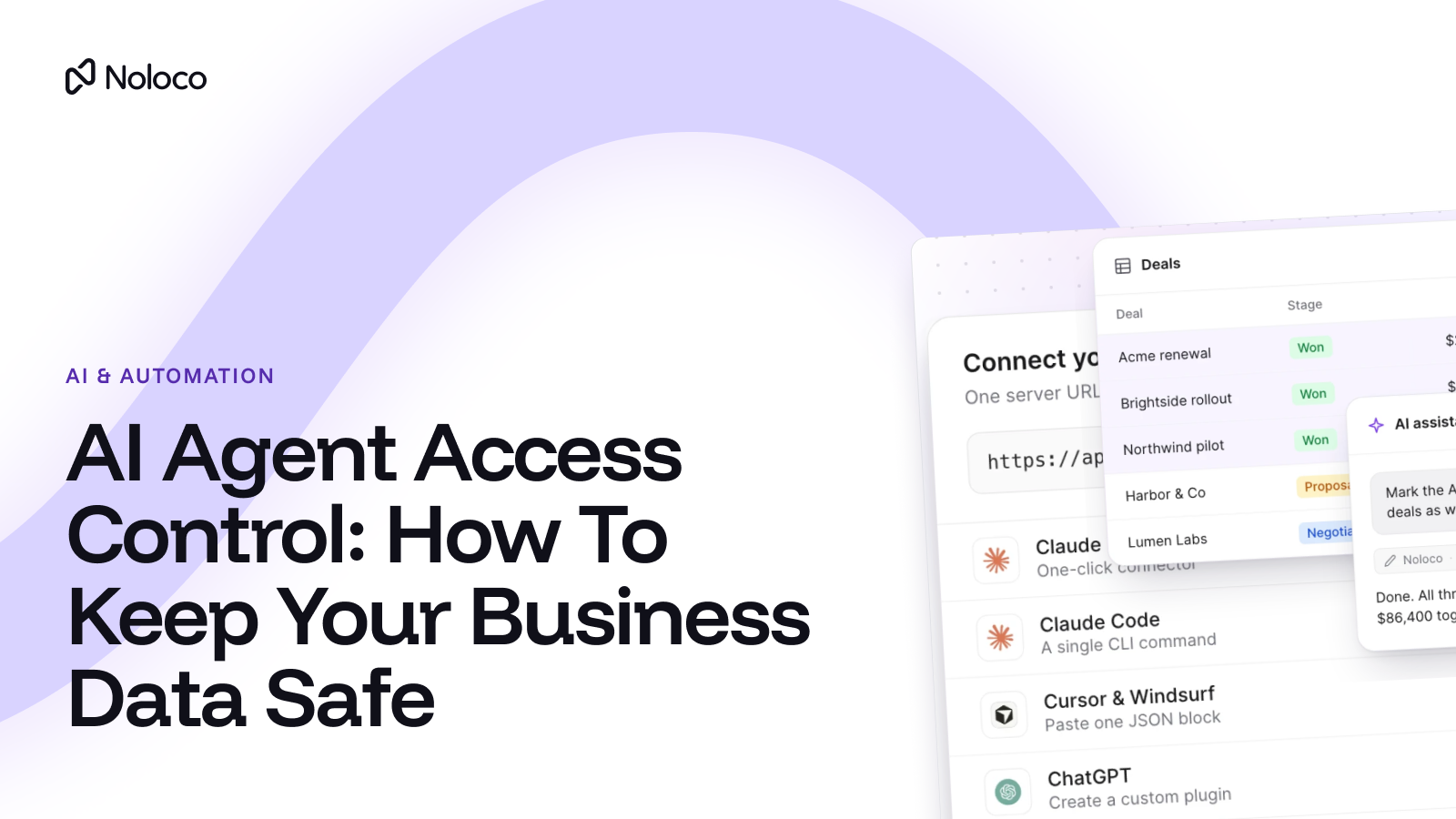
AI agents are becoming another participant in business operations, we see it with the teams who build on Noloco. They should have the same clear boundaries as employees, clients and partners.
Take the operations director at an 80-person services firm. She gets two requests in the same week. Her projects managers want to connect Claude to the project database so they can ask about deadlines without digging through tabs. One of the firm's largest clients asks if their team can use Copilot to check the status of their own projects.
Both requests make sense; the problem is the options in front of her: She can say no, and watch people paste exports into AI tools anyway, or she can hand an AI connection a login that sees every project, every client and every invoice.
This article is for the person who has to make that call. It covers what AI agent access control means in plain terms, how the common approaches compare, and what to check before anyone connects an AI agent to your business data. And it shares an exmaple.
I hope you find it useful! If it's the first time here and you'd like more content like this, subscribe to our newsletter. It lands in your inbox on the last Thursday of every month.
TL;DR
- Most businesses face an all-or-nothing choice: block AI agents completely, or give them a connection that can see everything.
- Blocking doesn’t work. A 2026 Merge survey found 68% of employees have already put sensitive company or customer data into an AI tool.
- The safer approach is role-based access: the agent (such as Claude, ChatGPT, Copilot) signs in as one person and can only reach what that person’s role allows, down to the record and field.
- Clients and contractors need the most care. Their access should start switched off and only open up once you’ve tested it.
What does AI agent access to business data look like today?
In most growing businesses, it looks like one of three things.
1. The first is a ban. Leadership says no AI tools touch company data, and the question is closed. On paper, nothing is exposed.
2. The second is pasting. People export a report or copy a table into ChatGPT, ask their question, and move on. The data now sits in a tool nobody approved, as a copy that’s out of date by the next day.
3. The third is one shared connection. Someone sets up an AI connection to the database or Airtable base using an admin login or API key, and everyone uses it. It works well until a contractor asks the agent a question and gets an answer that includes another client’s figures.
Each of these is a version of the same problem: access is either all or nothing.
Why doesn’t blocking AI agents keep your data safe?
Because people are already using AI with company data, whether or not it’s allowed. The 2026 State of Enterprise AI Governance report from Merge surveyed 1,500 US employees at companies with 100 to 10,000 staff. It found that 68% had already put sensitive company or customer data into an AI tool.
The same survey found that 73% of employees say their company has no formal, enforced policy on AI access. And 47% sign in to AI tools with a personal login or token, rather than access their company set up for them.
A ban doesn’t stop any of that; it only means the business has no say in what the agent can reach. The real question isn’t whether AI agents touch your data, it's whether you decide what they can see.
What is AI agent access control?
AI agent access control is the set of rules that decides what an AI agent can see and do in your business systems. It answers three questions:
- Who is the agent acting for? This is authentication: proving the agent is connected on behalf of a real, named person.
- What can it see? Which tables, records and fields are in reach.
- What can it do? This is authorization: whether it can only read, or also create and update records, and whether it can ever delete anything.
The simplest reliable model is role-based: the agent signs in as the person who connected it and inherits that person’s role. If a project manager can only see their own projects in your system, their AI agent can only see those projects too.
This only works if your permissions apply to the data itself, not just to what’s shown on screen. If a role “hides” records with a page filter but the system still sends them, an AI agent asking directly can reach them. Our guide to client portal permissions explains the difference.
How do the common approaches to AI agent data access compare?
The pattern we see is clear. The first three options either give the agent nothing useful or give it everything. Role-based agent access is the only one where each person’s agent gets exactly what that person already has, and nothing more.
It also handles people leaving. Because the agent acts as a specific person, removing that person’s access to the system is the step that matters most. With a shared connection, one person leaving can mean changing access for everyone.
How should AI agent permissions work for clients and contractors?
This is where most businesses we talk to hesitate, and with good reason. Your own staff already see a lot. Clients, contractors and partners should only ever see their own work.
The rule of thumb: external roles start with no agent access at all. You switch it on one role at a time, starting with read-only. You test it before anyone outside the company connects.
Here’s what that could look like for the firm from the opening:
The same logic applies to a 40-person accounting firm. Partners might get read and write access, staff read access to their own clients, and clients read access to their own documents and deadlines. The roles change by business; the principle doesn’t.
What should you check before giving AI agents access to your data?
Use this checklist before switching agent access on for anyone:
- Decide which roles need it. Start with the people who ask the most lookup questions, not everyone at once.
- Keep external roles switched off by default. Clients, contractors and partners get no agent access until you’ve decided otherwise.
- Make sure every agent signs in as a named person. No shared logins, admin accounts or API keys passed around the team.
- Check that permissions apply to the data, not just the screen. Records and fields a role can’t see should never leave the system for that role.
- Choose read or read-and-write for each role. Start with read. Add write access only for people who already edit that data.
- Confirm the agent can’t delete records. Deleting is the hardest mistake to undo, so it shouldn’t be possible through an AI agent.
- Test as each role before going live. Connect an agent as a test client and ask it to “show me all projects.” It should only return that client’s own.
- Know how to switch it off. Make sure you can turn agent access off for a single person and for a whole role.
- Check what it costs. Find out whether agent activity counts toward seats or usage limits on your plan.
- Write it down. A one-page policy covering approved assistants, which roles can connect, and who to ask closes most of the gap the Merge survey found.
How does Noloco handle AI agent access control?
Noloco helps businesses build a portal around the way their operations work, for their team, their clients and the AI agents that help run it. Agent access follows the same roles as everything else in the app.
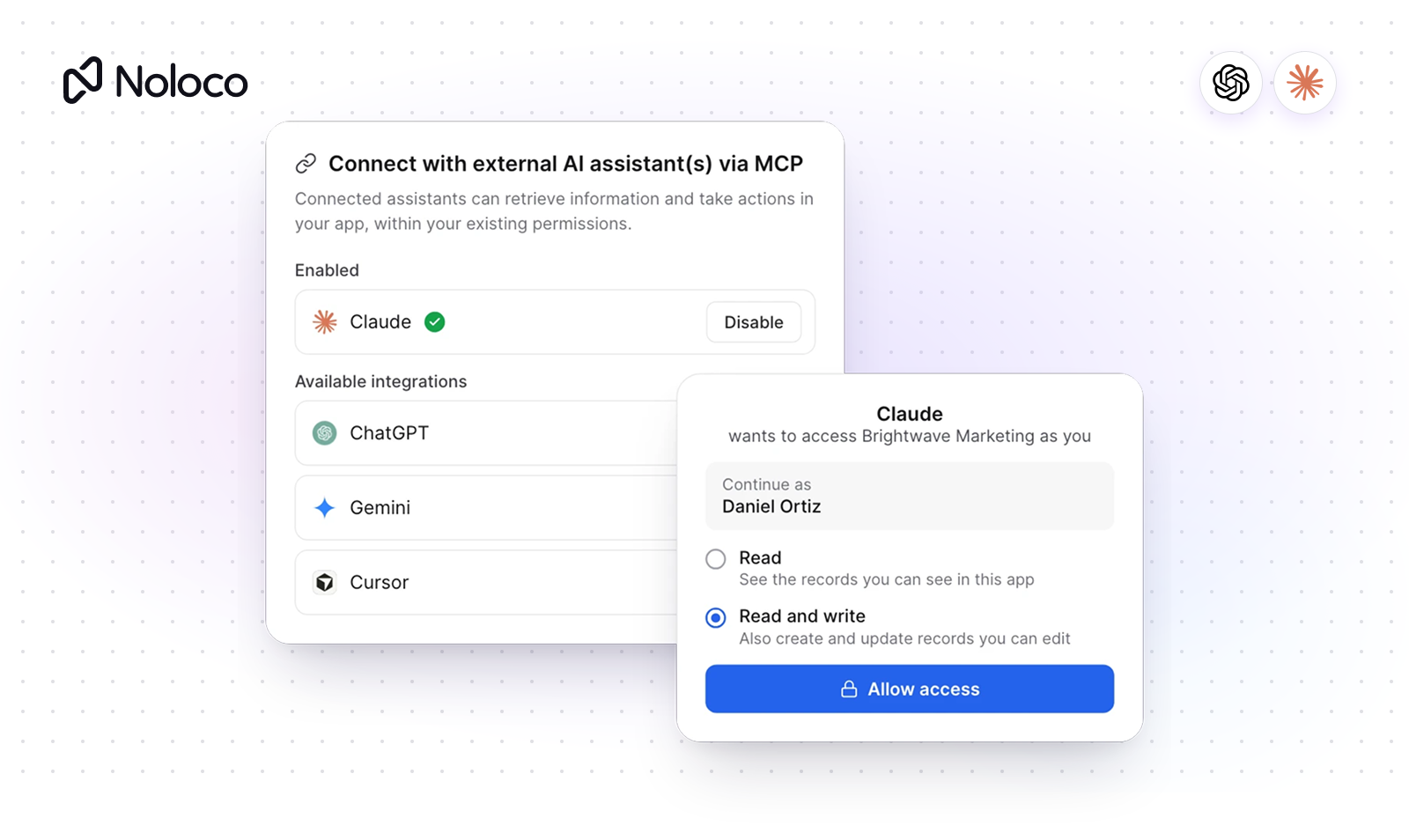
With the App MCP, each person connects their own AI assistant to a Noloco app. Supported assistants include Claude, ChatGPT, Codex, Copilot, Cursor, Windsurf and Gemini. The assistant signs in as that person, so it can only reach what their role allows, down to the record and the field. A client asking about “my projects” gets only their own.
Admins decide which roles can connect. Each role has an Agent access setting: None, Read, or Read & write. Roles that can see all data start on Read & write. Every other role starts on None, so nothing opens up for clients or contractors until you switch it on. A few limits apply whatever the role:
- No deleting. A connected assistant can’t delete records, whatever the person’s role allows.
- One app, records only. Each connection covers a single app, with no tools that change how the app is built.
- It counts as its user. Agent activity counts toward the seat of the person who connected it. Reads and writes go through the Noloco API, so your plan’s rate limits apply.
Building the app is a separate job, with a separate connection. The Noloco MCP is for builders and admins. Admins approve access to each app, and building requires builder and data admin permissions. Keeping the two apart means the people who design the system get building tools, and everyone else only gets answers about their own work.
If your data lives in Airtable, you don’t need to move it. Noloco connects to Airtable, Google Sheets, Postgres and other sources, and adds roles and record-level permissions on top. Those roles now carry over to every connected AI agent. If you’re weighing a bigger change because clients need their own logins, see how Noloco compares to Airtable Interfaces.
Final thoughts
AI agents are already part of how your team works, approved or not. The businesses that handle this well don’t choose between all or nothing. They give each person’s agent the same access that person already has, and keep clients and contractors switched off until they’ve tested it.
If your roles are already set up well, you’ve done most of the work. If they aren’t, that’s the place to start, because AI agents will follow whatever rules you have.
Before you switch anything on, review your permissions and walk through the AI agents checklist with your team.
Frequently asked questions
What is AI agent access control?
AI agent access control is the set of rules that determines what an AI agent can see and do inside your business systems. It controls which data the agent can access, whose information it can work with, and whether it can read, update or delete records.
What’s the difference between AI agent authentication and authorization?
Authentication confirms who or what is connecting to your system. Authorization determines what that connection is allowed to access and do. For example, authentication verifies an AI agent's identity, while authorization determines whether it can view client records, update projects or access financial information.
Is read-only access enough to make an AI agent safe?
Not necessarily. An AI agent with read-only access could still see sensitive information if it can access every record in your database. To protect business data, combine read-only access with permissions that restrict which records and fields the agent can see.
Should clients be allowed to connect their own AI agent to your systems?
Clients can use AI agents to interact with your business systems, but their access should be restricted to their own information. Before allowing this, make sure your system verifies their identity, applies the correct permissions and prevents access to other clients' records.
Can an AI agent see more than the person who connected it?
Yes, it can, depending on how the connection is configured. For example, an AI agent using an administrator's credentials could potentially access information that the employee requesting its help isn't allowed to see. To prevent this, make sure agent permissions are limited to the user's authorized data and actions.
What happens to an AI agent’s access when someone leaves the company?
When an employee leaves, any AI agent or connection using their account should be reviewed and revoked. Otherwise, the agent could retain access through credentials or integrations that are no longer monitored. Businesses should regularly review agent access and remove permissions that are no longer needed.
Can you give AI agents access to only specific business records?
Yes. You can limit an AI agent's access to specific records, clients or types of information instead of giving it access to your entire database. For example, a project management agent could access project updates and task details without seeing financial records or information belonging to other clients. The key is to set permissions based on what the agent needs to do, not give it access to everything by default.
How do you control what an AI agent can change in your business systems?
Set clear limits on what the agent can do. For example, an agent might be allowed to read project updates and change task statuses, but not approve invoices, edit payment details or delete records. Separate read, update and delete permissions, and require human approval for sensitive actions. This lets agents handle routine work without giving them control over decisions that need a person.
Related resources
Author



Our recent posts
Explore all blog posts


Your most common
questions—answered!
Who is Noloco best suited to?
+
-
Noloco is perfect for small to medium-sized service businesses like consultancies, agencies, advisory firms, as well as engineering and industrial services such as energy, construction, or any other operations-focused fields.
Do I need tech experience to use the platform?
+
-
Not at all! Noloco is designed especially for non-tech teams. Simply build your custom system using a drag-and-drop interface. No developers needed!
Is my data secure?
+
-
Absolutely! Security is very important to us. Our access control features let you limit who can see certain data, so only the right people can access sensitive information
Do you offer customer support?
+
-
Yes! We provide customer support through various channels—like chat, email, and help articles—to assist you in any way we can.
My business is growing fast—can Noloco keep up?
+
-
Definitely! Noloco makes it easy to tweak your system as your business grows, adapting to your changing workflows and needs.
Is there any training or support available to help my team get up to speed?
+
-
Yes! We offer tutorials, guides, and AI assistance to help you and your team learn how to use Noloco quickly.
Can I make changes to my app after it’s been created?
+
-
Of course! You can adjust your app whenever needed. Add new features, redesign the layout, or make any other changes you need—you’re in full control.
Ready to boost
your business?
Build your custom tool with Noloco