
This month brings updates that make building with Noloco more intuitive and more transparent: big improvements to Nola, a smoother permissions flow and new formula capabilities.
Nola just got a major upgrade
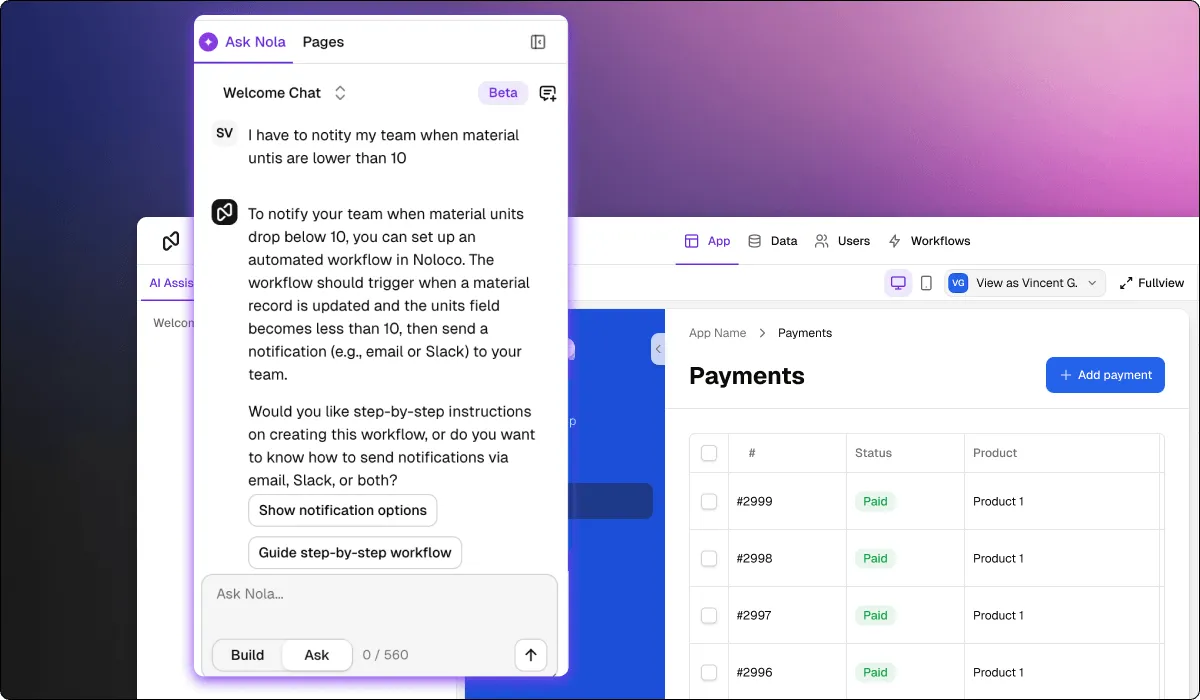
Instead of jumping straight into changes, Nola, your AI-powered assistant and app architect, now has two distinct modes designed to give you more clarity and more control:
- 🧠 Ask Mode: Nola helps you plan first, asking smart follow-ups and confirming your intent without making any changes to your app.
- ⚡ Build Mode: when you’re ready, Nola implements your suggestions instantly, creating tables, workflows, layouts, and more.
Nola also has smarter actions and a deeper understanding of your app, resulting in faster workflows, more accurate changes, and better results.
This is the future of no-code and AI: you understand the plan, you stay in control, and you can trust the output. Meet Nola.
Permissions, exactly where you need them
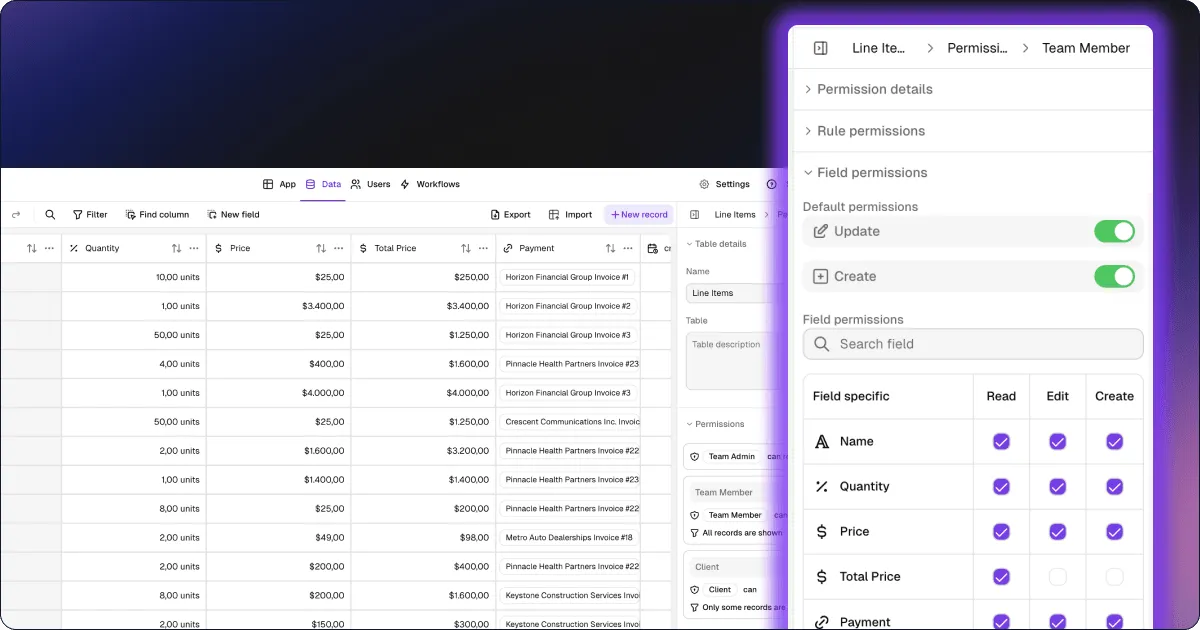
Managing permissions should feel natural, so we moved the Permissions Editor directly beside your data tables. Now you can see fields, roles, and rules in context, without switching screens or breaking your flow.
Formulas feel more familiar
We’ve updated our formula engine to behave more like what you’re used to, with cleaner logic, better consistency, and fewer workarounds. If you’ve ever wished formulas behaved “just like spreadsheets,” this update is for you.
User Roles have a new design
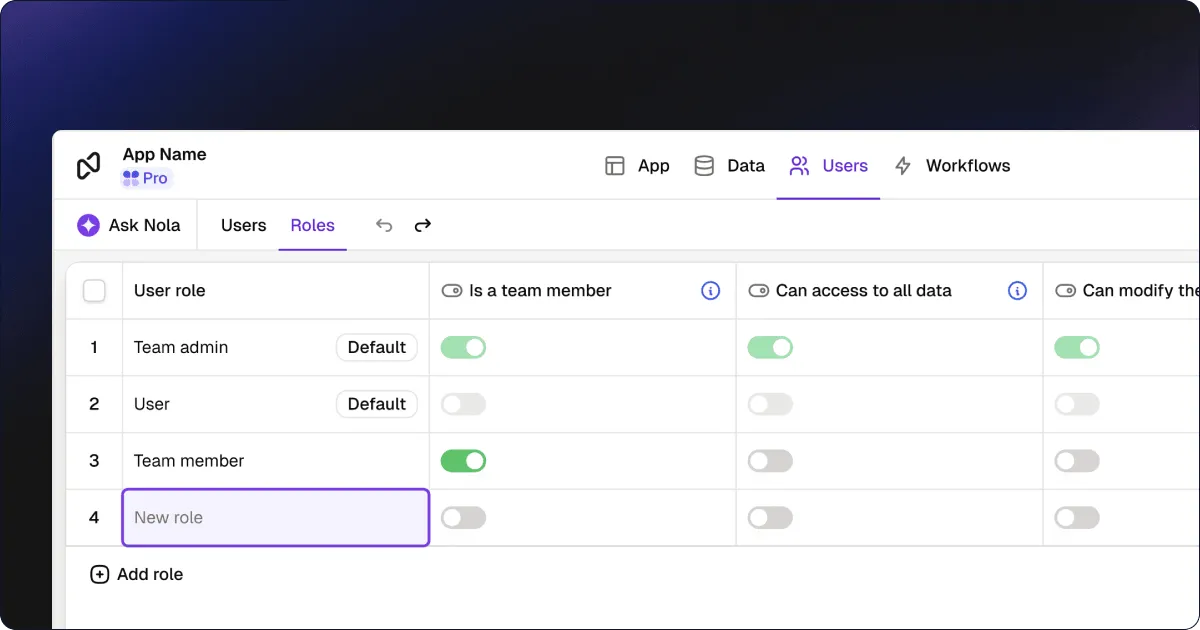
As part of our ongoing redesign, the User Roles section has been refreshed for clarity and ease of use. It’s now simpler to understand who can do what, and to keep your workspace organized as your team grows.