
New: App Assistant
Your business has a lot of questions. Now your team can just ask.
The old way
Getting an answer shouldn't take six steps
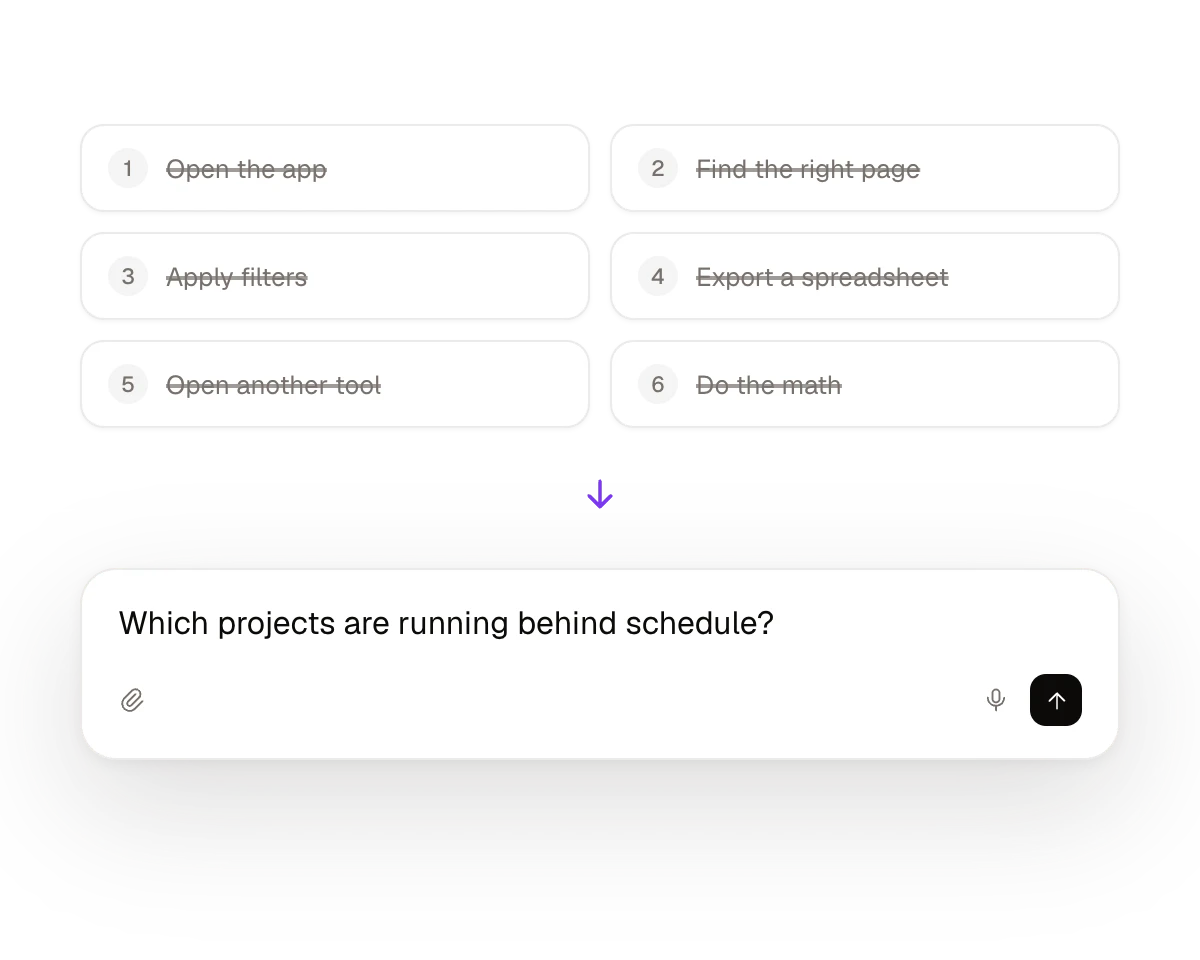
You need to know which projects are falling behind, or how much a client brought in this quarter. So you open the app, find the right page, apply filters, export a spreadsheet, open another tool and do the math.
The new way
Now you just ask
The App Assistant lives inside your Noloco app. Your team and clients ask in plain English and get answers from the data they’re allowed to see, as text, tables or charts.
Everything in your app, one question away
Plain English
Find what you need without digging
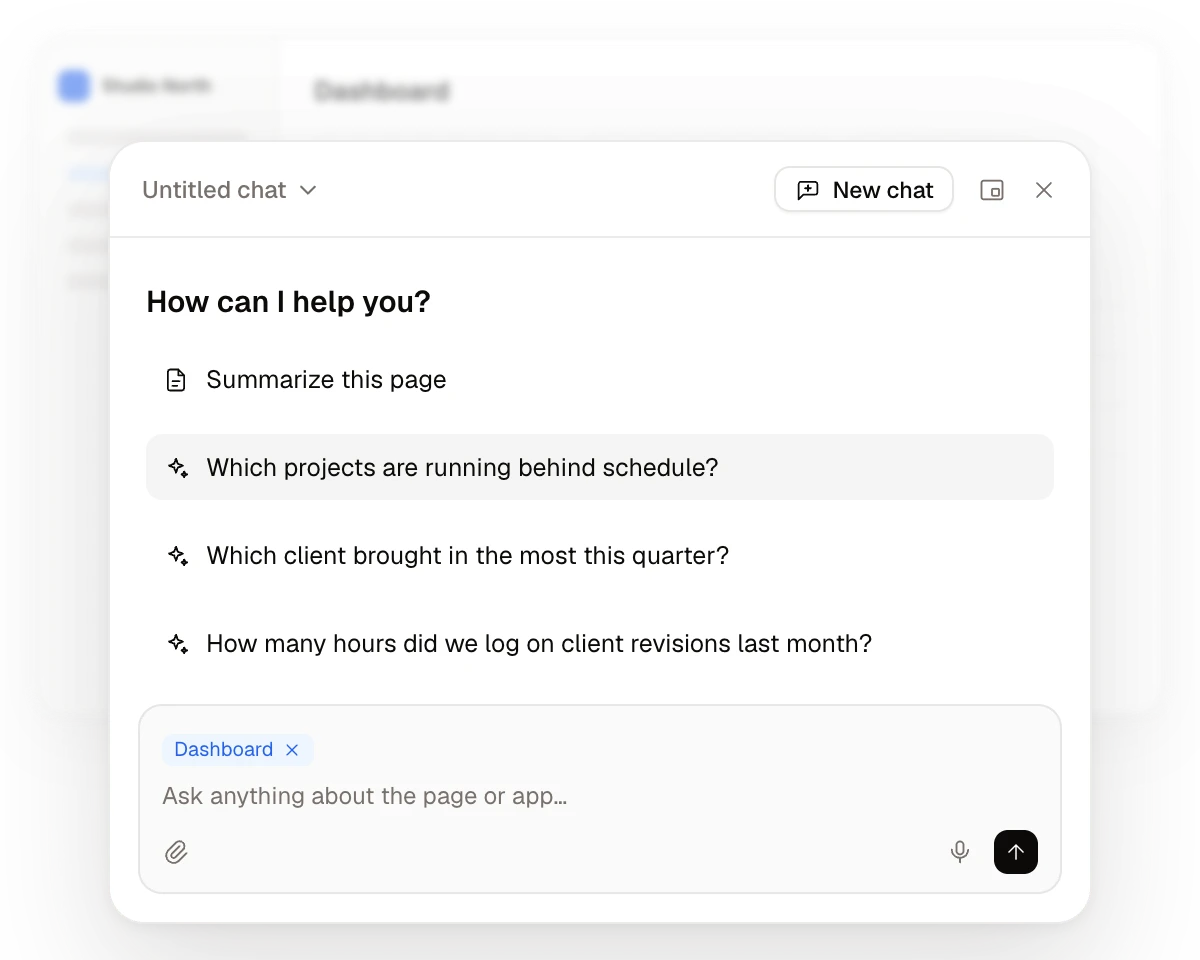
Ask about anything in your app, or about the page you’re on. A badge shows which page each question refers to, and suggested questions help you get started.
Instant answers
Get answers in the format you need
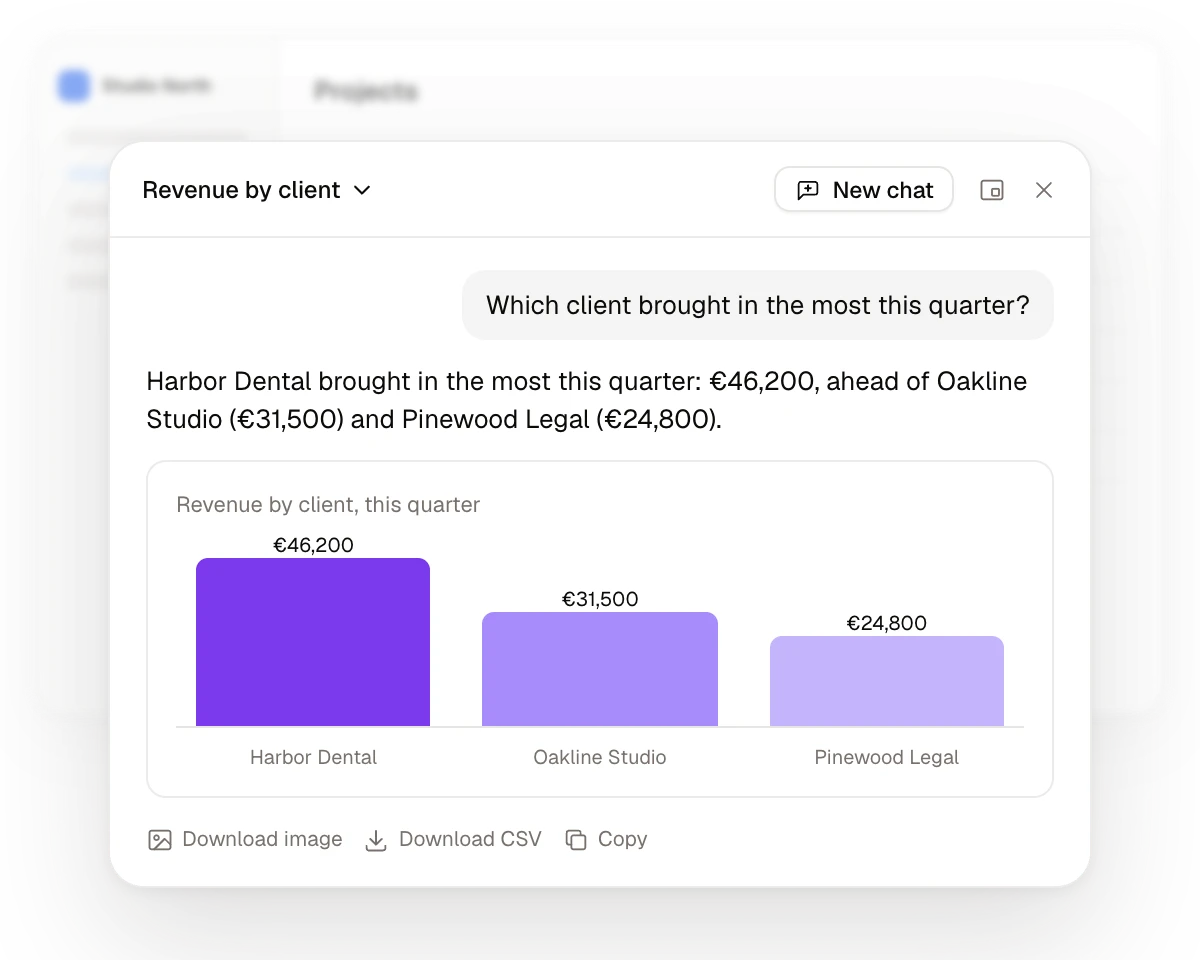
The App Assistant picks the clearest format for each answer, in seconds. No need to build another report. Download any table or chart, with the data behind it, as a CSV or an image, or copy it.
Calculations
Work out numbers your app doesn't show yet
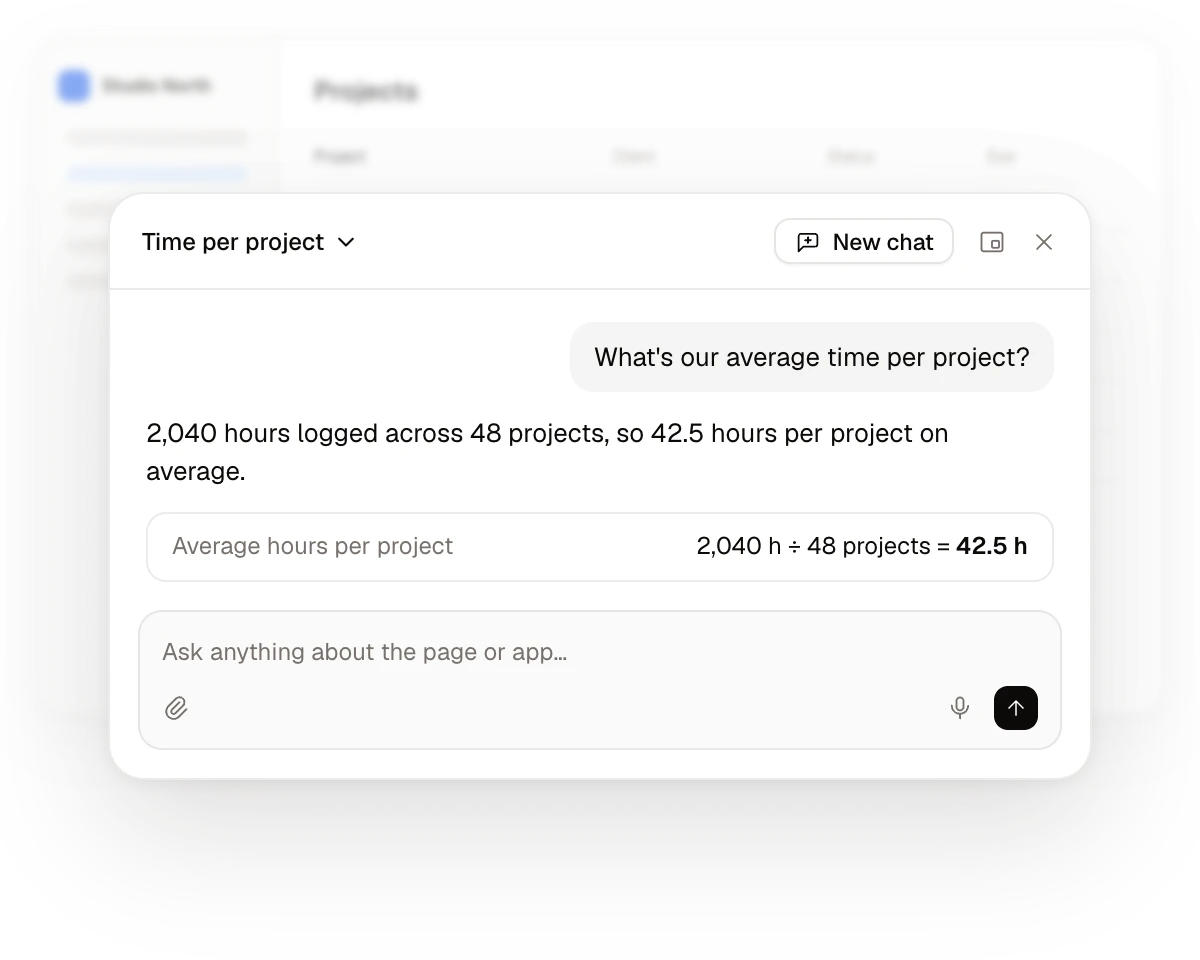
Average hours per project, profit per client, the difference between two sets of figures. Just ask, and the App Assistant does the math using the data you’re allowed to see.
Follow-up questions
Keep asking to dig deeper
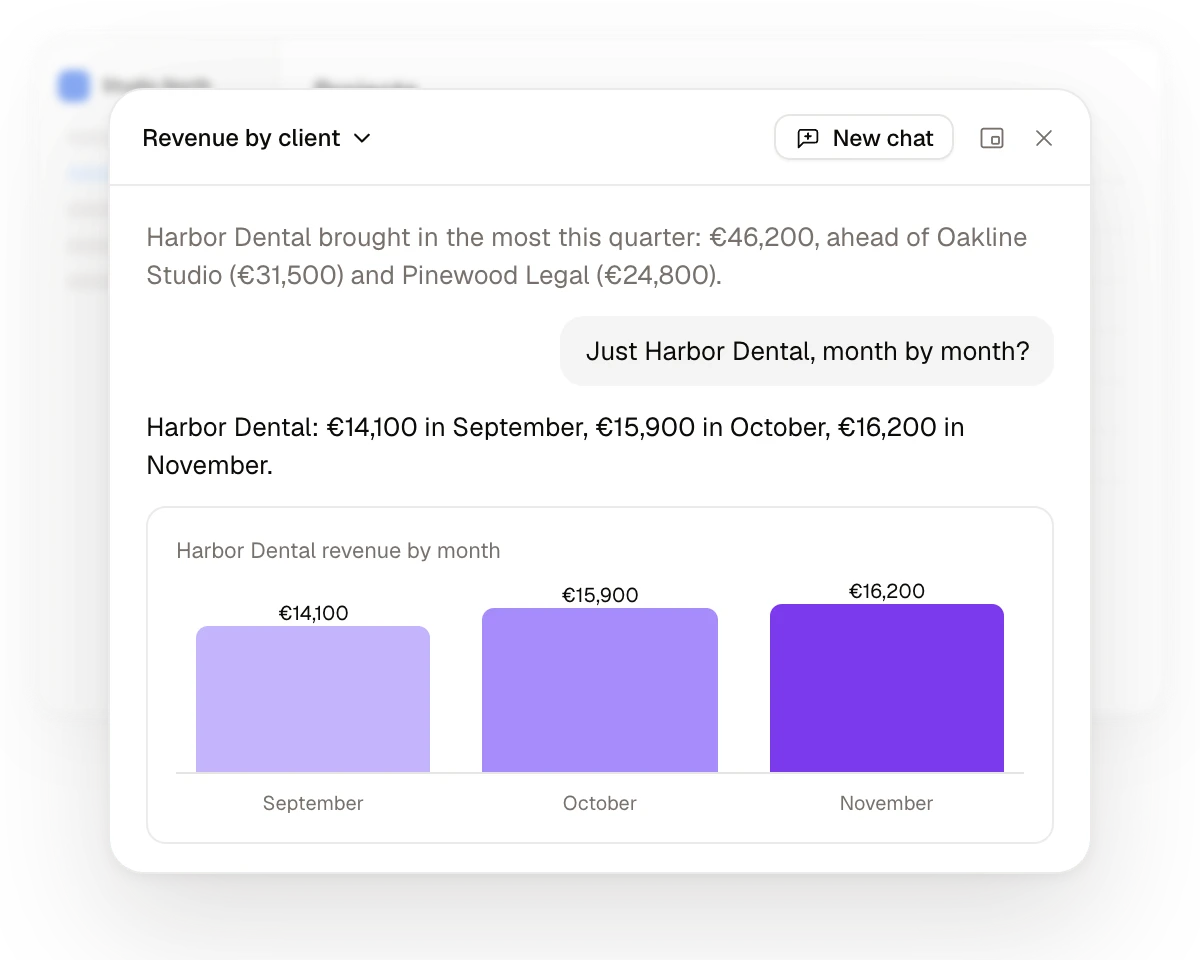
Got an answer but want another angle? Ask a follow-up, narrow it down or ask for a different calculation. The App Assistant also suggests follow-up questions after each answer, so the conversation doesn’t stop at the first one.
Small updates
Update records straight from the chat
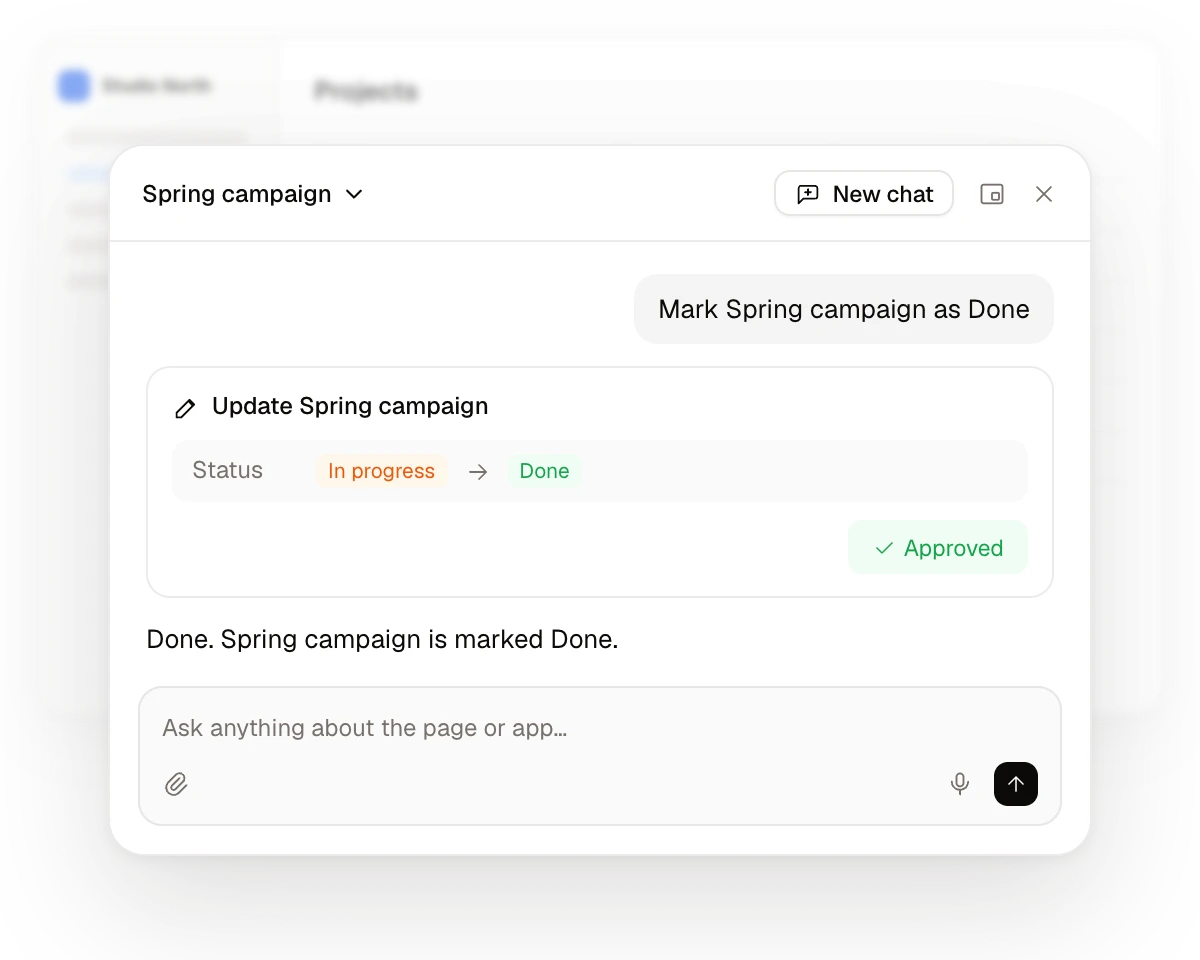
Log hours, mark a project as done or change a status without leaving the conversation. It shows you each change before making it, only makes changes your role allows, and it’s built for the small things, not bulk edits.
Made to fit how you work
Ask by voice
Speak your question instead of typing it.
Export results
Download tables and charts as a CSV or an image, or copy them anywhere.
Sidebar or floating
Dock it to the side or let it float, and resize it to fit.
Start fresh anytime
Open a new chat whenever you switch topics.
Add attachments
Add an image or a PDF to your question.
Ask about the page
It knows which page you are on and suggests questions about it.
Answers for everyone who uses your app
Admins
Give everyone a faster way to get to your information, without building a report for every question.
Your team
Get the answers you need without digging through pages.
Your clients
Get answers about their work without having to email you.
For admins
You stay in control
You decide who gets to ask, what they can see and what they can do. The App Assistant follows the roles and permissions you’ve already set up.
- Only their data: every answer comes from data the user’s role can already see. Nothing more.
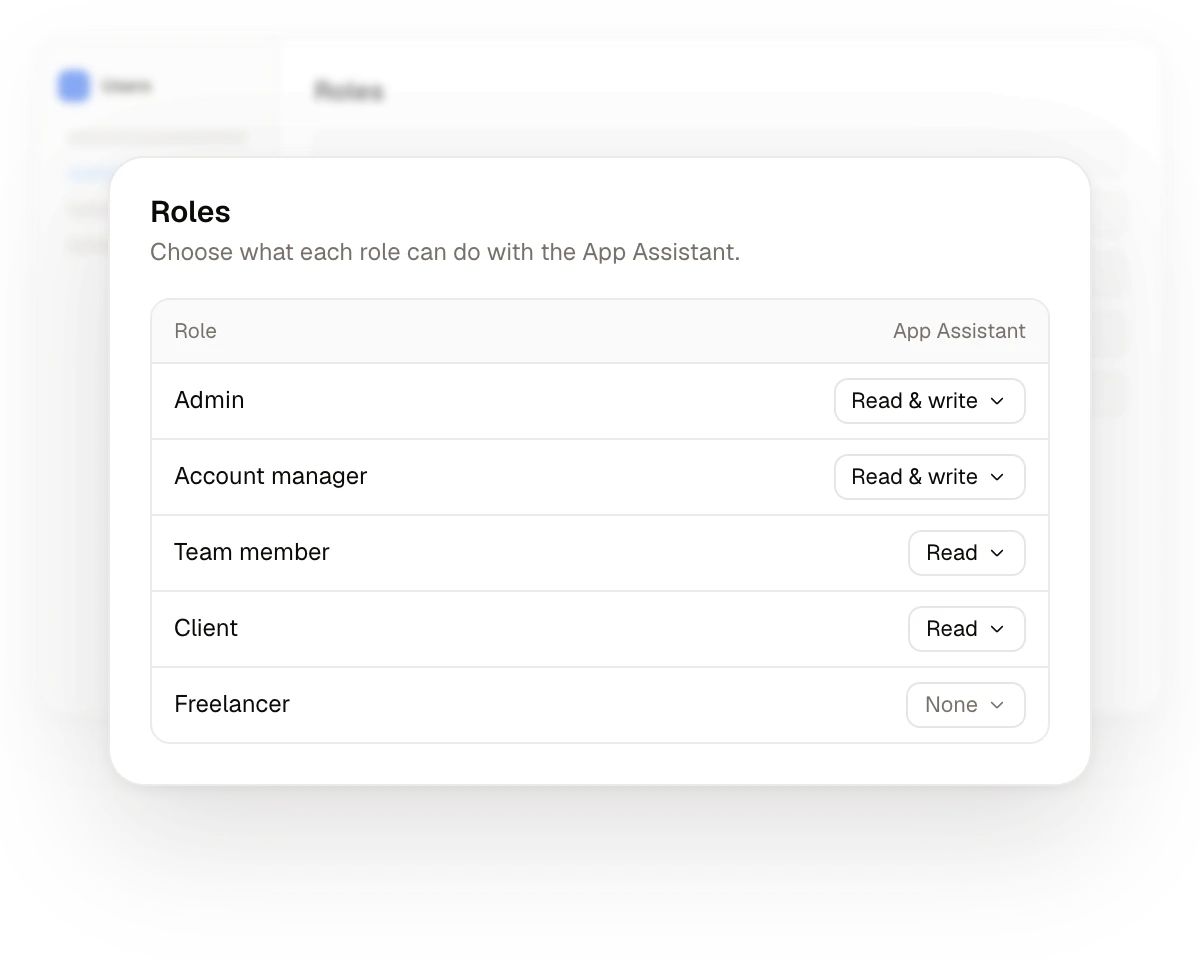
- Access by role: set each role to None, Read or Read & write. Builders and admins get Read & write by default.
- Team, clients or both: show it to internal users, clients or both, on desktop, mobile or both.
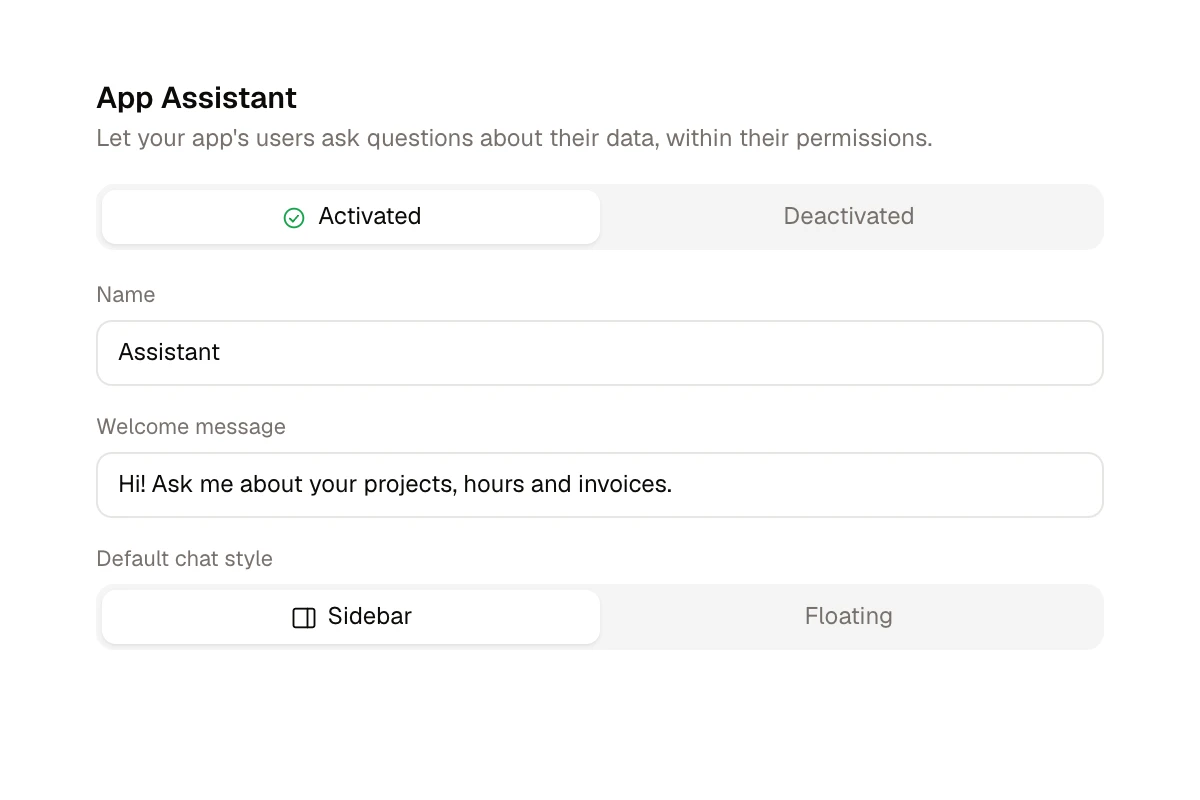
- Make it yours: give it a name, a welcome message and instructions, and choose a sidebar or floating chat.
Turn it on in three steps
- 1
Activate it
Go to Settings → App Assistant and click Activate.
- 2
Choose who sees it
Show it to internal users, clients or both.
- 3
Set access by role
In Roles, set each role to None, Read or Read & write.
Questions about the App Assistant
What is the App Assistant?
The App Assistant is a chat built into your Noloco app. Your team and clients ask questions in plain English and get answers as text, tables or charts, based on the data their role can see. It can also do calculations and, with Read & write access, make small updates to records.
Can the App Assistant see data a user doesn't have access to?
No. It only uses data the user's role can already see, following the permissions you've set up in your app.
Can my clients use the App Assistant?
Yes. Turn it on for clients and give their role access in Roles. Each client only gets answers about their own data.
Can the App Assistant change my data?
Only users with Read & write access can create or update records through it, and it shows each change before making it. It's meant for small updates, like logging hours or changing a status.
How is the App Assistant different from Nola?
Nola helps you build your app. The App Assistant helps the people using your app find answers in it.
Can I rename the App Assistant?
Yes. Set its name, welcome message and instructions in Settings → App Assistant.
Does the App Assistant use AI credits?
Yes. It uses your workspace's AI credits, and you can see its usage separately from Nola.
Which plans include the App Assistant?
Every Noloco plan includes the App Assistant.
Customer stories
Teams building with it

50%increase in billable hours
How GAP Consulting doubled cash flow with a no-code client portal
- It Just So Happens
29active projects
How the remote digital agency ‘It Just So Happens’ built one portal around the way they work with Canvas by Noloco

60%software cost reduction
How Redrock Entertainment built a Custom Operating System and Cut Software Costs by 60% with Noloco
Give your team and clients the answers they need
Turn on the App Assistant and let them just ask.
No credit card required